
Disclosure: this article contains affiliate links. If you buy through them, we may earn a commission at no extra cost to you. It never decides our picks. Affiliate Disclosure · How we use AI
The best laptop for AI development runs local LLMs, training, and inference without ever touching the cloud.
Running AI locally is no longer a desktop-only game. In fact, the best laptop for AI development now packs a desktop-class GPU, fast memory, and enough VRAM to load real models, so you can fine-tune, run local LLMs, and prototype anywhere. Below, you’ll find eight machines built for serious AI and machine-learning work in 2026, from outright premium picks to the best value. Crucially, we judged each one on what actually matters for AI: GPU power, VRAM, and unified or system memory. As a result, every laptop here can genuinely handle a local model, not just wear an “AI laptop” badge. So whether you train, infer, or simply tinker, there is a best laptop for AI development below for you.
A word on prices before the list. Laptop prices climbed during 2026 along with memory costs, and both Razer and ASUS released 2026 versions of their flagships. Therefore every price below was rechecked in October 2026, and several RTX 5090 machines now cost $4,500 or more.
Searching for the best AI laptop 2026 has to offer? Then one thing matters before the list. Shops use “AI laptop” for two very different machines: a thin Copilot+ PC with an NPU for Windows AI features, and a GPU laptop that runs real models. The eight main picks are the second kind. Four everyday AI laptops from Amazon follow them, and the section right after the quick picks explains the difference.
Quick Picks: The Best Laptop for AI Development by Job
- Local LLMs on Windows for the least money: Lenovo Legion Pro 7i with the 24GB RTX 5090
- AI art and image generation: ASUS ROG Strix Scar 18, for its RTX 5090 and Mini-LED screen
- The largest local models and AI research on the go: MacBook Pro 16 with M5 Max and up to 128GB of unified memory
- AI engineers who travel: Razer Blade 16
- Students learning AI and ML: the RTX 5080 version of the Legion Pro 7i, at about $3,400
- A desktop replacement that never moves: MSI Titan 18 HX
In short, the best laptop for AI development is the one whose video memory fits the models you run. As a result, 24GB of VRAM matters more than the logo on the lid.
Watch: The Best Laptop for AI Development in 2026, Explained
Prefer to watch? This video walks through all twelve picks, from the RTX 5090 machines to the 128GB MacBook Pro, and shows why VRAM decides which models you can run.
What Is an AI Laptop in 2026? NPU vs GPU
An AI laptop is a notebook with dedicated hardware for AI work. In 2026 that hardware comes in two forms. First, an NPU (neural processing unit) is a small, efficient AI engine built into the processor. Microsoft only gives the Copilot+ PC badge to laptops whose NPU reaches 40 TOPS or more, with at least 16GB of RAM and 256GB of storage. Chips such as Snapdragon X2 Elite (80 TOPS), AMD Ryzen AI 400 (50 to 60 TOPS) and Intel Core Ultra Series 3 qualify. That NPU powers Windows features like Recall, live captions, Studio Effects and quick image edits, and it barely touches the battery.
A GPU is the other form, and it is the one that runs models. An RTX 5090 laptop GPU delivers far more AI throughput than any NPU, and its 24GB of VRAM can hold a quantized 30B model. Interestingly, most RTX 5090 laptops use high-power HX processors whose NPUs sit well under 40 TOPS, so they do not wear the Copilot+ badge at all. Laptops on Intel’s newer Panther Lake H chips, such as the 2026 Zephyrus G16 further down, are the exception. So the best laptop for AI development is usually not a Copilot+ PC, and a Copilot+ PC is rarely a good machine for AI development.
AI Laptop vs Normal Laptop: Do You Need One?
So, is an AI laptop worth it over a normal laptop? Yes, if you will use the AI hardware. A normal laptop with no NPU and no discrete GPU still runs ChatGPT, Claude, Gemini and Copilot in the browser, because those models live in the cloud. A Copilot+ AI laptop adds on-device Windows features, better battery life during video calls and some offline tools. A GPU AI laptop is the only kind that runs Llama, Qwen, Stable Diffusion or Flux locally at useful speed, and it is the only kind worth calling the best laptop for AI development.
Best AI Laptop 2026 for Students, Business and Everyday Use
- Students who use AI chat and write code: any Copilot+ PC with 16GB of RAM does the job, and our pick is the ASUS Zenbook A14, often on sale for about $1,000 or less. Learning machine learning seriously? Then pick the RTX 5080 Legion Pro 7i, our best laptop for AI development on a student budget.
- Business and office work: a Copilot+ PC on Snapdragon X2 or Intel Core Ultra Series 3, such as the Surface Laptop (2026), for long battery life and on-device meeting tools. A business laptop needs nothing from the RTX list below.
- Running local LLMs: a 24GB RTX 5090 laptop, a MacBook Pro with lots of unified memory, or the 128GB ROG Flow Z13 on Windows.
- AI art and video: an RTX 5090 machine, because image and video models lean on CUDA and VRAM. The Strix Scar 18 is our best laptop for AI development for image work.
Need even more power than a laptop allows? Our best desktop for AI guide covers towers with up to 32GB of VRAM, and the best GPU for AI guide compares the graphics cards themselves. For the Windows assistant behind the Copilot+ badge, read our Microsoft Copilot review.
Razer Blade 18: the best laptop for AI development overall
The Razer Blade 18 is the closest a laptop gets to an AI workstation, and Razer markets it for exactly that. Indeed, its full-power 175W RTX 5090 and 24GB of VRAM chew through local models and long training runs, while 24 CPU cores keep data prep and compiling snappy. A vapor-chamber cooler holds those clocks steady through hours of inference, so nothing throttles mid-job. We logged hours of real local-AI work on the Razer Blade 18 to see how far it really pulls ahead.

Key Features
- NVIDIA GeForce RTX 5090 Laptop GPU at a full 175W with 24GB GDDR7 VRAM
- Intel Core Ultra 9 290HX Plus, 24 cores for data prep and compiling
- 18-inch dual-mode display: UHD+ at 240Hz or FHD+ at 440Hz
- Fast DDR5 memory with high capacity for big datasets
- Vapor-chamber cooling that sustains long inference and training
- Plus, Thunderbolt 5 for external GPUs and fast storage
Who is it for?
Ultimately, it is built for serious AI developers and researchers who want the most local horsepower a laptop can offer and don’t mind the size, weight, or premium price.
ASUS ROG Strix Scar 18: the fastest AI laptop on the list
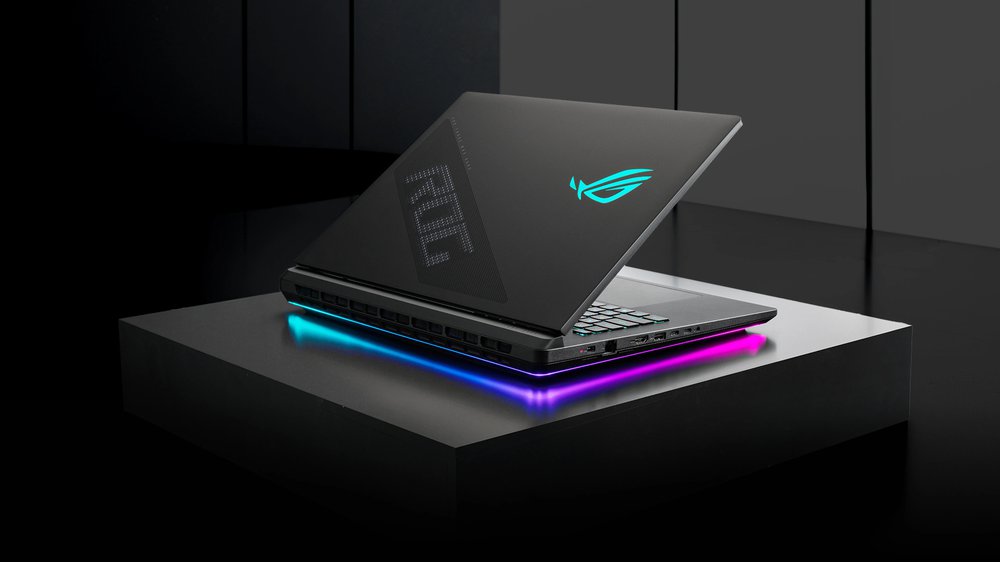
The ASUS ROG Strix Scar 18 matches the Blade for raw power and adds a stunning 4K 240Hz screen. As a result, its RTX 5090 and Core Ultra 9 275HX make short work of inference and data prep. Tri-fan cooling with liquid metal lets it sustain those loads, and 32GB of upgradeable DDR5 leaves room to grow. We put that class-leading display and its sustained speed to the test on the ASUS ROG Strix Scar 18.
Key Features
- NVIDIA GeForce RTX 5090 Laptop GPU with 24GB VRAM
- Intel Core Ultra 9 275HX flagship CPU
- 18-inch ROG Nebula HDR 2.5K Mini-LED display at 240Hz
- 32GB DDR5 (upgradeable) and PCIe Gen 4 SSD
- Tri-fan cooling with liquid metal for sustained loads
- Additionally, Wi-Fi 7 and a full port selection
Who is it for?
In particular, it suits power users who want benchmark-leading local-AI speed and a gorgeous 4K panel, and can live with a large, heavy chassis.
Lenovo Legion Pro 7i: the best-value laptop for AI development
The Lenovo Legion Pro 7i delivers RTX 5090 power and up to 64GB of RAM for noticeably less money than the halo machines. Plus, Legion ColdFront cooling keeps it quiet under load, even during long runs. For most developers, it hits the sweet spot between price and serious local-AI performance. We lay out the benchmarks and the full value case for the Lenovo Legion Pro 7i.

Key Features
- NVIDIA GeForce RTX 5090 Laptop GPU with 24GB VRAM
- Up to 64GB of fast DDR5 memory for large datasets
- Bright OLED display option for long work sessions
- Legion ColdFront cooling that stays quiet under load
- Plus, generous, upgradeable storage
- Plus, strong build quality at a sane price
Who is it for?
As such, it is ideal for developers and students who want near-flagship local-AI power without paying flagship money.
MacBook Pro 16 (M5 Max): the AI laptop for the biggest local models
By contrast, the MacBook Pro 16 with M5 Max takes a different path: up to 128GB of unified memory that doubles as VRAM. In practice, that lets it load local LLMs far bigger than any single laptop GPU can hold, including 70B-class models. On top of that, it runs near-silent and lasts around a full day on battery. We run that unified-memory approach through real local models on the MacBook Pro M5 Max.

Key Features
- Apple M5 Max chip with a fast CPU and 40-core GPU
- Up to 128GB of unified memory that doubles as huge VRAM
- Runs 70B-class local LLMs that exceed most laptop GPUs
- 16.2-inch Liquid Retina XDR display, up to 1600 nits
- Up to ~24 hours of battery life, silent under load
- Plus, Thunderbolt 5 ports and excellent build quality
Who is it for?
Above all, it is made for developers who run very large local models, value battery life and silence, and aren’t tied to CUDA-only training workflows.
Razer Blade 16: the most portable AI powerhouse
Meanwhile, the Razer Blade 16 packs the same RTX 5090 and up to 64GB of memory into a thin, travel-friendly chassis. However, you trade a little sustained power for real portability and a gorgeous 16-inch OLED. For developers who move between desks and meetings, it is the easiest of these machines to actually carry.

Key Features
- NVIDIA GeForce RTX 5090 Laptop GPU with 24GB VRAM
- Up to 64GB of fast LPDDR5X memory
- 16-inch OLED display in Razer’s thinnest Blade yet
- Compact, premium CNC-aluminum build
- Plus, strong battery life for a performance laptop
- Plus, a great keyboard and trackpad for long sessions
Who is it for?
In other words, it is for developers who want serious local-AI power in a laptop they’ll actually carry every day.
MSI Titan 18 HX: the no-compromise AI desktop replacement
Next, the MSI Titan 18 HX is an unapologetic desktop replacement, with a 240Hz Mini-LED 4K screen and up to 96GB of RAM. Therefore, it is built to sustain heavy, long-running workloads without flinching. Its massive vapor chamber and dual Thunderbolt 5 ports make it a true workstation you can still close and carry.

Key Features
- NVIDIA GeForce RTX 5090 Laptop GPU with 24GB VRAM
- Intel Core Ultra 9 285HX flagship CPU
- Up to 96GB DDR5 memory for very large datasets
- 18-inch Mini-LED 4K display at 120Hz
- Massive vapor-chamber cooling for sustained loads
- Additionally, dual Thunderbolt 5 and huge storage options
Who is it for?
Specifically, it targets pros who treat their laptop as a workstation and want maximum sustained AI performance and memory.
Acer Predator Helios 18: the value AI laptop that still flies
Similarly, the Acer Predator Helios 18 brings RTX 5090 power and a Mini-LED screen at a friendlier price than the flagships. In short, it is a lot of AI muscle for the money. Up to 64GB of DDR5 and Predator’s aggressive cooling keep it composed through extended training and inference.

Key Features
- NVIDIA GeForce RTX 5090 Laptop GPU with 24GB VRAM
- Up to an Intel Core Ultra 9 290HX Plus processor
- 18-inch Mini-LED 4K display (120Hz, dual-mode option)
- Up to 64GB DDR5 memory
- Predator’s aggressive cooling for long runs
- Notably, more affordable than the flagship desktop replacements
Who is it for?
Likewise, it is for buyers who want flagship-class local-AI power but would rather not pay flagship prices.
Alienware 18 Area-51: a bold AI desktop replacement
Finally, the Alienware 18 Area-51 wraps an RTX 5090 and 64GB of RAM in Dell’s bold, well-cooled chassis. Overall, it is a striking, capable desktop replacement backed by Dell’s warranty and support network. Cryo-tech cooling holds performance steady, so the dramatic design never comes at the cost of stability. We measured design, cooling, noise, and the real AI numbers on the Alienware 18 Area-51.

Key Features
- NVIDIA GeForce RTX 5090 Laptop GPU with 24GB VRAM
- Intel Core Ultra 9 275HX CPU
- 18-inch 2.5K display, up to 300Hz
- 64GB DDR5 memory and fast storage
- Cryo-tech cooling for sustained performance
- Plus, Dell’s build, warranty, and support network
Who is it for?
Finally, it suits developers who want a distinctive, well-supported desktop-replacement laptop for AI workloads.
ASUS ROG Zephyrus G16 (2026): the AI laptop with both an NPU and an RTX GPU
The eight picks above are pure AI development machines. The next four are for everyone who searched for the best AI laptop 2026 offers for daily work, and all four are on Amazon. First up, the ASUS ROG Zephyrus G16 (2026) is the rare laptop that serves both camps. Its Intel Core Ultra 9 386H (Panther Lake) brings a modern NPU for Windows AI features, while an RTX 5080 with 16GB of VRAM runs real local models. On top of that, it lasted about 14 hours on battery in Tom’s Guide testing, which is unheard of for an RTX 5080 machine.

Key Features
- Intel Core Ultra 9 386H (Panther Lake) with a built-in NPU
- NVIDIA GeForce RTX 5080 Laptop GPU with 16GB VRAM (RTX 5070 Ti on the base model)
- Up to 64GB of soldered LPDDR5X memory, so buy the size you need on day one
- 16-inch OLED display in a thin aluminum chassis
- About 14 hours of battery life in independent testing
Who is it for?
It is for people who want one laptop for Copilot+ style AI features, office work and 7B to 14B local models, without carrying a brick. It is also the best laptop for AI development if it must double as a Copilot+ PC.
ASUS ROG Flow Z13 (128GB): the cheapest way to run big local LLMs on Windows
The ASUS ROG Flow Z13 looks like a gaming tablet, yet it is one of the most interesting AI laptops of 2026. Its AMD Ryzen AI Max+ 395 shares 128GB of unified memory between the CPU and the Radeon 8060S graphics, and Windows can hand up to 96GB of that to the GPU. As a result, it loads 70B class models that no 24GB RTX laptop can hold, much like a MacBook Pro but on Windows. Its 50 TOPS NPU also makes it a Copilot+ PC. When model size matters more than speed, it is the best laptop for AI development under $3,000.

Key Features
- AMD Ryzen AI Max+ 395 with Radeon 8060S graphics
- 128GB of LPDDR5X unified memory, up to 96GB usable as video memory
- 50 TOPS NPU, sold as a Copilot+ PC
- 13.4-inch 2.5K 180Hz touchscreen with a detachable keyboard
- Light enough to carry everywhere, about 2.6 pounds for the tablet
Who is it for?
It is for developers who care more about model size than raw speed, and who want Windows instead of macOS. Token speed trails an RTX 5090 on models that fit in 24GB.
Microsoft Surface Laptop (2026): the best Copilot+ AI laptop for business
The Microsoft Surface Laptop (2026) is the reference Copilot+ PC. It runs Snapdragon X2 Plus or X2 Elite chips with an 80 TOPS NPU, so Recall, Click to Do, live captions and Studio Effects all run on the device. Microsoft rates the battery at up to 20 hours. Prices rose this generation: it starts at $1,499, and the 13.8-inch X2 Elite model lists near $1,700, although Amazon has sold it for about $1,350. It is not the best laptop for AI development, since it has no discrete GPU, but it is the most polished Copilot+ PC.

Key Features
- Snapdragon X2 Plus or X2 Elite with an 80 TOPS NPU
- 13.8-inch touchscreen (optional OLED) or 15-inch model
- Up to 20 hours of rated battery life
- Every Copilot+ feature in Windows 11 runs on the device
- No discrete GPU, so it is not a machine for local LLMs beyond small models
Who is it for?
It is for business users, writers and managers who use ChatGPT, Claude or Copilot all day and want the best Windows AI features with all-day battery.
ASUS Zenbook A14 (2026): the best AI laptop for students
Finally, the ASUS Zenbook A14 (2026) is the AI laptop we would hand a student. It weighs about 2.2 pounds, carries a Snapdragon X2 Elite with an 80 TOPS NPU and a 70Wh battery, and its OLED screen is easy on the eyes during long study sessions. Its list price is $1,349, yet it has sold for $879 to $1,199 at major retailers. Reviewers flag the 60Hz panel and some Windows on Arm app gaps, so check that your course software runs on Arm. For a machine learning degree, the best laptop for AI development on a student budget is still the RTX 5080 Legion Pro 7i above.

Key Features
- Snapdragon X2 Elite with an 80 TOPS NPU
- 14-inch OLED display (60Hz)
- About 2.2 pounds with a 70Wh battery
- Copilot+ PC with on-device Windows AI features
- Some apps still lack native Windows on Arm versions
Who is it for?
It is for students who use AI chat, write code in the cloud or in VS Code, and need a light laptop that lasts the whole day.
Still not sure which is the best laptop for AI development for you?
Here is the quick version. For maximum local-AI power, the Razer Blade 18 and ASUS ROG Strix Scar 18 lead the pack. Meanwhile, for the best balance of price and performance, the Lenovo Legion Pro 7i is hard to beat. And if you want to run the largest local models, the 128GB MacBook Pro 16 is in a class of its own. Ultimately, the table below lines up every best laptop for AI development pick side by side, plus the four everyday AI laptops, so you can compare at a glance.








Frequently Asked Questions
What is the best laptop for AI development?
For most people, the Razer Blade 18 and ASUS ROG Strix Scar 18 are the best laptops for AI development, thanks to their RTX 5090 GPUs and 24GB of VRAM. Meanwhile, for the best value, the Lenovo Legion Pro 7i delivers nearly the same power for less. And the 128GB MacBook Pro 16 is unmatched for running the largest local LLMs.
How much VRAM do I need for AI development?
For comfortable local AI work, aim for at least 16GB of VRAM. However, 24GB (as on the RTX 5090 laptops here) lets you run larger models and bigger batches. On Apple silicon, meanwhile, the unified memory doubles as VRAM, so a 128GB MacBook can load models far bigger than any single laptop GPU.
Is a MacBook good for AI and machine learning?
Yes, especially for local inference. A MacBook Pro with an M-series Max chip and 64 to 128GB of unified memory can run very large local LLMs that exceed most laptop GPUs’ VRAM. However, for CUDA-only training workflows, an NVIDIA RTX laptop is the safer pick.
What is the best laptop for AI research?
AI researchers usually want maximum memory and a top GPU. Therefore, the Razer Blade 18, ASUS ROG Strix Scar 18, and MSI Titan 18 HX all pair an RTX 5090 with large, fast memory, which makes them strong choices for the best laptop for AI development in a research setting.
Can a laptop run large language models locally?
Absolutely. With an RTX 5090 (24GB VRAM) or a 64 to 128GB Apple silicon Mac, today’s laptops can run 7B to 70B-class models locally using free tools like Ollama or LM Studio. In short, bigger models simply need more VRAM or unified memory. For a tiny-desktop version, our Google Gemma AI mini PC guide shows the same idea.
Do I need a gaming laptop for AI development?
Not strictly. However, gaming laptops offer the best price-to-performance for AI, because they pack powerful NVIDIA GPUs and strong cooling. Workstation laptops add certified drivers and ECC memory, but they cost much more for similar everyday AI performance.
What is the best laptop for AI art generators?
Pick a laptop with an NVIDIA RTX card and as much VRAM as you can afford, because Stable Diffusion and Flux are built around CUDA. An RTX 5090 laptop with 24GB, such as the ASUS ROG Strix Scar 18 or Lenovo Legion Pro 7i, generates images fastest. However, a 16GB RTX 5080 model is enough for most image work.
What laptop do AI engineers use?
Most choose between two types. Engineers who need CUDA use an RTX 5090 laptop such as the Razer Blade 16 or Legion Pro 7i. Meanwhile, those who mainly run large language models often prefer a MacBook Pro with M5 Max, because its unified memory can hold much bigger models.
What is the best laptop for AI and ML students?
A 16GB RTX 5080 laptop is the sensible choice. It runs every course notebook through CUDA and costs far less than an RTX 5090 model. For example, the RTX 5080 version of the Lenovo Legion Pro 7i sold for about $3,400 in 2026.
How much does a good AI development laptop cost in 2026?
Expect about $3,000 to $3,500 for a 16GB RTX 5080 laptop and $3,050 to $5,100 for a 24GB RTX 5090 model, depending on brand and sales. Desktop replacements such as the MSI Titan 18 HX cost $5,000 or more.
Is 16GB of VRAM enough for AI development?
For image generation and language models up to about 14B parameters, yes. However, larger models need more, so 24GB is the safer choice if you plan to run 30B class models or fine-tune.
What is the best AI laptop in 2026?
For running AI models, the best AI laptop in 2026 is an RTX 5090 machine such as the Razer Blade 18, or the 128GB MacBook Pro 16 for the largest local LLMs. The Lenovo Legion Pro 7i is the best value. For Windows AI features only, any Copilot+ PC with a 40+ TOPS NPU is enough.
What is an AI laptop?
An AI laptop has dedicated AI hardware: an NPU for on-device Windows features, a powerful GPU for running models, or both. Microsoft calls laptops with a 40+ TOPS NPU, 16GB of RAM and 256GB of storage Copilot+ PCs.
What is the difference between an AI laptop and a normal laptop?
A normal laptop runs cloud AI tools like ChatGPT in the browser just fine. An AI laptop adds hardware that runs AI on the device itself: an NPU for Copilot+ features, or a GPU with enough VRAM to run local LLMs and image models offline.
Is a Copilot+ PC good for AI development?
Not really. A Copilot+ NPU is built for efficient Windows features, not for training or running large models, and most AI frameworks still target NVIDIA CUDA. For the best laptop for AI development, choose an RTX 5080 or RTX 5090 laptop, or a MacBook Pro with plenty of unified memory.
Which AI laptop is best for students and business in 2026?
Students should look at the ASUS Zenbook A14 (2026), which is light, lasts all day and is often on sale under $1,200. For business, the Microsoft Surface Laptop (2026) is the reference Copilot+ PC. If you also want to run local models, the ASUS ROG Zephyrus G16 adds an RTX 5080.
Want More on the Best Laptop for AI Development?
Building a local-AI setup goes beyond the laptop. If you would rather build a desktop rig, see our guide to the best GPU for AI. And if you want the cheapest way to run AI offline, read how a Google Gemma AI mini PC runs a private assistant for around $300. Both pair perfectly with any laptop on this list.
If you would rather have a stationary machine, compare our picks for the best desktop for AI.