This MacBook Pro M5 Max review tests the one laptop that runs 70-billion-parameter models locally — near-silently, on battery — and shows where unified memory beats every RTX 5090.
What Is the MacBook Pro 16 M5 Max?
The MacBook Pro M5 Max review verdict up front: it wins local AI by playing a completely different game. While every Windows rival in our roundup maxes out at 24GB of GPU VRAM, the 16-inch MacBook Pro with the M5 Max chip offers up to 128GB of unified memory that doubles as VRAM, at 614 GB/s of bandwidth. Still, that single design choice lets it load models far bigger than any laptop GPU can hold.
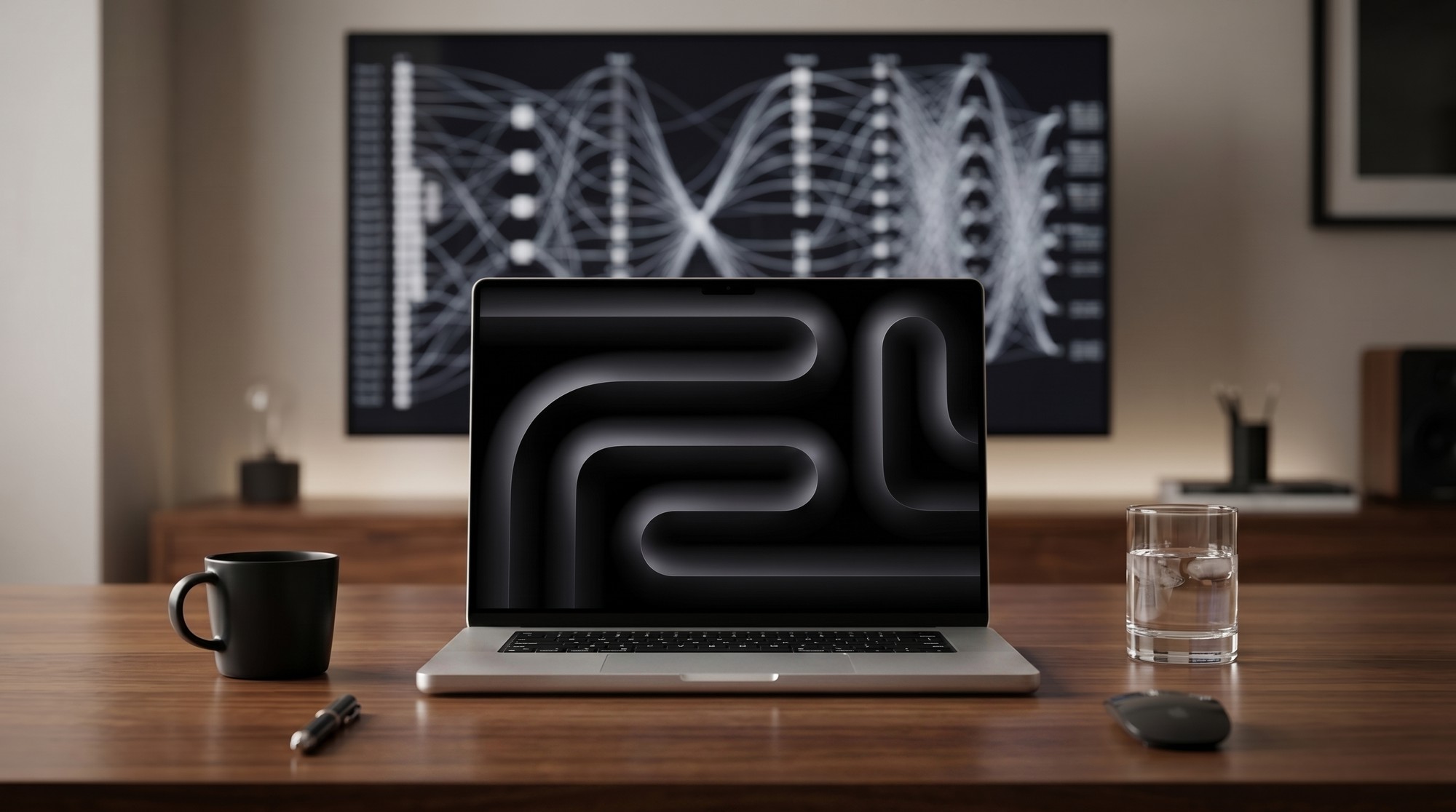
Plus, the M5 Max pairs an 18-core CPU with up to a 40-core GPU (with new Neural Accelerators) and Apple’s Neural Engine, wrapped in the familiar aluminum MacBook Pro body with a Liquid Retina XDR display and all-day battery. Meanwhile, in our best laptop for AI development roundup it is the outlier. In fact, the pick for people who run the largest local models. Indeed, this review explains exactly when it is the best laptop you can buy, and when it is not.
Moreover, the short framing: for inference on big models, it is untouchable. Notably, for CUDA-bound training, it is the wrong machine. In fact, most of this review is about telling those two cases apart.
MacBook Pro M5 Max Price and Where to Buy
Importantly, there is no gentle way to say it: the configuration that matters here is expensive. On top of that, a MacBook Pro M5 Max with the full 128GB of unified memory starts around $5,849. A well-specced 16-inch build with more storage climbs toward $6,000–$7,000. Lower-memory M5 Max configurations cost less, but they give up the very thing that makes this machine special for AI.
Here is the counter-argument, though, and it is a strong one: running 70B-class models locally otherwise means a desktop with $5,000-plus of NVIDIA GPUs. Crucially, the M5 Max does it on a laptop, on battery, under 90W. What is more, viewed as “the cheapest way to run very large models locally and privately,” that price starts to look reasonable.
The MacBook Pro M5 Max for AI: Big Models, One Big Catch
This is the whole reason the MacBook is on the list. As a result, let us be precise about what it does and does not do well.
Unified memory is the superpower
Still, on a Windows laptop, the model has to fit in the GPU’s VRAM — 24GB at most. On the M5 Max, the model uses the same 128GB pool the whole system uses, so capacity is the differentiator. Plus, a 70B model quantized to 4-bit is roughly 40GB and fits entirely in memory with no CPU offloading. The chip can run models up to around 120–125 billion parameters. Meanwhile, no other laptop can do that, full stop.
How fast is it, really?
Indeed, honest numbers matter here. A 70B model runs at roughly 18–25 tokens per second on the 128GB M5 Max. Indeed, very usable for a model that size, and faster than CPU offloading on any GPU laptop. But on small models (7B–13B), an RTX 5090 laptop is generally quicker. So the rule is simple: for models that fit in 24GB, a Windows RTX 5090 wins on raw speed; for models that do not, the M5 Max is the only laptop that runs them at all.
The software reality: Metal and MLX, not CUDA
This is the catch every developer must understand. Apple silicon uses Metal and Apple’s MLX framework, not NVIDIA’s CUDA. For local inference that is fine. Notably, Ollama, LM Studio, llama.cpp, and MLX all run beautifully. Our guide on how to run LLM locally works the same way here. But a great deal of training and research code is written for CUDA. You can fine-tune with MLX or PyTorch’s Metal backend. However, the ecosystem is younger and some tools simply will not run. If your work is CUDA-bound, choose a Windows RTX laptop instead.
MacBook Pro M5 Max Review: Performance, Silence, and Battery
Outside of AI, the M5 Max is a superb pro laptop. The 40-core GPU and 18-core CPU chew through video editing, code compilation, and 3D work. Apple’s efficiency means it does so while staying cool and quiet.
Silence and battery: the quiet revolution
This is where the Mac humiliates the competition. Running a local model under 90W, it is essentially silent and barely warm. It can do real AI work on battery. As a result, something no RTX 5090 laptop can claim, since those tank to single-digit battery hours and roar under load. The MacBook Pro lasts around a full day of normal use and stays composed through inference. For anyone who works in quiet spaces or away from a wall, that is transformative.
The Liquid Retina XDR display
The 16.2-inch Liquid Retina XDR panel is a mini-LED screen with up to 1600 nits of brightness, 120Hz ProMotion, and reference-grade color. It is one of the best laptop displays made and ideal for the video, photo. Design work that often sits alongside AI on a pro Mac.
Design, Display, and macOS
The MacBook Pro’s build is the benchmark the Windows machines are measured against: a precise aluminum unibody, the best trackpad in the business, a comfortable keyboard. Excellent speakers, all in a body around 2.1kg. Meanwhile, lighter than every 18-inch rival here. It looks like a professional tool, not a gaming machine.
Connectivity covers three Thunderbolt 5 ports, HDMI, an SDXC card slot, MagSafe charging, and Wi-Fi 7. The obvious consideration is the operating system: this is macOS, not Windows. For many developers that is a plus; if your toolchain, drivers, or studio pipeline is Windows-only, factor that in before switching.

MacBook Pro M5 Max Specs
Here is the MacBook Pro 16 (M5 Max) spec sheet at a glance, in the 128GB configuration we focus on for AI:
- Chip: Apple M5 Max — 18-core CPU, up to 40-core GPU with Neural Accelerators, 16-core Neural Engine
- Unified memory: up to 128GB, 614 GB/s bandwidth (doubles as VRAM)
- Local AI: runs 70B models at ~18–25 tok/s; up to ~125B-parameter models
- Display: 16.2-inch Liquid Retina XDR mini-LED, up to 1600 nits, 120Hz ProMotion
- Storage: configurable SSD, up to 8TB
- Battery: up to ~24 hours; real AI work possible unplugged
- Ports: 3× Thunderbolt 5, HDMI, SDXC, MagSafe
- Wireless: Wi-Fi 7, Bluetooth 5.4
- Weight: approximately 2.1kg
- OS: macOS
MacBook Pro 16 (M5 Max) — key AI specs at a glance.
How the MacBook Pro 16 (M5 Max) Compares to the Razer Blade 18
Pros and Cons
What we liked
- Only laptop that runs 70B–120B local models, thanks to 128GB unified memory
- 614 GB/s bandwidth and unified memory are the specs that actually matter for big models
- Near-silent and able to run real AI work on battery, under 90W
- Best-in-class build, keyboard, trackpad, and Liquid Retina XDR display
- Up to ~24 hours of battery and superb efficiency
- Excellent for creative work that sits alongside AI (video, photo, design)
What could be better
- Expensive — the 128GB configuration starts around $5,849
- Metal and MLX, not CUDA — wrong choice for CUDA-bound training and research
- Slower than an RTX 5090 laptop on small (7B–13B) models
- macOS, not Windows — a problem for Windows-only pipelines
- Memory and storage are not user-upgradeable after purchase
Who Should Buy the MacBook Pro M5 Max?
The MacBook Pro M5 Max is for one developer above all: the person who needs to run very large local models — 30B, 70B, even 120B — on a laptop, privately, and often on the move. If that is you, there is no alternative, and the price is simply the cost of entry. It is also ideal for developers who value silence, all-day battery, and a reference display. Who do their AI work through inference tools rather than CUDA training frameworks.
It is not the pick if your work is CUDA-bound training or research, if you only run small (7B–13B) models where a cheaper RTX laptop is faster, or if your pipeline is Windows-only. In those cases the best laptop for AI development roundup has better-suited options like the Razer Blade 18 or the value-focused Lenovo Legion Pro 7i.
Two buyers fit it perfectly. The first is the AI engineer experimenting with the largest open-weight models who refuses to send proprietary data to the cloud. The second is the creator-developer who edits video and runs local models on the same machine and wants Apple’s build, screen, and battery while doing it.
Final Verdict: Is the MacBook Pro M5 Max Worth It?
The MacBook Pro M5 Max is the most specialized machine in our roundup, and within its specialty it is unbeatable. Its 128GB of unified memory runs local models that no other laptop can fit, near-silently and on battery. The build, display, and efficiency are best in class. The honest caveats are equally clear: it is expensive, it uses Metal and MLX rather than CUDA (so it is the wrong choice for CUDA-bound training). An RTX 5090 laptop is faster on small models. Match it to the job — big-model local inference — and it is the best laptop you can buy. Use it for the wrong job, and you will wish you had bought Windows.
Frequently Asked Questions
Is the MacBook Pro M5 Max good for AI development?
For running large local models, it is the best laptop available: 128GB of unified memory runs 70B and even ~120B-parameter models that no GPU laptop can fit. The caveat is that it uses Metal and MLX, not CUDA, so it is the wrong choice for CUDA-bound training.
How large a model can the M5 Max run locally?
With 128GB of unified memory, it runs 70B models entirely in memory (no offloading) at about 18–25 tokens per second. It can handle models up to roughly 120–125 billion parameters. Still, far beyond any 24GB laptop GPU.
How much does the MacBook Pro M5 Max with 128GB cost?
The 128GB unified-memory configuration starts at around $5,849, with well-specced 16-inch builds reaching $6,000–$7,000. Lower-memory M5 Max models cost less but lose the big-model advantage.
Can the MacBook Pro M5 Max run CUDA?
No. Apple silicon uses Metal and the MLX framework rather than NVIDIA CUDA. Local inference tools like Ollama, LM Studio, and llama.cpp run great. However, CUDA-only training and research code does not, so a Windows RTX laptop is better for those workflows.
Is the M5 Max faster than an RTX 5090 laptop for AI?
It depends on the model. For large models that exceed 24GB of VRAM, the M5 Max is the only laptop that runs them. For small 7B to 13B models, an RTX 5090 laptop is generally faster. Match the machine to the model size.
Can the MacBook Pro M5 Max do AI on battery?
Yes — one of its biggest advantages. It runs local inference under about 90W, near-silently, so you can do real AI work unplugged. RTX 5090 laptops cannot match that battery life or quiet.
How much memory does the MacBook Pro M5 Max have?
It is configurable up to 128GB of unified memory at 614 GB/s bandwidth, which doubles as VRAM for AI. That capacity, not raw GPU power, is what lets it run very large local models.
Want More Than This MacBook Pro M5 Max Review?
Compare it against every rival in the best laptop for AI development roundup, or browse the best GPU for AI guide if a CUDA desktop is the better fit for your work.