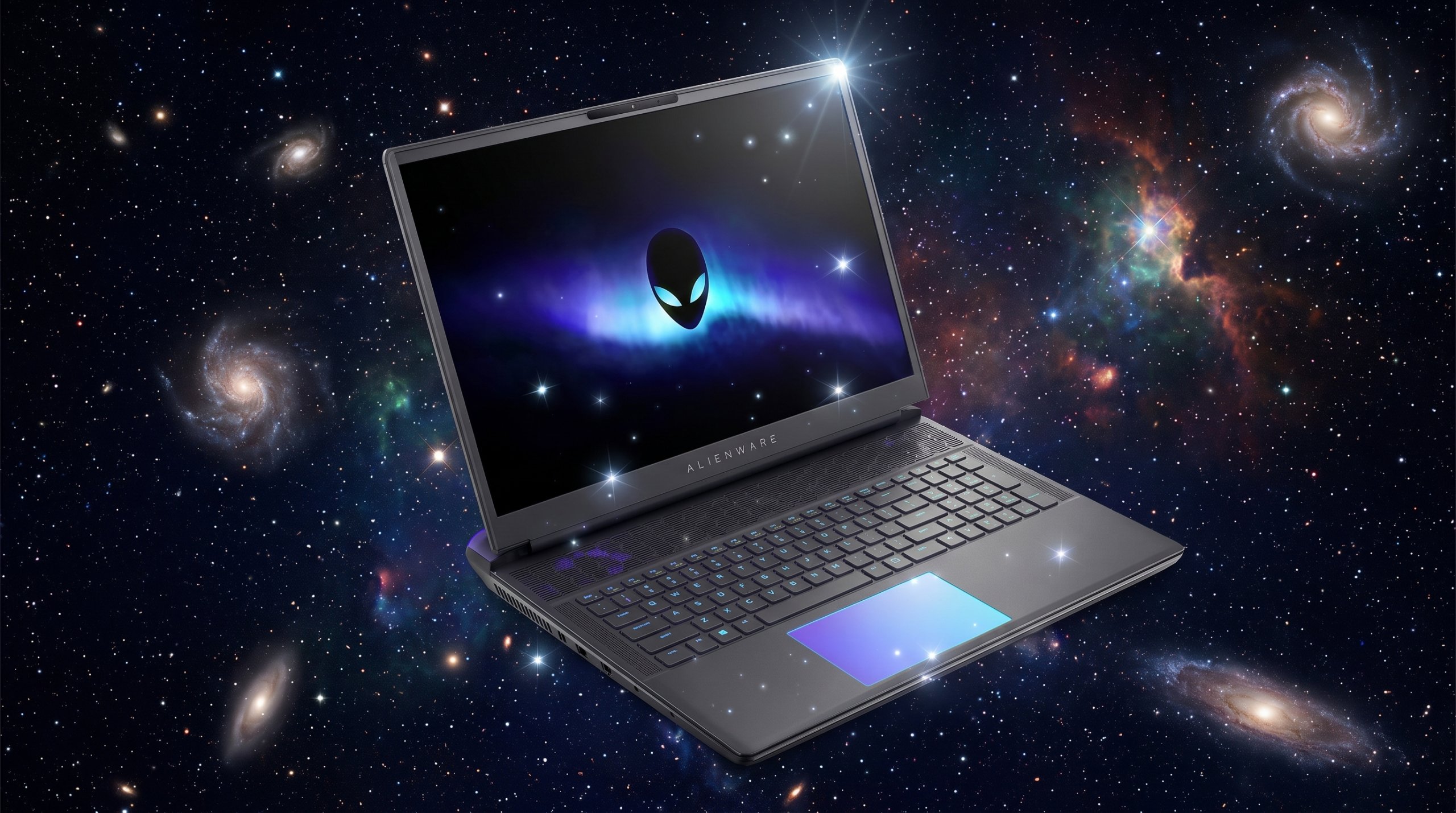
This Alienware 18 Area-51 review looks past the transparent cryo-chamber and the 300Hz screen to the real question: is Dell’s boldest laptop genuinely one of the best for local AI?
What Is the Alienware 18 Area-51?
Our Alienware 18 Area-51 review, in a line: it backs its bold looks with serious cooling and Dell’s support, and runs local AI as well as any RTX 5090 machine — if you can live with the weight, noise, and price. The Area-51 is Alienware’s flagship 18-inch gaming laptop, pairing Intel’s 24-core Core Ultra 9 275HX with the full RTX 5090 (24GB of VRAM) and 64GB of DDR5, behind an 18-inch 300Hz display, inside Dell’s striking new design.
Among the machines we tested for AI work, it is the design-and-support pick: for someone who wants their AI workstation to look the part and to be backed by a global support network. This review covers what the spectacle actually delivers for AI, and the real trade-offs that come with it.
Alienware 18 Area-51 Price and Where to Buy
The RTX 5090 Alienware 18 Area-51 sells directly from Dell for around $4,400 with 64GB of RAM and 4TB of storage. That places it in the premium tier — above the value flagships, below the maxed-out MSI Titan — and roughly in line with a Razer Blade 18.
Still, what the price buys that rivals do not match is twofold: a genuinely distinctive design with standout cooling, and Dell’s support and warranty infrastructure. For a professional who wants reliable, accountable support behind an expensive tool, that backing has real value.
The Alienware 18 Area-51 for AI Development
Underneath the spectacle, the Area-51 is a capable local-AI machine. Here is how it holds up where it counts.
The same 24GB of VRAM the flagships use
VRAM capacity decides which models you can run, and the RTX 5090’s 24GB is the most available on a laptop. So the Area-51 runs 7B and 13B models fully on the GPU, fits quantized 27B to 35B models, and handles LoRA and QLoRA fine-tuning — the same local-AI capability as the premium names. Moreover, paired with 64GB of fast DDR5 and native CUDA, Ollama, LM Studio, and PyTorch all run without compromise.
Cooling that earns its showpiece status
The Area-51’s headline is its Cryo-Chamber, a bottom-mounted intake visible through a Gorilla Glass pane. In fact, Dell says it pushes 35% more airflow. It is not just theater — reviewers measured genuinely strong, sustained cooling, which is exactly what long AI training and inference runs reward. The full-power RTX 5090 holds its clocks under extended load.
The trade-off: heat you can hear
However, all that airflow comes from fans, so under heavy load the Area-51 is loud. It is also heavy, even by 18-inch standards. As with the rest of the full-power class, the 24GB VRAM ceiling still applies: for 70B-plus models you need a high-memory Mac. This is a desk-anchored performance machine, not a quiet or portable one.

The 300Hz Display
The Area-51’s 18-inch display is a sharp WQXGA (2560×1600) panel. Notably, it runs at up to a blistering 300Hz — the highest refresh rate in our roundup. For gaming that is exceptional, and for fast-scrolling work it is wonderfully fluid.
The trade-off is resolution: unlike the 4K Mini-LED panels on the MSI Titan and Acer Predator Helios 18, this is a sharp 2.5K screen rather than a 4K one. For coding, AI, and most creative work it is excellent; if you specifically need 4K detail or reference-grade Mini-LED HDR, rivals edge ahead there.
Design, the Cryo-Chamber, and Dell Support
This is the whole point of the Area-51: it looks like nothing else. Dell’s redesigned chassis, in its Liquid Teal finish with AlienFX lighting and that transparent cryo-chamber window, is a genuine head-turner and feels premium in the hand. Indeed, if you want an AI workstation with presence, nothing else here comes close.
Practically, it offers a full port selection, Wi-Fi 7, and the storage flexibility of a RAID-0 NVMe array. The honest notes from owners are worth heeding, though: it is heavy, the fans are loud under load, and a minority have reported quality-control niggles such as backlight bleed or charging quirks. Dell’s warranty and support network is the counterweight — if something goes wrong, there is a real organization behind it.
Alienware 18 Area-51 Review: Performance and Thermals
With the full 175W RTX 5090 and the 275HX, the Area-51 performs in the top tier, and its strong cooling lets it sustain that performance. As a result, Notebookcheck summed it up as “performance above all else.” For AI, that means quick inference and consistent throughput on long runs.
Thermals and noise
The Cryo-Chamber keeps temperatures in check impressively well, holding the mid-to-high 80s Celsius under gaming load. The cost is fan noise: when the Area-51 is working hard, you will hear it. Quieter profiles help for lighter tasks, but this is not a library laptop.
Creative work and battery
The 300Hz screen, RTX 5090, and 64GB of RAM make creative and image-generation work fast and fluid, though the 2.5K resolution is a step below the 4K Mini-LED rivals for detail work. Battery life is short under load, as expected for a full-power 18-inch machine — plan to stay plugged in.
Alienware 18 Area-51 Specs
Here is the Alienware 18 Area-51 (2025) spec sheet at a glance:
- GPU: NVIDIA GeForce RTX 5090 Laptop, 24GB GDDR7, full 175W
- CPU: Intel Core Ultra 9 275HX, 24 cores, up to 5.4GHz
- RAM: 64GB DDR5-6400
- Storage: up to 4TB (RAID-0 PCIe Gen4 NVMe)
- Display: 18-inch WQXGA 2560×1600, up to 300Hz (highest refresh here)
- Cooling: Cryo-Chamber, ~35% more airflow, Gorilla Glass viewing pane
- Design: Area-51 chassis, AlienFX lighting, Liquid Teal finish
- Ports: full selection with Thunderbolt, HDMI, USB
- Wireless: Wi-Fi 7, Bluetooth 5.4
- Support: backed by Dell’s warranty and support network
- Price: around $4,400 (RTX 5090 build)
Alienware 18 Area-51 spec infographic: 24GB VRAM RTX 5090, 24-core Core Ultra 9 275HX, 64GB DDR5, 35% more airflow, 300Hz display, 4TB RAID-0 NVMe.
How the Alienware 18 Area-51 (2025) Compares to the Razer Blade 18
Pros and Cons
What we liked
- The most distinctive design here, with a transparent Cryo-Chamber and AlienFX lighting
- Genuinely strong, sustained cooling — about 35% more airflow
- Fastest display in the roundup at up to 300Hz
- Full RTX 5090 (24GB VRAM) and 64GB DDR5 for capable local AI
- Backed by Dell’s warranty and global support network
What could be better
- Heavy, even by 18-inch desktop-replacement standards
- Loud fans under sustained load
- 2.5K display rather than the 4K Mini-LED of some rivals
- Premium price (~$4,400) for the RTX 5090 build
- Some owner-reported quality-control niggles (backlight bleed, charging quirks)
Who Should Buy the Alienware 18 Area-51?
The Alienware 18 Area-51 is for the developer who wants a distinctive, well-cooled AI workstation with serious backing. Specifically, if you value a design that stands out, a 300Hz display, genuinely strong sustained cooling, and the reassurance of Dell’s support and warranty — and you will keep it docked at a desk — it is a compelling, characterful choice.
It is not the pick if you want quiet, light, or 4K detail — the understated, near-silent flagships suit those buyers better, and the value options in our roundup cost less. The occasional quality-control reports are worth weighing too, though Dell’s support softens that risk. And, as ever, models beyond 24GB belong on a high-memory Mac.
In short, the ideal buyer is the professional or enthusiast who treats this as a desk-bound rig, wants it to look the part, and values having Dell standing behind an expensive machine.
Final Verdict: Is the Alienware 18 Area-51 Worth It?
Ultimately, our Alienware 18 Area-51 review verdict is clear: it is the boldest, most distinctive machine in our roundup, and it is not all show. Indeed, the Cryo-Chamber cooling is genuinely excellent, the 300Hz display is the fastest here, the RTX 5090 delivers the same 24GB of local-AI capability as the flagships, and Dell’s support network is a real, underrated advantage for an expensive tool. The honest caveats are weight, fan noise, a 2.5K rather than 4K screen, a premium price, and a few owner-reported quality niggles. If you want an AI workstation with presence and proper backing, the Area-51 earns its place. If you want quiet and subtle, look elsewhere.
Frequently Asked Questions
Is the Alienware 18 Area-51 good for AI development?
Yes. It has the full RTX 5090 (24GB VRAM), a 24-core Core Ultra 9 275HX, and 64GB of DDR5, so it runs local LLMs, fine-tuning, and image generation as well as any RTX 5090 laptop. In addition, its standout cooling suits long, sustained AI jobs — the trade-offs are weight, noise, and price.
How much does the Alienware 18 Area-51 cost?
The RTX 5090 configuration sells from Dell for around $4,400 with 64GB of RAM and 4TB of storage. That puts it in the premium tier, roughly in line with a Razer Blade 18.
How good is the Alienware 18 Area-51 cooling?
Very good. Its Cryo-Chamber design, visible through a Gorilla Glass pane, pushes about 35% more airflow and keeps temperatures in the mid-to-high 80s Celsius under load — strong, sustained cooling that benefits long AI workloads. The cost is audible fan noise.
How much VRAM does the Alienware 18 Area-51 have?
24GB of GDDR7 on the RTX 5090 at a full 175W — the most available on a laptop, enough for 7B to 13B models at full speed and quantized 27B to 35B models. Beyond that, for 70B-plus models you need a high-memory Mac.
What display does the Alienware 18 Area-51 have?
An 18-inch WQXGA (2560×1600) panel at up to 300Hz, the highest refresh rate in our roundup. It is a sharp 2.5K screen rather than a 4K Mini-LED, which is excellent for coding and most work but a step below the 4K rivals for detail.
Is the Alienware 18 Area-51 better than the Razer Blade 18?
It depends on what you value. They share the RTX 5090 and 24GB of VRAM, so AI capability is similar. The Area-51 wins on bold design, a 300Hz screen, and Dell’s support; the Razer Blade 18 wins on quiet operation, a more premium build, and AI-specific software. Choose by priorities.
Is the Alienware 18 Area-51 reliable?
Most owners praise its power and cooling. However, a minority report quality-control issues such as backlight bleed or charging quirks. Dell’s warranty and support network is a meaningful counterweight if you do run into a problem.
Want More Than This Alienware 18 Area-51 Review?
Compare the Area-51 against every rival in our best laptop for AI development roundup, read the Razer Blade 18 review for the quieter, more understated alternative, or learn how to run an LLM locally in about ten minutes.