This Lenovo Legion Pro 7i review answers the question every budget-minded developer asks: can the value champion really deliver near-flagship local AI for hundreds less?
What Is the Lenovo Legion Pro 7i?
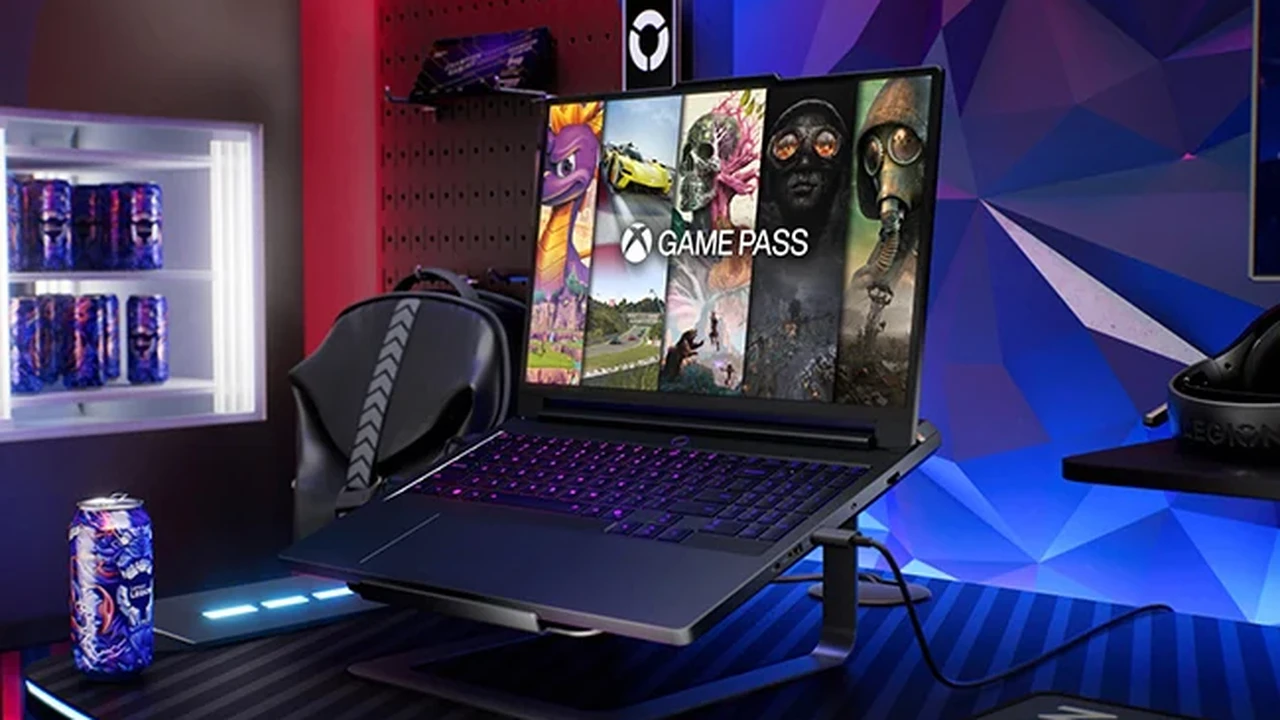
The Lenovo Legion Pro 7i review verdict in a sentence: it gives you most of a flagship’s AI capability for noticeably less money, in a smaller, calmer package. Still, the Legion Pro 7i (Gen 10) is Lenovo’s top 16-inch gaming laptop, built on Intel’s 24-core Core Ultra 9 275HX with NVIDIA RTX 50-series graphics. In fact, up to the RTX 5090 with 24GB of VRAM — cooled by Lenovo’s Legion ColdFront vapor-chamber system and topped with a bright 16-inch OLED.
Plus, it is the one machine in our best laptop for AI development roundup that leads with value rather than maximum power. It is also the only 16-incher here, which makes it the most portable of the group. Meanwhile, this review explains exactly what you get, what you give up. Why it is the sensible buy for most developers.
Indeed, reviewers have been unusually warm on this generation. Moreover, notebookcheck called it a laptop with “almost no compromises,” and more than one outlet named it among the fastest gaming laptops they had tested. Notably, indeed, high praise for a machine that undercuts the 18-inch flagships.
Lenovo Legion Pro 7i Price: The Best Value in the Roundup
This is where the Legion Pro 7i earns its reputation. Importantly, the lineup starts at about $2,619 with an RTX 5070 Ti. An RTX 5080 configuration lands around $3,559 with 32GB of RAM and a 2TB SSD. On top of that, the RTX 5090 build. Crucially, notably, the one with the full 24GB of VRAM for AI — sits at the top of the range and is rolling out a little later.
What is more, compared with the $4,499-and-up 18-inch flagships carrying the same RTX 5090, that is a meaningful saving. Also, and if you can live with 16GB of VRAM, the RTX 5080 config is one of the best price-to-power deals in the whole category. As a result, enough for 7B to 13B local models today.
The value story is the headline, but it is not the only reason to buy. The OLED screen, the quiet cooling, and the smaller footprint all matter too. Meanwhile, this is not a stripped-down budget machine, it is a near-flagship that simply costs less.
The Lenovo Legion Pro 7i for AI Development
The Legion Pro 7i proves you do not need to spend $5,000 to do real local AI. Here is how it holds up where it counts.
RTX 5090 (24GB) or RTX 5080 (16GB) — pick your headroom
VRAM decides which models you can run, and the Legion Pro 7i lets you choose your budget for it. The RTX 5090 build brings the full 24GB. Still, the same ceiling as the flagships — so it runs 7B and 13B models on the GPU, fits quantized 27B to 35B models, and handles LoRA and QLoRA fine-tuning. The more affordable RTX 5080 build’s 16GB still comfortably runs 7B to 13B models, which covers most everyday local-AI work. CUDA is native either way, so Ollama, LM Studio, PyTorch, and the rest of the stack just work. New to this? Our guide to running an LLM locally walks through it on hardware like this.
A 24-core CPU and up to 64GB of memory
The Core Ultra 9 275HX brings 24 cores to the unglamorous side of AI. Moreover, data prep, tokenization, and compiling — and the laptop takes up to 64GB of fast LPDDR5-6400 memory. That is plenty for large datasets and for offloading parts of a model that do not fit in VRAM. One trade-off worth knowing: that memory is soldered LPDDR5. As a result, you choose your capacity at purchase and cannot upgrade it later.
Quiet enough to think next to
Lenovo’s ColdFront vapor-chamber cooling sustains around 250W of combined CPU and GPU power and, crucially, stays composed and relatively quiet doing it. For long fine-tuning runs at your desk, that calm is a real, daily quality-of-life win over louder rivals.
The Value Math: Legion Pro 7i vs the 18-Inch Flagships
It is worth doing the math, because value is the Legion Pro 7i’s entire pitch. A flagship 18-inch RTX 5090 laptop runs $4,499 and up. The Legion Pro 7i gives you the same GPU and the same 24GB of VRAM. Crucially, the parts that actually determine your local-AI ceiling — for meaningfully less. The RTX 5080 build saves more still if 16GB of VRAM covers your models. Put differently, the money you save can buy a year of cloud credits, extra storage, or simply stay in your pocket.
What you are not paying extra for is mostly comfort and headroom: an 18-inch screen, field-upgradeable RAM, and a touch more sustained power. Those are real, and for some buyers they justify the flagships. But for the developer who measures results per dollar. By contrast, how much local AI can I do for my budget — the Legion Pro 7i wins the calculation more often than anything else here.
The OLED Screen and 16-Inch Portability
The 16-inch OLED is the Legion Pro 7i’s sleeper feature. It runs at a 2560×1600 resolution and 240Hz, pushes past 500 nits. Delivers the perfect blacks and rich color OLED is known for. For a developer who also edits, generates images, or simply spends all day reading code, it is easy on the eyes and genuinely lovely to look at.
The 16-inch size is the other half of the appeal. Every other machine in this roundup is an 18-inch desktop replacement; the Legion Pro 7i is the one you can actually slip into a normal bag and carry to a meeting or a coffee shop without planning your day around it. You give up a little screen real estate, but you gain real portability. What is more, a fair trade for many developers.

Design, Build, and Ports
Build quality punches above the price. The Legion Pro 7i uses a clean, premium metal chassis that feels closer to a workstation than a gaudy gaming laptop, with restrained styling and Lenovo’s famously good keyboard. At around 2.7kg it is lighter than the 18-inch crowd, though the 400W power brick it ships with is a hefty travel companion.
Connectivity is strong: Thunderbolt 5, additional USB-C and USB-A, HDMI 2.1. Wi-Fi 7, so external storage, docks, and extra monitors are easy. Storage is on user-accessible M.2 slots, so you can add capacity even though the LPDDR5 memory is fixed. The webcam and speakers are solid rather than standout, which is the right place to economize on a value-focused machine.
Lenovo Legion Pro 7i Review: Performance and Thermals
Do not mistake value for slow. With the RTX 5090 at its full power and the 275HX feeding it, the Legion Pro 7i trades blows with the 18-inch flagships. Several reviewers ranked it among the fastest gaming laptops of the generation. For local AI, that translates to quick inference and short render and compile times.
Thermals and noise
This is the Legion’s quiet advantage. The ColdFront cooling holds high, sustained clocks without the wind-tunnel noise of some rivals, helped by that beefy 400W adapter feeding it clean power. It is one of the calmer high-performance laptops you can buy. This matters a great deal when a job runs for hours.
Creative work and battery
The same hardware speeds up Blender renders, video timelines. Stable Diffusion image generation, and the OLED makes the results a pleasure to judge. Battery life is respectable for the class and helped by the efficient 16-inch design. However, as with any RTX 5090 laptop, serious AI work means staying plugged in.

Lenovo Legion Pro 7i Specs
Here is the Lenovo Legion Pro 7i (Gen 10) spec sheet at a glance:
- GPU: up to NVIDIA GeForce RTX 5090 Laptop, 24GB GDDR7 (RTX 5070 Ti / 5080 options below it)
- CPU: Intel Core Ultra 9 275HX, 24 cores, Arrow Lake-HX
- Display: 16-inch OLED, 2560×1600, 240Hz, 500+ nits
- RAM: up to 64GB LPDDR5-6400 (soldered, choose at purchase)
- Storage: M.2 NVMe, user-upgradeable
- Cooling: Legion ColdFront vapor chamber, ~250W sustained, 400W adapter
- Ports: Thunderbolt 5, USB-C, USB-A, HDMI 2.1
- Wireless: Wi-Fi 7, Bluetooth 5.4
- Weight: approximately 2.7kg
Lenovo Legion Pro 7i — key AI specs at a glance.
How the Lenovo Legion Pro 7i (Gen 10) Compares to the Razer Blade 18
Pros and Cons
What we liked
- Outstanding value: near-flagship power for hundreds less
- Up to the same RTX 5090 with 24GB of VRAM as machines costing far more
- Gorgeous 16-inch OLED, 240Hz, 500+ nits
- More portable than every 18-inch rival, at around 2.7kg
- Quiet ColdFront cooling that sustains long AI workloads
- Premium metal build and an excellent keyboard
What could be better
- Memory is soldered LPDDR5 — not upgradeable after purchase
- 16-inch screen is smaller than the 18-inch desktop replacements
- The full 24GB RTX 5090 configuration arrives later than the rest
- Bulky 400W power adapter to carry
- 24GB VRAM (or 16GB on the 5080) still caps you below 70B-class models
Who Should Buy the Lenovo Legion Pro 7i?
The Lenovo Legion Pro 7i is the right pick for the largest group of buyers in this roundup: developers and students who want serious local-AI power without paying flagship money, in a laptop they can actually carry. If you value an excellent OLED, quiet operation. Portability over the last few percent of performance, this is the smart money.
It is not ideal if you must have the absolute maximum, an 18-inch screen, or field-upgradeable RAM. On top of that, the soldered LPDDR5 means you commit to your memory at purchase. And if you want the full 24GB of VRAM, make sure you are buying the RTX 5090 configuration rather than the cheaper RTX 5080. For most people, though, the Legion Pro 7i hits the sweet spot the rest of the list spends thousands more to chase.
Two buyers fit it perfectly. The first is the student or early-career developer building local-AI skills on a budget who still wants a machine that lasts years. The second is the working developer who travels and wants one quiet, portable laptop for AI by day and OLED gaming or media by night.
Final Verdict: Is the Lenovo Legion Pro 7i Worth It?
The Lenovo Legion Pro 7i is the value champion of our AI-laptop roundup, and it is not close. It delivers near-flagship local-AI performance. Importantly, up to the same RTX 5090 and 24GB of VRAM as machines costing far more — in a more portable 16-inch body, with a stunning OLED and genuinely quiet cooling. The honest trade-offs are soldered (non-upgradeable) memory, a 16-inch rather than 18-inch screen. An RTX 5090 option that arrives a little later than the rest. For the majority of developers, none of those outweigh the value. This is the one we would recommend first.
Frequently Asked Questions
Is the Lenovo Legion Pro 7i good for AI development?
Yes, and it is the best value for it. The RTX 5090 configuration has 24GB of VRAM (the RTX 5080 has 16GB), a 24-core Core Ultra 9 275HX. Up to 64GB of memory, so it runs local LLMs, fine-tuning, and image generation well. In fact, for far less than the 18-inch flagships.
How much does the Lenovo Legion Pro 7i cost?
The lineup starts at about $2,619 with an RTX 5070 Ti, with an RTX 5080 build around $3,559. The RTX 5090 configuration, which has the full 24GB of VRAM for AI, sits at the top of the range and arrives a little later.
How much VRAM does the Lenovo Legion Pro 7i have?
It depends on the GPU: the RTX 5090 build has 24GB of VRAM, while the more affordable RTX 5080 build has 16GB. For the most local-AI headroom, choose the RTX 5090 and its 24GB.
Can you upgrade the RAM in the Lenovo Legion Pro 7i?
No. The Gen 10 uses soldered LPDDR5-6400 memory. As a result, you choose your capacity (up to 64GB) at purchase and cannot upgrade it later. The M.2 storage, however, is user-upgradeable.
What display does the Lenovo Legion Pro 7i have?
A 16-inch OLED panel at 2560×1600 and 240Hz, rated above 500 nits, with the deep blacks and rich color OLED is known for. Indeed, excellent for both coding and creative work.
Is the Lenovo Legion Pro 7i better than the Razer Blade 18?
For value and portability, yes. It offers the same RTX 5090 and 24GB of VRAM for less, in a lighter 16-inch body with an OLED screen. The Razer Blade 18 counters with an 18-inch screen, upgradeable memory, and AI-specific software. Choose the Legion to save money and weight, the Blade for size and AI focus.
Is the Lenovo Legion Pro 7i quiet?
Relatively, yes. Its ColdFront vapor-chamber cooling sustains high performance without the loud fan noise of some rivals. This makes it pleasant for long, sustained AI workloads.
Want More Than This Lenovo Legion Pro 7i Review?
Compare it against every rival in the best laptop for AI development roundup, or browse the best GPU for AI guide if you are weighing a desktop build instead.