Disclosure: this article contains affiliate links. If you buy through them, we may earn a commission at no extra cost to you. It never decides our picks. Affiliate Disclosure · How we use AI
The Mac Mini M4 Pro review for people who want serious local AI without a tower: a sandwich-sized box whose unified memory runs models a 16GB graphics card cannot even load.
What Is the Mac Mini M4 Pro?
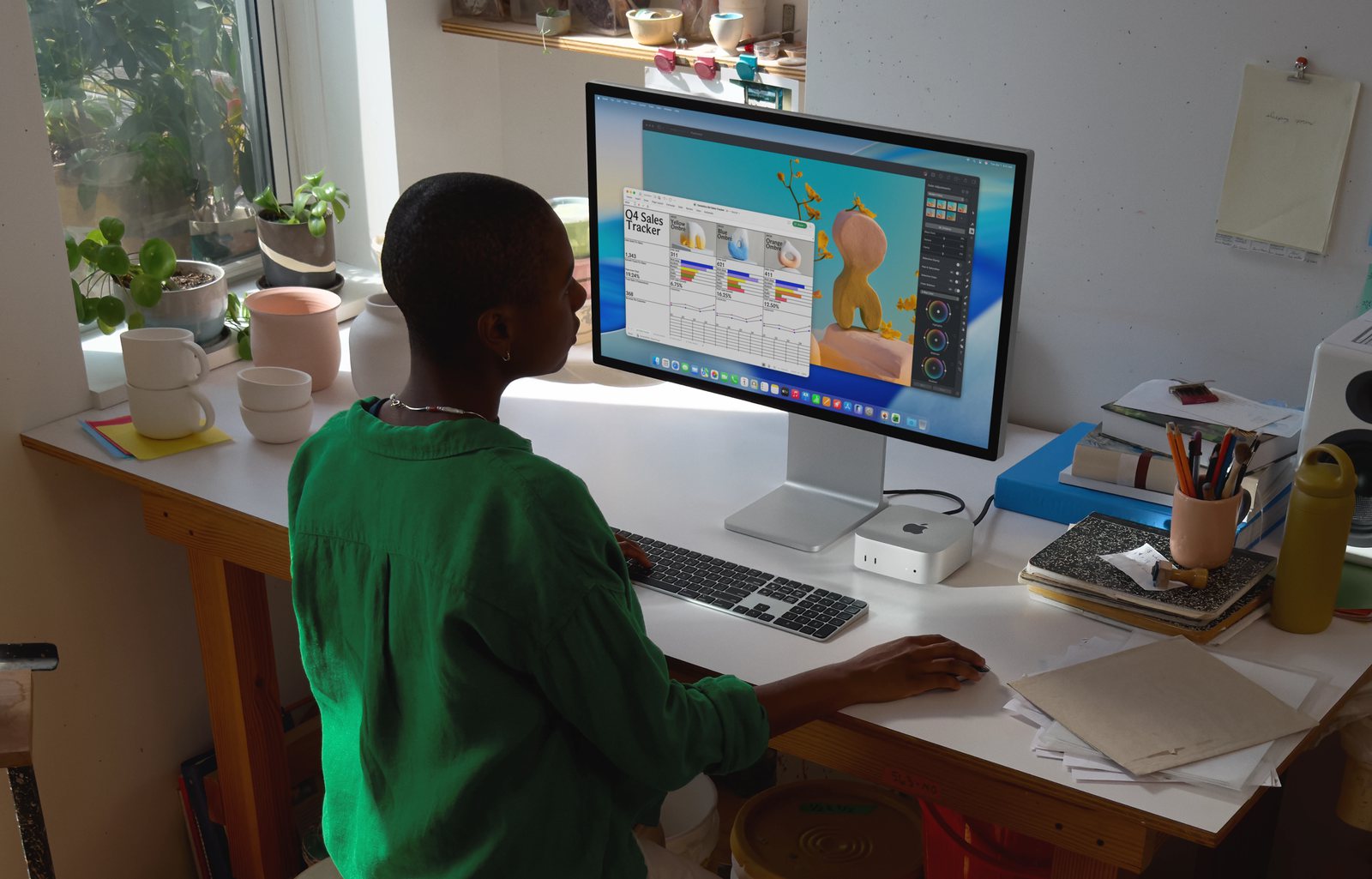
This Mac Mini M4 Pro review covers the quiet overachiever of local AI. The Mac Mini M4 Pro is Apple’s small desktop, built on the M4 Pro chip. Its trick is unified memory. The processor, graphics and neural engine all draw from one shared pool. So a 48GB configuration gives your models far more usable memory than a similarly priced graphics card ever could.
That single choice is why it punches above its size. In practice, a 48GB Mac Mini holds 32B-class models that a 16GB or 24GB Windows tower cannot load. It does so from a box the size of a sandwich, and it stays near silent while sipping power.
It is not a graphics powerhouse, though. And it will not touch local video generation. Still, for running and building with local models day to day, few machines are this easy to live with.

Mac Mini M4 Pro Price and Where to Buy
Update, October 2026: Apple replaced this model with the Mac Mini M5 Pro on September 22, 2026. The new one starts at $1,699 with 24GB, brings back a 64GB option and raises memory bandwidth to about 307 GB/s. The M4 Pro reviewed here now survives only as leftover and refurbished stock, so our buy link opens the current model. Everything below describes the M4 Pro as we reviewed it.
Pricing moved in 2026, so ignore older $1,399 figures. Apple raised the starting price to about $1,599 for the 24GB, 512GB build. It also retired the 64GB option during the memory shortage. So two memory choices now matter for AI: 24GB and 48GB.
For local models, buy the 48GB configuration. It lands in the region of $2,000 once you add the memory. Still, check the exact figure at checkout, because prices keep moving. As a rule, budget around two thousand dollars rather than the older, cheaper headline.
Why Unified Memory Changes Local AI
On a normal PC the graphics card has its own small pool of fast memory. And that pool is the hard ceiling on what you can run. Apple does it differently. The M4 Pro shares one big memory pool across the whole chip. So nearly all of that 48GB is available to a model.
In practice, a $2,000 Mac Mini can load models that would need a far pricier graphics card, if such a card existed at all. Where a 16GB tower stops dead before a 32B model fits, the Mac Mini keeps going. So memory capacity, not raw speed, decides which models you can even open. That is where the little Mac wins.
The trade-off is bandwidth. The M4 Pro moves memory at 273 GB/s. That is healthy, but it is not the 410 to 546 GB/s of the larger M4 Max. So the bandwidth sets the speed limit we look at next.
What Local AI Models Can the Mac Mini M4 Pro Run?
Here is roughly what to expect at 4-bit quantization, using MLX or Ollama. Treat the numbers as ballpark, since runtime and settings shift them:
- 8B models (Llama 3.1, Qwen) run around 30 tokens per second, faster than reading speed.
- 13B to 14B models land near 20 tokens per second. A 14B model in MLX is widely called this machine’s sweet spot.
- 32B models settle around 10 to 12 tokens per second, fine for thoughtful work.
- 70B models technically load, but crawl at 3 to 5 tokens per second. They really wanted the 64GB build Apple no longer sells. So on 48GB, treat 32B to 40B as your comfortable ceiling.
One tip deserves its own line. Use MLX, Apple’s own framework, rather than the older llama.cpp path. It is meaningfully faster on both prompt processing and generation. Also, it is far kinder to memory, which matters a lot on a fixed-RAM machine.
The 48GB Sweet Spot and the RAM Ceiling
Buy as much memory as you can afford, and buy it now. You can never add more later, because unified memory is soldered on. So the configuration you choose on day one is the machine you keep.
The moment a model needs more memory than the Mac physically has, macOS starts swapping to the SSD, and throughput does not just dip, it collapses. For example, one 32B test that should manage around 10 tokens per second fell to under half a token once it spilled over. So stay inside your memory budget and the Mac Mini is delightful. Cross it, and it becomes unusable. That is the whole argument for 48GB over 24GB.
Mac Mini M4 Pro Specifications
Key Mac Mini M4 Pro specs for the AI-focused build:
- Chip: Apple M4 Pro, 12-core CPU (14-core option), 16 or 20-core GPU
- Memory: 24GB or 48GB unified (64GB discontinued in 2026)
- Bandwidth: 273 GB/s
- Storage: 512GB up to 8TB SSD
- Ports: 3 Thunderbolt 5, 2 front USB-C, HDMI, Gigabit (10GbE option)
- Wireless: Wi-Fi 6E, Bluetooth 5.3
- Size: 5 x 5 x 2 inches, 1.6 lb
- Power: 155W maximum, roughly 30 to 65W under real AI load
- Price: from about $1,599 (48GB near $2,000); the M5 Pro successor starts at $1,699
Design, Noise and Power
The hardware is a joy to live with. At 5 by 5 by 2 inches and well under a kilo, the Mac Mini disappears on a desk. Meanwhile, it stays cool and near silent, even after an hour of sustained inference. There is no tower drone.
Power is the other quiet win. Under a real AI workload, reviewers see roughly 30 to 65W. By comparison, a discrete-GPU tower pulls several hundred watts for the same job. So if you want an always-on model server in a corner, this is the machine that never reminds you it is there.
Video Generation and CUDA on the Mac Mini M4 Pro
Two things to note. First, video generation is effectively off the table. Most local video pipelines are written for NVIDIA CUDA, which Apple silicon does not speak. So the Mac Mini sits this one out. Image generation is fine, though. A tuned SDXL setup produces a high-resolution image in five to twenty-five seconds. But moving pictures belong on an RTX machine.
Second, no CUDA also rules out serious training, fine-tuning and a long list of CUDA-only libraries. So the Mac Mini is a superb inference and development box, not a training rig. Know which of those you need before you buy.
How the Apple Mac Mini M4 Pro Compares to the Mac Studio M4 Max
Both desktops share the same Apple silicon roots, so the real question is how much memory headroom your models need. The Mac Mini M4 Pro is the smaller, cheaper starting point, while the Mac Studio M4 Max adds far more bandwidth and unified memory for larger local models. Here is how the two stack up side by side.
| Feature | Apple Mac Mini M4 Pro | Mac Studio M4 Max |
|---|---|---|
| Memory for AI | 24 or 48GB unified | 36GB, up to 64GB unified |
| Bandwidth | 273 GB/s | 410 to 546 GB/s |
| Comfortable model size | Up to about 32B | 70B and beyond |
| LLM generation speed | Good | Roughly 1.5x faster |
| Noise | Near silent | Silent |
| Power draw | Very low, 30 to 65W | Low for its class |
| Footprint | 5 x 5 x 2 inches | Larger desktop box |
| Price | From about $1,599 | From $2,499 |
In short, the Mac Mini M4 Pro covers everyday models with ease, and the Mac Studio M4 Max is the step up once you want 70B models running at a comfortable pace.
Pros and Cons
What we liked
- Runs 32B-class local models a 16GB consumer graphics card cannot even load
- Near silent even under an hour of sustained inference
- Very low power, roughly 30 to 65W under AI load, versus a tower’s hundreds
- Tiny 5 by 5 by 2 inch footprint that hides on any desk
- Excellent all-day developer box: containers, editor, database and a local model at once
- Fast-maturing MLX ecosystem through LM Studio and Ollama
- Thunderbolt 5 and strong capability per dollar at the 48GB tier
What could be better
- 70B models crawl at 3 to 5 tokens per second, and the 64GB config that held them is gone
- No CUDA, so training, fine-tuning and local video generation are out
- Weaker prompt processing for very long contexts or several concurrent users
- The 2026 price rise and the loss of the 64GB option narrowed its value story
- Unified memory is soldered, so you can never add more after purchase
Who Should Buy the Mac Mini M4 Pro?
Buy it if you want serious local AI without a tower, noise or a big power bill. Ideally, your models live at 32B and below. In that case it suits developers, writers and researchers who run local models daily. It is also the obvious pick if you already live in the Apple ecosystem.
Skip it if your work is video generation or model training, where you need CUDA. Skip it too if you must run 70B-class models at speed. For video, the HP OMEN 45L and its RTX 5090 are the answer. For big models, step up to the Mac Studio M4 Max.
Final Verdict
Overall, the Mac Mini M4 Pro remains the value sweet spot for local language models. A price rise took a little shine off, but nothing else this small runs a 32B model at a comfortable pace. Meanwhile, the MLX software around it improves by the month. Still, its limits are real. 48GB caps you below 70B, unified memory can never be upgraded, and the lack of CUDA rules out video and training.
Judged as the quiet, everyday local-model machine in our best desktop for AI lineup, it is still the one we recommend first. So we rate the Mac Mini M4 Pro 4.4 out of 5. It is the easiest local-AI desktop to own, held back only by a memory ceiling and Apple’s walled garden.
Frequently Asked Questions
Is the Mac Mini M4 Pro good for AI?
Yes, it is one of the best value machines for local language models. Its unified memory lets a 48GB build load 32B-class models a 16GB graphics card cannot. It is best for running models, not training or video.
Can the Mac Mini M4 Pro run 70B models?
Technically yes, but slowly, at roughly 3 to 5 tokens per second. A 70B model really needed the 64GB configuration Apple has discontinued. On 48GB, treat 32B to 40B as your comfortable ceiling.
How much is the Mac Mini M4 Pro?
After a 2026 rise it starts at about $1,599 for the 24GB, 512GB build. The 48GB configuration that suits local AI lands around $2,000. Apple also retired the 64GB option. In September 2026 the M5 Pro model replaced it, from $1,699 with 24GB and with 64GB available again.
How many monitors can the Mac Mini M4 Pro support?
It drives up to three displays at once, using its three Thunderbolt 5 ports and the HDMI output. That is plenty for a coding and local-AI setup.
Mac Mini M4 vs M4 Pro: which should you buy for AI?
For local AI, choose the M4 Pro. It offers the 48GB memory option and higher bandwidth the base M4 lacks. The base M4 is fine for small 8B models, but runs out of headroom quickly.
Does the Mac Mini M4 Pro have Thunderbolt 5?
Yes. It has three Thunderbolt 5 ports on the back, each up to 120 Gb/s, plus two front USB-C ports, HDMI and Gigabit Ethernet with an optional 10-gigabit upgrade.
Is the Mac Mini M4 Pro good for Stable Diffusion?
It is capable rather than fast. With a tuned setup it produces a high-resolution SDXL image in five to twenty-five seconds. Local video generation, however, is impractical, since it relies on CUDA.
What are the Mac Mini M4 Pro specs?
It uses the M4 Pro chip with a 12 or 14-core CPU, 24 or 48GB of unified memory at 273 GB/s, up to 8TB of storage, three Thunderbolt 5 ports, and Wi-Fi 6E, all in a 5-inch box.
Want More?
Want the same local AI in a machine you can carry? Our guide to the best laptop for AI development covers the portable route. If you would rather have CUDA and a discrete card, the best GPU for AI roundup ranks the options. And if 48GB is not enough headroom, read our Mac Studio M4 Max review next.