Disclosure: this article contains affiliate links. If you buy through them, we may earn a commission at no extra cost to you. It never decides our picks. Affiliate Disclosure · How we use AI
The HP OMEN 16L review most buyers actually need: a compact tower from about $1,500 with the one number that decides local AI, a full 16GB of graphics memory.
What Is the HP OMEN 16L?
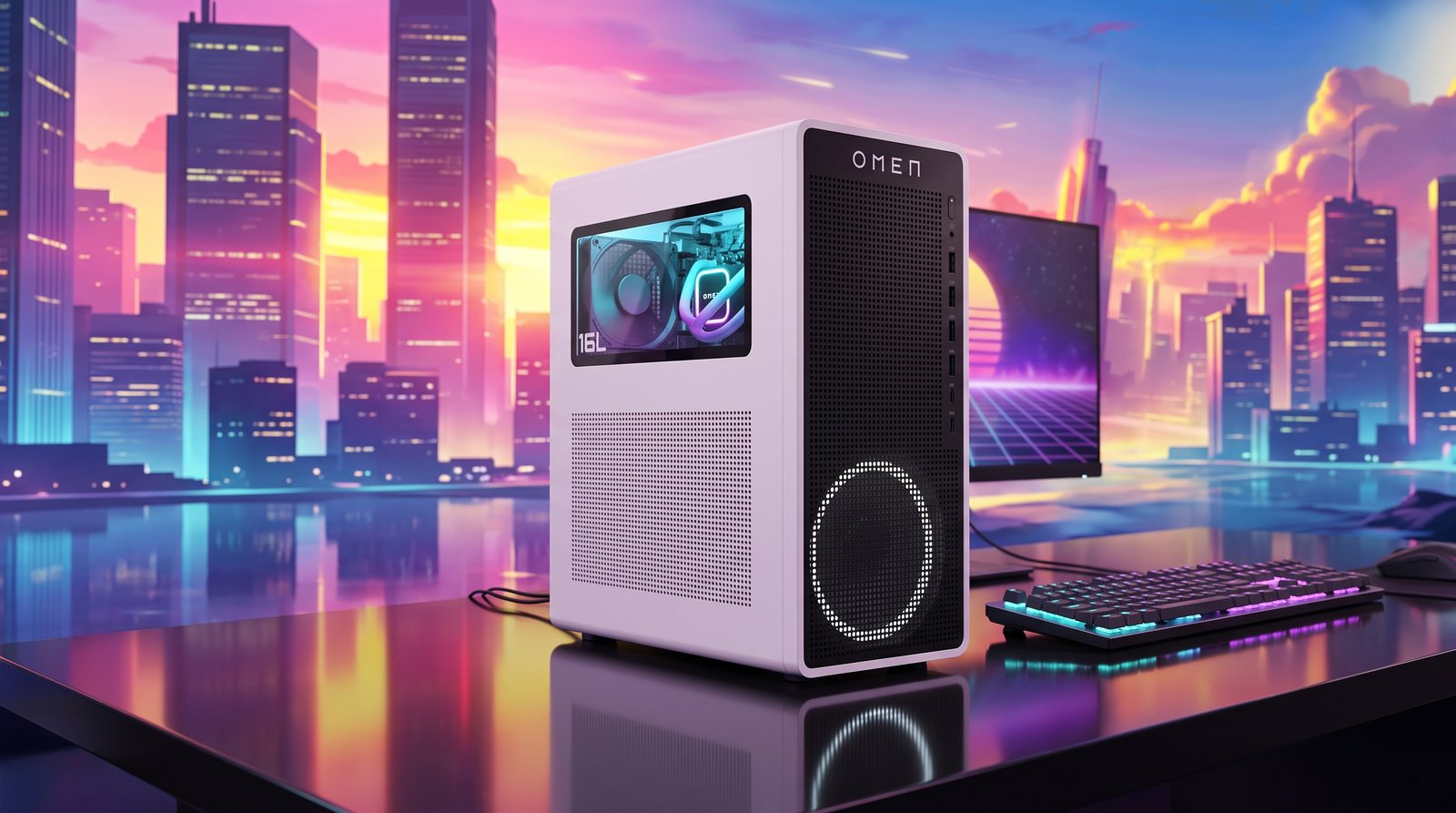
This HP OMEN 16L review looks at the machine we point new local-AI builders toward. The OMEN 16L is a compact 16-liter gaming desktop, model TG03. HP refreshed it for 2025 around NVIDIA’s Blackwell graphics. The configuration that matters pairs a GeForce RTX 5060 Ti with a full 16GB of GDDR7 video memory.
That 16GB figure is the whole reason it earns a place. On a graphics card, video memory is the hard ceiling on what you can run. And 16GB is the practical floor. In practice, it runs image generation comfortably. It also loads 7B to 14B language models without constant swapping. By comparison, plenty of cheaper towers ship with 8GB, so they stumble the moment a real model loads.
Around that card sits a sensible build, not a flashy one. You get a 20-core Intel Core Ultra 7 265F, DDR5 memory, a roomy PCIe SSD, Wi-Fi 6 and Windows 11. It games happily at 1080p and 1440p too. But the AI angle is why it makes this list.
HP OMEN 16L Price and Where to Buy
Pricing has moved since our first look. The $1,099 sale price from early 2026 is gone, and in October 2026 builds with the 16GB card run from about $1,500 to $1,850. The Amazon listing we first linked is no longer available, so our buy link now opens the current OMEN 16L listings with this card. The widely stocked build lists at $1,479. It pairs the RTX 5060 Ti 16GB with a Core Ultra 7 265F, 16GB of DDR5 and a 1TB SSD, and it is often discounted. The sweet-spot build then steps up to 32GB of memory and a 2TB drive. Still, that premium is worth it once model files pile up.
However you slice it, the OMEN 16L undercuts building the same thing yourself. For example, a boxed RTX 5060 Ti alone eats much of the budget. Then add a current Intel platform, memory, storage, a power supply, a case and Windows. So getting all of it for roughly $1,500 is genuinely good value.
Why 16GB of VRAM Is the Whole Point
Ask which desktop is best for AI and the honest answer starts with one question. How much memory can the graphics chip reach? Everything that fits inside video memory runs fast. The instant a model spills over, performance falls off a cliff. So the number that matters is not clock speed. It is VRAM.
So consider the RTX 5060 Ti in the OMEN 16L, which carries 16GB of GDDR7. That is double the 8GB on most sub-$1,000 towers. In practice, it is the gap between running a 14B model with room to spare and watching an 8B model stutter. It also holds Stable Diffusion’s larger checkpoints, which 8GB cards choke on.
None of this makes it a big-model machine. 16GB is the floor, not a ceiling to boast about. But as an entry point, it is the right floor. That is exactly why it opens this collection.

What Local AI Models Can the HP OMEN 16L Run?
Here is what the 16GB RTX 5060 Ti does in practice, at common 4-bit quantization:
- 8B models (Llama 3.1, Qwen) run at 51 to 60 tokens per second, faster than you can read.
- 14B models settle near 32 tokens per second, the practical top end for dense models here.
- Mixture-of-experts models in the 30B class reach the mid-40s in tokens per second and still fit.
- 27B dense models only just squeeze in, with a cramped context, so they are possible rather than pleasant.
- 70B models are off the table on the GPU. They only load by offloading to system RAM, at one to two tokens per second. That is batch work, not conversation.
For context, the 5060 Ti runs local inference around 50% faster than the RTX 4060 Ti it replaces, at a similar price. Still, most daily models live in the 7B to 14B range. That covers coding assistants, chat and summarising. So for all of those, this tower answers instantly.
Is the HP OMEN 16L Good for Stable Diffusion?
Image generation is where the OMEN 16L outshines the unified-memory rivals in its price bracket. Full CUDA support is the reason. Stable Diffusion, SDXL, ComfyUI and every popular front end run natively, with no compatibility layer to fight.
Also, the 16GB of VRAM holds SDXL checkpoints, LoRAs and a decent batch size. So a single 1024px image lands in a few seconds. By comparison, on an 8GB card or an Apple chip you would wait far longer. Local video generation is at least usable here too. Meanwhile, on the memory-rich but CUDA-less machines it competes with, video is a non-starter.
Going local for images first and chat second? This is the cheapest desktop on our list that does both well.
Design, Cooling and Noise
The chassis is a genuine highlight. At 16 liters, the OMEN 16L is a fraction of a full tower. It sits on a desk without dominating it. HP kept the styling understated: dark metal and a single tasteful RGB accent through OMEN Light Studio. None of the gamer theatrics.
Meanwhile, airflow is handled sensibly for the size. Under a gaming or rendering load, though, the fans stay reasonable rather than silent. That is the honest trade against the Apple and mini-PC options. Because a discrete RTX card moves real air and draws real power, it belongs in an office or a study, not a quiet bedroom. So it is far from loud, but you will know it is working.
HP OMEN 16L Specifications
Headline specs for the AI-focused configuration:
- GPU: NVIDIA GeForce RTX 5060 Ti, 16GB GDDR7
- CPU: Intel Core Ultra 7 265F, 20 cores / 20 threads, up to 5.3GHz
- Memory: 16GB or 32GB DDR5 (two slots, upgradeable)
- Storage: 1TB or 2TB PCIe NVMe SSD
- Chassis: 16-liter tower
- Connectivity: Wi-Fi 6, Bluetooth 5.4
- OS: Windows 11 (Pro on higher configurations)
- Price: about $1,500 to $1,850 (October 2026)
HP also sells the OMEN 16L with AMD processors and other graphics tiers. So check the exact model code before you buy. The RTX 5060 Ti 16GB card is the part that makes this build the AI pick.
Upgradeability: The OMEN 16L’s Quiet Advantage
One benefit rarely gets its due against the sleek mini PCs. You can open this one up. The OMEN 16L has two DDR5 slots. Raising the base 16GB build to 32 or 64GB is a cheap afternoon job. There is also room to add storage as model files multiply.
That matters more than it sounds. By comparison, the unified-memory machines it competes with, like the Mac Mini, are sealed for life. So the memory you buy on day one is the memory you keep. A standard graphics card also leaves room for a bigger GPU later. As a result, the OMEN 16L can grow with you, instead of being replaced.
How the HP OMEN 16L Compares to the Mac Mini M4 Pro
Pros and Cons
What we liked
- A full 16GB of GDDR7, the real floor for local AI, not a token 8GB
- Native CUDA, so every AI image, video and LLM tool runs without workarounds
- Genuinely fast local image generation with Stable Diffusion and SDXL
- Upgradeable tower: two DDR5 slots and room for more storage, unlike sealed mini PCs
- Compact 16-liter case that still fits on an ordinary desk
- Doubles as a capable 1080p and 1440p gaming PC
- Strong value, cheaper than buying the same parts and building it yourself
What could be better
- 16GB VRAM is the floor, not headroom: 70B models are off the table on the GPU
- Base configuration ships with 16GB of RAM and a 1TB SSD, so budget for an upgrade
- Gaming-tower noise and power draw next to near-silent Apple and mini-PC rivals
- The Intel Core Ultra CPU is capable but is not the reason to buy this machine
Who Should Buy the HP OMEN 16L?
Buy it if you are starting with local AI on a budget. Ideally, your work leans toward images and small-to-mid language models. In that case, it is the natural first machine for generating art locally. It also suits anyone experimenting with 7B to 14B chat models. And it still games on the weekend.
Skip it if you already know you want 70B-class models. The memory ceiling will frustrate you. The Mac Mini M4 Pro or a 128GB machine will serve you better. Skip it too if silence is non-negotiable. A discrete RTX card is never as quiet as an Apple chip.
Final Verdict
Overall, the HP OMEN 16L does one job and does it well. It is the most sensible on-ramp to running AI on your own machine. First, the 16GB RTX 5060 Ti clears the memory floor that trips up cheaper towers. Then CUDA keeps every tool on your list in reach. Meanwhile, the compact, upgradeable chassis lets it grow rather than age out. Still, its limits are honest ones. Big models need more memory than any 16GB card offers. And a gaming tower will never match a mini PC for silence.
Judged as the budget entry point in our best desktop for AI lineup, it is hard to fault. We rate the HP OMEN 16L 4.3 out of 5. It is a superb first local-AI desktop, held back only by the ceiling every machine at this price shares.
Frequently Asked Questions
Is the HP OMEN 16L good for AI?
Yes, and for the price it is one of the best value picks. The 16GB RTX 5060 Ti is the practical floor of video memory, so Stable Diffusion and 7B to 14B models run comfortably.
Can the HP OMEN 16L run 70B models?
Not usefully. A 70B model exceeds the 16GB of VRAM, so it offloads to system RAM and crawls at one to two tokens per second. That suits batch jobs, not conversation.
How much VRAM does the HP OMEN 16L have?
The AI build uses an NVIDIA GeForce RTX 5060 Ti with 16GB of GDDR7. That 16GB is the most important spec for local AI, and the reason it beats cheaper 8GB towers.
Can you upgrade the RAM in the HP OMEN 16L?
Yes. The 16-liter tower has two DDR5 slots, so you can raise the base 16GB to 32 or 64GB and add storage. Sealed mini PCs and Apple desktops cannot be changed at all.
Is the HP OMEN 16L good for Stable Diffusion?
Very. Full CUDA support and 16GB of VRAM run SDXL checkpoints and LoRAs natively, landing a 1024px image in a few seconds. Image generation is one of its strongest arguments.
HP OMEN 16L vs Mac Mini M4 Pro: which is better for local AI?
It depends. The OMEN 16L wins on image and video generation, CUDA and upgradeability. The Mac Mini M4 Pro wins on larger models, silence and power draw.
How much does the HP OMEN 16L cost?
It started at about $1,099 on sale in early 2026, and listings in October 2026 run from about $1,500 to $1,850. The common RTX 5060 Ti build with 16GB of RAM and a 1TB SSD lists near $1,479 and is often discounted. The 32GB, 2TB build costs a little more.
Does the HP OMEN 16L come with Windows 11 Pro?
Higher configurations ship with Windows 11 Pro; entry builds may include Home. Check the exact model code before buying, since HP offers several processor and storage options.
Want More?
Set on a desktop but tempted by something you can carry? Our guide to the best laptop for AI development applies the same thinking to portable machines. If you would rather choose the graphics card first and build around it, the best GPU for AI roundup ranks the cards that matter. And for a full-tower step up, read our HP OMEN 45L review next.