Disclosure: this article contains affiliate links. If you buy through them, we may earn a commission at no extra cost to you. It never decides our picks. Affiliate Disclosure · How we use AI
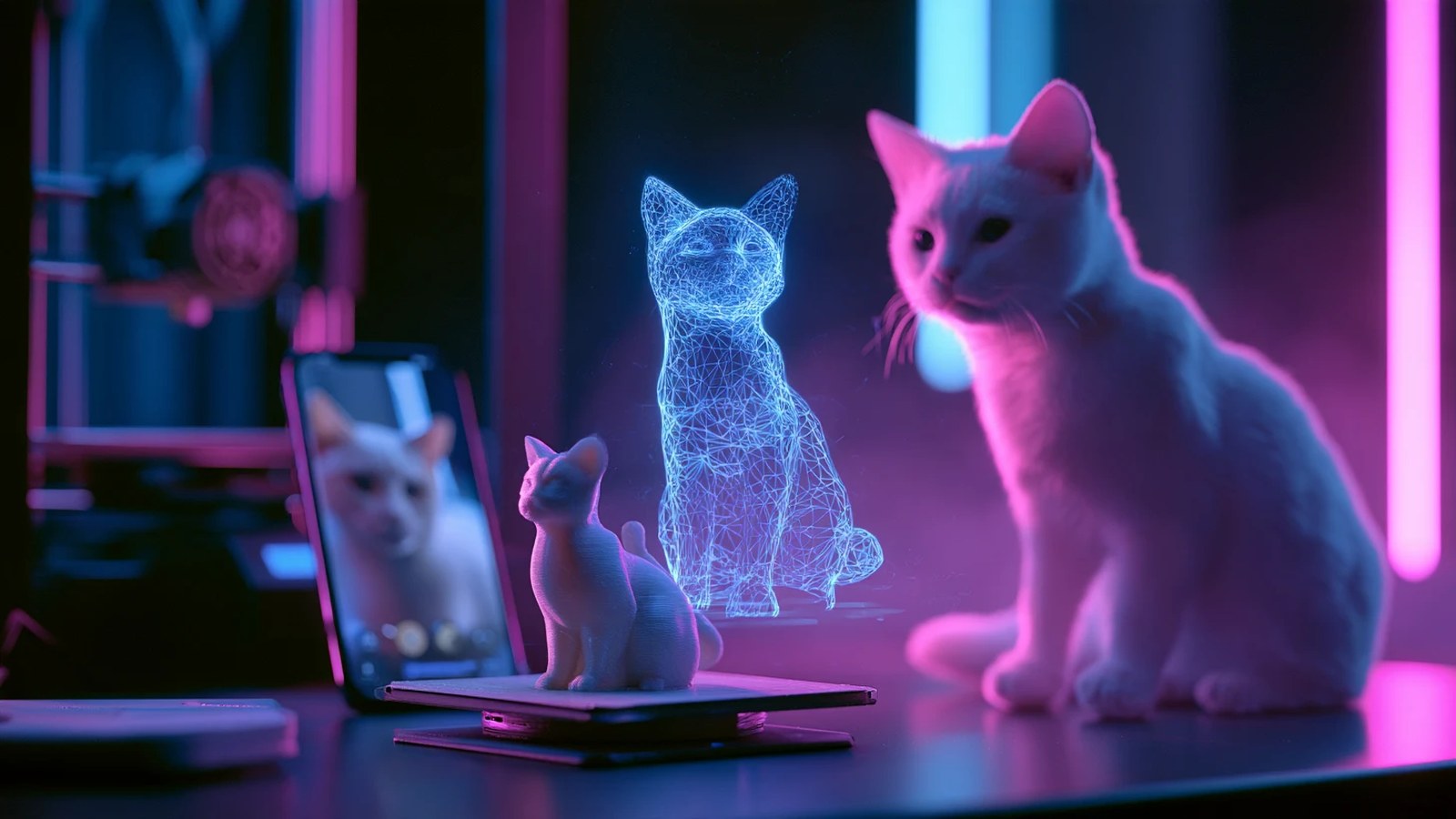
A memory you can hold in your hand beats a thousand photos on your phone, and that is the promise this PrintPal review puts to work.

PrintPal promises something every 3D printing beginner wants: upload a photo or type an idea, and get a file your printer understands. No CAD, no sculpting, no hours in Blender. In this PrintPal review, we put that promise through a full day of real work on the Pro plan.
We turned a cat into a figurine and a bobblehead, built Manhattan as a 3D map, made a lithophane, generated a dragon and a phone stand, and ran the same inputs through Meshy. Then we opened every file in Bambu Studio. So here is what PrintPal 3D does best and how to get the most out of it.
What Is PrintPal? The AI 3D Generator for Printing
PrintPal is an AI 3D model generator built specifically for 3D printing. You will find it at printpal.io, and people also search for it as PrintPal AI or PrintPal 3D. It turns a text prompt or a photo into a print-ready mesh, then exports STL, OBJ, GLB or, for some tools, a multicolor 3MF.
Besides the main generator, PrintPal runs a whole toolbox for makers: a pet figurine maker, a bobblehead maker, two map generators, a lithophane generator, name plates, QR codes, puzzles and an AI CAD Agent. According to the company, more than 400,000 makers, educators and businesses use it.
One quick note on the name: PrintPal.io is not the printer ink company at printpal.com. The two are separate businesses, so everything in this review is about printpal.io.
Who Is PrintPal For?
Overall, PrintPal fits three kinds of people best. Firstly, beginners with a 3D printer who want something worth printing tonight. Secondly, gift makers: pet owners, families and Etsy sellers who turn photos into figurines, bobbleheads and lamps. Finally, hobbyists who print maps, name signs and desk accessories and want them ready for the slicer. Because Pro includes commercial rights, it also suits sellers who print and sell what they make.
How Does PrintPal Work?
In short, everything in PrintPal starts in the browser. You pick a tool, upload a photo or type a prompt, wait a few minutes, and then download the file. Here is how each tool behaved in our test, with the times and file sizes we measured.
PrintPal 3D Model Generator: Photo or Text to STL

The core generator takes a photo or a prompt and offers three quality levels. Draft, for instance, took about 20 seconds in our test. Production, on the other hand, took two to three minutes and added far more detail: eyes, horns and wing edges on our dragon prompt. A Full color switch, style presets such as Cartoon, Low Poly and Voxel, and Advanced parameters on Pro give you extra control. Text prompts work in two steps: PrintPal first draws an image of your idea, then builds the 3D model from it.
Pet to 3D Figurine: Your Pet as a Print

This is the tool most pet owners come for. Upload a photo, choose Realistic, Cartoon or Tabletop Miniature, and PrintPal enhances the image first, then sculpts it. Šljokica, our little cousin’s cat, came back as a sitting figurine waving one paw, with fur texture and even whiskers, in about four and a half minutes. After that, you can download STL, OBJ, GLB or FBX.
Bobblehead Maker With Multicolor 3MF

The bobblehead maker turns a photo of your pet into a chibi figure with a big head, a spring and a base. It then splits the model into body, head and spring, and paints it in up to four filament colors automatically. As a result, the Color 3MF opens straight in Bambu Studio or OrcaSlicer with every color in place, ready for an AMS printer. One catch from our test: our first bobblehead, made from her waving portrait, gave Šljokica an extra raised paw while all four of her paws stood on the base. A second try from a front-facing photo, with the note “all four paws on the ground”, came out clean, so turn every model around in the preview before you print.
3D Map Maker and Real-World Map Generator

PrintPal gives you two ways to print a city. The AI 3D Map Maker builds a stylized round map from a city name; our Manhattan showed the island, the rivers and Central Park, a lovely desk piece. The Real-World 3D Map Generator uses true OpenStreetMap buildings and elevation instead. What’s more, it is free, runs in your browser, and checks its own mesh: our Midtown map came with 272 buildings merged into the terrain and a flat 4 mm base.
Lithophane Generator: Free and Instant
A lithophane is a thin panel that shows a photo when light shines through it. Similarly, PrintPal’s generator is free, needs no credits and finished in seconds. You choose a flat panel or a curved lamp shape, then tune brightness, contrast, thickness and resolution. Our real photo of Šljokica in her play tunnel became a 104 x 226 mm panel, and the backlight preview showed her clearly.
Text to CAD and the AI CAD Agent
Text to CAD on the Pro plan uses the same AI generator with a text prompt. For example, our phone stand prompt gave a sloped back and a front lip with a cable slot in about two minutes. For parts with exact dimensions, PrintPal instead offers a separate AI CAD Agent, priced on its own with credits or a $20 monthly membership.
PrintPal Review in Practice: 8 Files in Bambu Studio
A 3D model only counts if your slicer accepts it. So for this PrintPal review, we opened all eight files in Bambu Studio with one profile: Bambu Lab A1, 0.4 mm nozzle, 0.20 mm layers, PLA. Above all, every file loaded and sliced without an error. We did not print them, so treat these as slicer results.
| PrintPal file | Size in the slicer | Print time | Filament |
|---|---|---|---|
| Pet figurine (STL) | 95 mm tall after scaling | 4 h 00 min | ~31 g |
| Bobblehead, 3 parts (Color 3MF) | 100 x 100 x 93 mm | 17 h 15 min | ~216 g with color changes |
| Dragon, Production (STL) | 63 x 80 x 64 mm | 5 h 15 min | ~38 g |
| Phone stand (STL) | 99 x 99 x 35 mm | 1 h 30 min | ~12 g |
| Lithophane panel (STL) | 104 x 226 x 3 mm | 7 h 46 min | ~54 g |
| AI map, Manhattan (STL) | 159 mm wide after scaling | 3 h 32 min | ~25 g |
| Real-World map, Midtown (3MF) | 180 x 180 x 164 mm | 37 h 23 min | ~287 g |
Did the Figurines Look Like Šljokica?
Šljokica is our little cousin’s cat. On November 16, 2026 PrintPal turned her portrait into a figurine in about 4.5 minutes and a bobblehead in about 8 minutes. I looked at both from every side and recognized her in the realistic one: it sits and waves like she does. The bobblehead is a cartoon version of her, not a likeness. The lithophane from a phone photo of her in the play tunnel was my favorite surprise: a 104 x 226 mm panel in seconds, with no credits used. One tip from my side: the cleaner the photo, the cleaner the figurine. A portrait with a plain background gave a finished model, while a photo of her lying on a box brought the box into the model too.
Tips for the Best PrintPal Results
PrintPal works best when you feed it well. These tips come straight from the testing behind this PrintPal review:
- Use a clean photo. Production quality follows your photo closely, including the reflections. So a plain background and soft light give the best result, and Draft is a quick way to preview a busy photo.
- Show the whole pet. A full body from the side or a three-quarter angle gives a figurine you can print as it is.
- Scale Pet and Map files in the slicer. These tools export small units, so set the height you want (we used 95 mm for the figurine) before slicing. Generator files, by comparison, arrive at about 80 mm.
- Treat edits as a new version. An AI edit redraws the image and then builds a fresh model, which is great for style and proportions. For exact holes and measurements, however, the CAD Agent is the right tool.
- Pick a smaller area for real maps. Dense city centers load slowly and print tall, so start with half a square kilometer or lower the vertical scale.
PrintPal Pricing Review: Is PrintPal Free?
Yes, PrintPal has a free plan with no credit card. It includes 10 basic AI generations a month at default resolution, with STL and OBJ export, for personal projects. In addition, Pro unlocks text to 3D, high-resolution Production models, AI edits, all formats, the design tools and commercial rights. Prices checked on November 17, 2026 at printpal.io:
| Plan | Price |
|---|---|
| Free | $0: 10 basic AI generations a month, STL and OBJ |
| Pro | $10/month ($8/month billed yearly): 200 generations, all tools, commercial rights |
| Studio | $25/month: 500 generations, everything in Pro |
| Schools & Teams | $4/seat/month, 14-day free trial |
| AI CAD Agent | Separate: credits or $20/month |
| Enterprise | Custom, with REST API access |
During its first month, our Pro account showed 40 Production credits, and a Production model, a pet figurine or a bobblehead used one credit each, a map two. The free tools, such as the lithophane generator and the Real-World map, used none. The short answer from this PrintPal review: for most makers, Pro is the sweet spot: $10 covers a figurine every day of the month.
PrintPal vs Meshy: Same Inputs in Our PrintPal Review
Meshy is the tool most people compare with PrintPal, so we ran the same duck photo and the same dragon image through Meshy’s free plan. On the dragon, the two came out practically even: base, wings and tail in both. On our busy duck photo, Meshy’s free model was smoother, while PrintPal’s Draft gave a clean shape in 20 seconds.
The real difference, however, is focus. Meshy is a general 3D tool for games, animation and printing. PrintPal is built only for printing, so it adds what makers ask for: pet figurines, bobbleheads with multicolor 3MF, real-world maps and lithophanes. PrintPal Pro costs $10 a month, or $8 billed yearly, with commercial rights included. When we checked, Meshy listed Starter at $8 a month billed yearly and Pro at $16 a month, and its free plan queued our tasks and ran one at a time.
Is PrintPal Legit? What This Review Checked
Yes, PrintPal is legit. For this PrintPal review we paid nothing extra beyond the Pro plan, and every generation and download worked as promised. Checkout runs through Stripe, and you can cancel yourself under Settings, Manage plan, with access kept until the end of the billing period. Deleting your account hides your models and profile, and you can still recover it for 30 days.
If you have seen bad reviews of PrintPal on ResellerRatings or PissedConsumer, check the address: those are about printpal.com, an ink and toner shop. PrintPal.io is a different company.
PrintPal Review: Alternatives Worth Comparing

Alternative
PrintPal vs Meshy
Meshy is the big general-purpose 3D generator, strong for games and textures as well as printing. Read our Meshy AI review for the full picture.

Alternative
PrintPal vs Tripo AI
Tripo AI turns images and text into clean, game-ready models and exports for printing too. Our Tripo AI review covers it.

Alternative
PrintPal vs Sloyd
Sloyd builds parametric models you adjust with sliders, handy for props and simple parts. See our Sloyd AI review.
PrintPal Review Scorecard: Where It Shines and What to Know
Pros
- Built for 3D printing: every file in our test sliced in Bambu Studio without an error
- Pet to 3D figurine with fur detail, in about four and a half minutes
- Bobblehead maker exports a ready multicolor 3MF for AMS printers
- Free Real-World map and lithophane tools that use no credits
- Pro at $10 a month includes commercial rights
- Self-service cancel and Stripe checkout
Cons
- Production quality follows the photo closely, so a clean photo works best
- Pet and Map files need scaling in the slicer
- Exact dimensions belong to the separate CAD Agent
PrintPal Review Verdict: Is PrintPal Worth It?
Our PrintPal review ends with a confident yes for anyone who owns a 3D printer. Most AI 3D tools stop at the model. PrintPal, however, goes all the way to the slicer, and it shows: every file we made opened and sliced cleanly.
The pet figurine, the bobblehead in full color and the free lithophane are the stars. They turn a phone photo into a gift in minutes, and $10 a month covers a lot of gifts. Start with the free plan to see it work, then move to Pro when you want Production quality and commercial rights.
Somewhere on your phone is a photo that deserves a shelf. So far, PrintPal is the shortest road we have found to put it there.
How we reviewed PrintPal
Our team used a PrintPal Pro account on November 16, 2026 and tested the 3D generator (photo and text, Draft and Production), an AI edit, Pet to 3D, the Bobblehead maker, both map tools, Text to CAD and the Lithophane generator. We also ran the same inputs through Meshy’s free plan and opened all eight PrintPal files in Bambu Studio (Bambu Lab A1, 0.4 mm, PLA). We did not print them physically, so times and grams are slicer estimates. The dragon, figurine, bobblehead and map images are renders of the files PrintPal exported; the generator image comes from printpal.io. Finally, prices were read on printpal.io on November 17, 2026. The draft was written with AI assistance, then checked and edited by Ljiljana Terzić, whose little cousin’s cat Šljokica posed for the test. How we use AI.
Want More After This PrintPal Review?
See how PrintPal ranks against every other tool in our best AI 3D model generators collection, or compare it with the general-purpose leader in our Meshy AI review.
PrintPal Review FAQ
Is PrintPal free?
Yes. PrintPal has a free plan with 10 basic AI generations a month, STL and OBJ export and no credit card. The lithophane generator and the Real-World 3D map generator are free tools that use no credits. Pro costs $10 a month.
How much does PrintPal cost?
PrintPal Pro costs $10 a month or $8 a month billed yearly, with 200 AI generations and commercial rights. Studio costs $25 a month with 500 generations. The AI CAD Agent is priced separately. Prices checked November 17, 2026.
Is PrintPal legit and safe?
Yes. In our test on the Pro plan every generation and download worked, payments run through Stripe, and you can cancel yourself in the account settings. Bad reviews online usually refer to printpal.com, a different ink company.
Can PrintPal turn a photo of my pet into a 3D print?
Yes. The Pet to 3D Figurine tool turned our photo of a cat into a detailed figurine in about four and a half minutes. A portrait with a plain background and the whole pet in view gives the cleanest model.
What file formats does PrintPal export?
The free plan exports STL and OBJ. Pro adds GLB and PLY, the pet tool also offers FBX, and the bobblehead and map tools export a multicolor 3MF for Bambu Studio and OrcaSlicer.
Are PrintPal models ready to print?
In our test, all eight PrintPal files opened and sliced in Bambu Studio without an error. Pet and AI map files arrive small, so set the size in the slicer first.
How do I cancel my PrintPal subscription?
Open Settings, then Manage plan, and choose Cancel subscription. PrintPal keeps your Pro access until the end of the paid period and then stops billing.
PrintPal vs Meshy: which is better for 3D printing?
On the same dragon image the two were practically even. PrintPal adds printing-only tools such as pet figurines, bobbleheads, real-world maps and lithophanes, and Pro costs $10 a month with commercial rights.