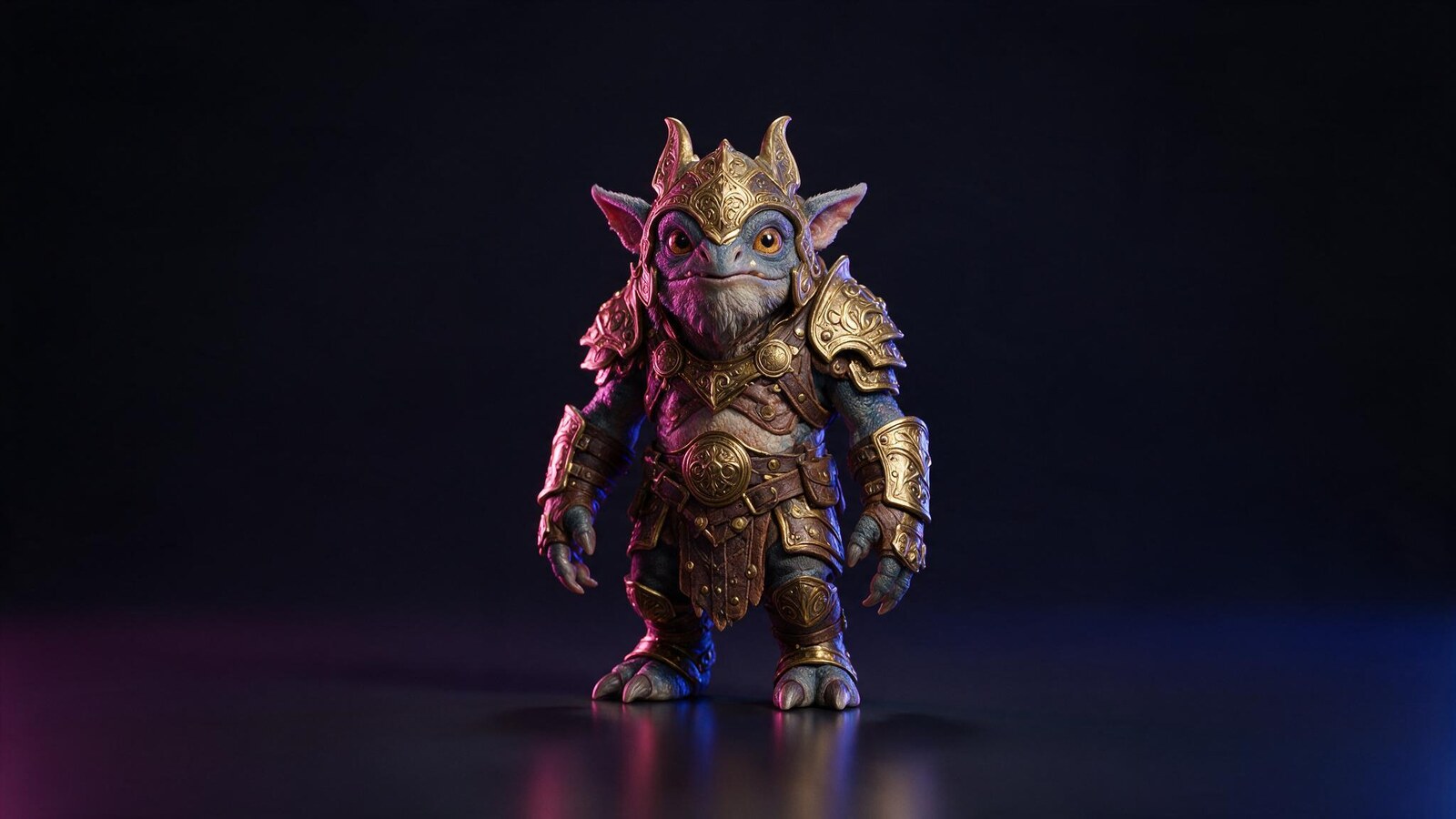
Most of this Meshy AI review comes down to one surface. Nothing else in this category textures like it.
Ask ten 3D artists which AI generator wins on looks and most will say the same name. Meshy built its reputation on texturing, and it has kept that lead through several rounds of competitors promising to close the gap.
Which is why this Meshy AI review spends its time on the parts people discover later: what the free plan really allows once Meshy 6 credit costs are counted, where the geometry still fails, and whether the polish survives contact with a production pipeline.
It is the tool we rank third in our best AI 3D model generators comparison, and the one we reach for when the asset will be seen up close.
What Is Meshy AI?
Meshy AI is a browser based 3D generation platform. You give it a text prompt or an image, and it returns a textured mesh with PBR materials that you can export or push into Blender, Unity, Unreal or Godot. It also runs the other way round: upload a model you built yourself and let Meshy texture it.
The current generation model is Meshy 6, released in January 2026. It sharpened geometry noticeably, especially silhouettes and hard edges on mechanical shapes, and added Low Poly Mode for game developers, multi colour 3D printing support and Smart Remesh.
That retexturing ability is the quiet advantage. Because you can repaint a mesh without regenerating it, Meshy fits into a workflow where geometry comes from somewhere else and only the surface is generated.
Who Is Meshy AI For?
Meshy suits anyone whose output gets judged on how it looks rather than how it deforms. Product mockups, e-commerce assets, environment pieces, props and toys all play to its strengths, and the interface is polished enough that a first time user is productive within minutes.
It also suits people who already model. If you have geometry and need materials, the AI texturing path is more useful than any full generation feature, and it sidesteps the topology complaints entirely.
Character artists should be careful. Faces, hands and fine anatomy are exactly where the model breaks down, and this Meshy AI review found that limitation repeated across independent user reports rather than confined to one bad run.
How Does Meshy AI Work?
Meshy splits into generation, texturing and mesh conditioning, and the three are worth judging separately because they are not equally strong.
Meshy AI Image to 3D: The Dependable Route
Feed Meshy a single photograph and it reconstructs the object. As with every tool in this category, the image path beats the text path for predictability, because a reference fixes proportion and silhouette that a prompt leaves open to interpretation.
Meshy 6 improved this noticeably. Silhouettes come back cleaner and mechanical shapes hold their edges rather than melting into soft approximations, which was the most common complaint about earlier versions.
Meshy AI Text to 3D and Prompt Control
Text to 3D is the demo everyone tries first. It works, it is quick, and it is the right tool for exploring a shape you have not drawn yet. Expect to generate several variations before one lands.
The catch is direction. When a result goes wrong you cannot point at the broken part and ask for a fix, so correction means regenerating and hoping. On simple objects that costs a minute. On characters it costs considerably more.
AI Texturing: Where Meshy Actually Wins
This is the feature that earns the reputation. Meshy generates full PBR material sets that hold up under close inspection, and it applies them to meshes it did not create. Upload FBX, OBJ, STL, GLTF or GLB up to 50MB and it will paint them.
For anyone with an existing library, that reframes the whole product. Meshy stops being a model generator and becomes a texturing service, which is a far less crowded thing to be.
Smart Remesh and Low Poly Mode
Meshy 6 added Smart Remesh and a dedicated Low Poly Mode, both aimed squarely at game developers who need a controlled polycount rather than whatever the generator produced. It is a real answer to the topology criticism that follows every AI 3D tool.
It is not a complete answer. Testers report the remesh topology under the Ultra setting can be inconsistent, which occasionally complicates texture application afterwards. Check the result before you build a pipeline around it.
3D Printing and Export Formats
Exports cover FBX, OBJ, USDZ, GLB, STL and native BLEND, which is the widest spread of any tool in our comparison. STL and the multi colour printing support added in Meshy 6 make it a credible option for printing rather than an afterthought.
FBX carries bone, skin and animation data for engines, GLB suits web and AR, and the BLEND export saves a conversion step for anyone who lives in Blender.
The Meshy API
Meshy runs a public API, available from the Pro plan upward, and it is a genuine part of the product rather than a checkbox. Developers use it to generate assets on demand inside their own applications.
Paid plans also lift concurrency to ten simultaneous tasks and run roughly 60 percent faster, which changes batch work from something you schedule to something you watch.
How Good Is Meshy AI in Practice?
In everyday use Meshy is the most polished experience in this category, and polish counts for more than reviewers usually admit. The interface stays out of the way, results are consistent, and the export step rarely fights you.
The failures are specific rather than general. Faces, hands and fine anatomical detail are where the model most frequently breaks, with users reporting distorted faces, extra fingers and broken proportions. Complex shapes can come back with uneven surfaces or stray geometry that needs correcting in external software.
The testing behind this Meshy AI review points to a simple division. For props, environments, toys, product mockups and rapid concepting, Meshy is the fastest route from idea to a textured, watertight mesh. For hero characters, tight mechanical parts or anything needing hand authored topology, it is a starting point and nothing more.
Meshy AI Pricing: Is Meshy AI Free?
Meshy AI pricing runs on monthly credits, and the credit cost per task rose with Meshy 6, which changes the arithmetic on every plan. Here is what the tiers cost.
| Plan | Price |
|---|---|
| Free | $0 with 100 credits per month, CC BY 4.0 licence |
| Pro | $20 per month, 1,000 credits |
| Premium | $40 per month |
| Studio | $70 per month for one member, $10 per extra member |
| Ultra | $100 per month |
So is Meshy AI free? There is a real free plan with 100 credits that reset on the first of each month, and unusually, free output is licensed under CC BY 4.0, meaning you may use it commercially as long as you credit Meshy. That is more generous than rivals who make free models non commercial outright. The catch is arithmetic: a Meshy 6 task consumes roughly 20 to 30 credits against the 5 to 15 older versions used, so 100 credits buys only three to five generations a month, and the free tier also caps downloads. Every price in this Meshy AI review was taken from the official plans page in August 2026.
Meshy AI vs Tripo AI: Which Should You Choose?
These two lead the category and they lose to each other in predictable places. Meshy wins on texture quality, interface polish and export breadth, with six output formats including native BLEND.
Tripo wins on speed and rigging. It returns a draft in roughly ten to thirty seconds, its auto rig covers multi legged creatures rather than bipeds only, and its segmentation splits a model into editable parts. Tripo also treats its free tier differently: more credits, but a non commercial licence, against Meshy’s smaller allowance under a commercial friendly CC BY 4.0.
Pricing is effectively identical at $20 against $19.90. Choose Meshy when the surface decides the job, and Tripo when volume and iteration speed do. Both sit in our full AI 3D model generator comparison alongside nine other options.
Is Meshy AI Legit? What to Expect
Meshy is an established product with a real company behind it, a public API with documentation, maintained plugins for Blender, Unity, Unreal and Godot, and a large body of independent user reviews collected on G2. This is not a thin wrapper.
For this Meshy AI review we read the free plan licence rather than the summary, because CC BY 4.0 carries a real obligation: commercial use is permitted, but attribution is required. If you cannot credit the tool in your deliverable, you need a paid plan, not the free one.
Meshy AI Alternatives Worth Testing
vs. Tripo AI
The speed option, and the strongest direct rival. Drafts land in roughly ten to thirty seconds, auto rigging handles multi legged creatures, and Pro costs $19.90 a month. Its free tier gives more credits than Meshy but makes models public under a non commercial licence.
vs. Rodin by Hyper3D
The detail specialist. Rodin reconstructs from several reference images at once and holds ornament that other tools smooth away, at $30 a month. Its pricing model is unusually fair: preview first, and only spend a credit when you decide to keep the result.
vs. 3D AI Studio
The answer when the free tier decides it. 1,000 credits and up to 100 assets every month is the most generous hosted free plan we found, with GLB, OBJ, FBX, STL, USDZ and PLY export included.
Where It Excels (and Where It Falls Short)
Pros
- Texture and PBR material quality still leads the category
- Retextures meshes you modelled yourself, not only ones it generated
- Widest export spread of any tool we tested, including native BLEND
- Meshy 6 sharpened silhouettes and hard edges on mechanical shapes
- Free output is CC BY 4.0, so commercial use is allowed with attribution
- Public API plus maintained Blender, Unity, Unreal and Godot plugins
Cons
- Faces, hands and fine anatomy fail often, with distorted proportions reported repeatedly
- You cannot point at a broken area and correct it, so fixing means regenerating
- Meshy 6 costs 20 to 30 credits per task against 5 to 15 on older versions
- 100 free credits therefore buy only three to five generations a month
- Remesh topology under the Ultra setting can be inconsistent
- Complex shapes still come back with uneven surfaces needing external cleanup
Final Verdict: Is Meshy AI Worth It?
Meshy is worth it when the surface is the deliverable. For product visuals, environment assets, props and anything a viewer will look at rather than animate, nothing else at $20 a month produces materials this convincing with this little friction.
It is not worth it as a character pipeline, and the credit maths on Meshy 6 makes the free plan a demonstration rather than a workspace. Three to five generations a month will not carry a project, so treat the free tier as a test drive and budget for Pro if you intend to work.
Our score in this Meshy AI review reflects a tool that is excellent at a narrower job than its marketing implies. Bring it your geometry and let it paint, and it rarely disappoints.
Want More Than This Meshy AI Review?
Meshy is one of twelve tools we tested. The full best AI 3D model generators comparison lines every option up by output, free tier and price, including the open source models you can run on your own hardware for nothing.
If your 3D model is heading into a building rather than a game, our AI for architecture design collection covers the rendering and layout half of that workflow.
Frequently Asked Questions
Is Meshy AI free?
Yes, there is a free plan with 100 credits that reset on the first of each month, and free output carries a CC BY 4.0 licence, so commercial use is allowed provided you credit Meshy AI. The practical limit is credit cost: a Meshy 6 task consumes roughly 20 to 30 credits, which leaves you three to five generations a month, and downloads are capped as well.
How much does Meshy AI cost?
Pro costs $20 a month with 1,000 credits, 60 percent faster generation, API access, private assets and ten concurrent tasks. Above that, Premium is $40, Studio is $70 for one member with $10 per additional member, and Ultra is $100. For most individual creators Pro is the only tier worth budgeting for.
How do I cancel a Meshy AI subscription?
Cancel from the billing area of your Meshy AI account rather than by emailing support. The plan then runs to the end of the period you already paid for and drops back to the free tier. Remember that free tier output carries the attribution requirement, so check your existing assets before downgrading.
How do I download Meshy AI models for free?
Use the free plan, generate within your 100 monthly credits, and download from the model page. Free downloads are capped each month and the output is CC BY 4.0, so you must credit the tool wherever the asset appears. Paid plans remove the cap and make your assets private.
Can I use Meshy AI for 3D printing?
Yes. Meshy exports STL, which is the format slicing software expects, and Meshy 6 added multi colour 3D printing support. Check the mesh is watertight and correctly scaled before slicing, because generated geometry can carry stray faces that a printer will refuse.
How good is Meshy AI compared with a human modeller?
For props, environments, toys and product mockups it is genuinely competitive on time and often on looks. For hero characters, precise mechanical parts or anything needing hand authored topology, it is a first draft. Faces and hands remain its clearest weakness.
Meshy AI vs Tripo AI, which is better?
Meshy leads on texture quality, interface polish and export formats. Tripo leads on generation speed, rigging scope and model segmentation. Their prices are almost identical at $20 and $19.90 a month, so choose by output rather than budget.
What file formats does Meshy AI export?
FBX, OBJ, USDZ, GLB, STL and native BLEND. For AI texturing it accepts FBX, OBJ, STL, GLTF and GLB uploads up to 50MB per model on the web app. Pick FBX for engines with animation data, GLB for web and AR, and STL for printing.