Disclosure: this article contains affiliate links. If you buy through them, we may earn a commission at no extra cost to you. It never decides our picks. Affiliate Disclosure · How we use AI
Most AI girlfriends forget you the moment you close the tab. This aiAllure review is about the one that keeps notes, and lets you read every line of them.
Most AI companion apps sell the same fantasy and hand you a chat box. aiAllure sells something larger: one character who talks to you and remembers what you said. She also poses for photographs, moves in a short video and waits in a live room. That is a lot to promise, and this aiAllure review is about how much of it actually lands.
The short version: the memory is real, and you can read every line of it. The image to video studio turns a still you already like into a clip that holds her face. One subscription covers the whole set. Below is what that looks like in practice, with the numbers straight off the billing page.
What Is aiAllure?
aiAllure is a browser based AI companion platform run by Novera Group s.r.o., a company registered in Prague. The character you design there is the one who answers in chat, poses in the Image Studio, moves in the Video Studio and picks up when you call. One account, one subscription, nothing to install, all of it inside a browser tab.
What separates it from a standard AI girlfriend app is scope. Chat, images, video, live rooms and a media library are not five tools bolted together. They all hang off the same companion profile. Build a character on Monday and she is the one in the video you render on Friday.
There is a developer side as well, with a documented API for chat, images, video and live rooms and a free sandbox to try it in. Almost nobody else in this category publishes one, and there is more on it further down.
Who Is aiAllure For?
aiAllure fits three kinds of user particularly well. The first is anyone who wants continuity: a companion who carries yesterday’s conversation into today instead of resetting every session. The second is a creator who needs one recognisable character across a batch of images and clips. Saved seeds and prompts let a good look repeat. The third is a developer or studio shopping for a companion API, because aiAllure publishes one with a free sandbox.
One point to settle before you subscribe: aiAllure is an AI girlfriend platform first. You can choose a boyfriend and build a male character. The creator supports it, but the generation layer underneath centres on female companions. Prompt suggestions come back in the feminine, and a male character can return from the video studio with long hair or a chest that is not his. If a girlfriend is what you came for, that focus is a large part of why the results look as good as they do. If you want a boyfriend, treat the male side as a work in progress and check every clip before you use it.
Two practical notes while you are deciding. The web app is properly responsive on a phone, so it works there. The aiAllure apps on the App Store and Google Play are a different product: an SFW text-chat companion with its own Companion Plus subscription ($9.99 to $59.99 in the stores) that never unlocks adult content. For the platform this review covers, use the browser. And the Live Room takes a minute or two to build before she appears on screen, so the text side of the room is what answers first.
How Does aiAllure Work?
The whole platform revolves around a companion profile. You build the character once, and every other surface reads from that profile. Here is how each part behaves, in the order a new user meets them.
A Character Creator With 17 Choices, Not Three

Creation runs in seven steps: basics, face structure, eyes and brows, facial features, hair, body and build, and finally makeup. That works out to 17 individual parameters, from cheekbones and jawline through to hair texture, style and colour. A live panel on the right fills in as you choose, and the flow advances on its own once a step is complete. If that sounds like work, there is a one click option that lets the AI pick everything.
A final screen adds companion type, personality and relationship, with 26, 12 and 12 options respectively. The avatar rendered in around 15 seconds, labelled as a fictional adult companion and private by default. What arrives out of the box is clothed. That is a default rather than a limit. NSFW is a toggle in the Image Studio on a paid plan. The adult side of the Media Studio opens after a one time age check. It confirms you are 18 or over.
One tip worth building into your workflow: the AI also writes an About paragraph, and that paragraph carries more weight than the sliders do. Read it once you have made the character. Edit it to match what you picked, and the persona locks in exactly as you designed it.
Memory You Can Read, Audit and Delete

This is the strongest feature on the platform, and it is not close. Each companion has a Memories tab that lists exactly what the system has stored, sorted into Identity, Preference, Relationship and Goal, each with a date. A legend separates high importance entries, always remembered, from standard ones retrieved when relevant. Two buttons sit above the list: Check health and Delete all.
Five casual messages produced five stored facts and not one error: a name, a dog, Sunday hiking, a taste for knight stories, and wine on rainy afternoons.
Cross session recall holds up too. Close the tab and come back hours later. She opens with your name, then answers a question about the dog and the Sunday routine with no prompt. Very few companion apps let you see the memory as a list, and fewer still hand you a delete button for it. Here you get both, which is useful as a feature and reassuring as a privacy stance.
An Image Studio With 300+ Presets and a Real Expert Mode

The Image Studio organises more than 300 presets into 13 categories. They run from scenes, body and pose through hairstyle, outfit and setting to film looks and custom. You stack up to five at a time. Save a combination for reuse, or hit the random button for a surprise. Pro adds batch sizes up to four.
Expert Mode is where it gets interesting for anyone who has used a serious image model. You get seed, guidance, strength, aspect ratios, photographic studio profiles, storyline and a watermark control. Generation takes roughly 17 to 40 seconds per image.
Every finished image keeps its prompt and its seed, with a copy button beside them. That single detail turns a lucky result into a repeatable one, and it is the lever you reach for when you want the same face twice.
Image to Video: A Clip That Keeps Her Face

Video Studio offers Short, Infinite, Scenario, Morph and Pulse modes. The flow is simple: pick a base image, describe the motion, choose a duration, set a batch size, generate. The free path covers three, four and five second clips; longer runs and higher resolutions move to the paid tier.
A four second clip came back with the companion smiling, waving and tucking her hair back in a gym, with a mirror reflection behind her. The movement read as natural and the face stayed locked for the full clip. That last point deserves attention. The studio builds the video from a still you choose. Whatever face you approve is the face you get in motion. Whatever variation you see between separate images simply does not happen inside a clip.
The stock video presets lean suggestive, so the quickest route to a clean clip is Custom EasyMode. It lets you save your own reusable prompt fragment, up to 2000 characters, across three slots. One line does it: she smiles warmly and waves at the camera, fully clothed, gym in the background. It worked first time and you can reuse it forever.
Live Rooms and the Studio Behind Them

Live Room is the platform’s headline surface, and Call Now is the main button on every profile. Inside, a text panel runs down the right side while an animated avatar builds on the left. Voice, lip sync, webcam, screen sharing, interactive touch and live expressions all sit along the edges. The text side connects immediately and replies landed in about 9 to 13 seconds.
Live Room Studio, included with Pro, is the customisation layer underneath. It exposes scenes, scene parts and expressions, with five of fifteen expressions open at the Pro tier. Buttons let you create a scene, edit a storyline or browse packs. Themed scene packs cost 35,000 tokens each and unlock once for every companion on the account.
Once the room has built, she stays on screen as video for the whole call. The conversation runs beside her, and she can send a picture into the room. The movement is deliberately small, a shift of posture and expression rather than full animation. Think of it as a companion who is present, not a live video call. She answers anything you type, including a request to move, though the framing itself belongs to the scene you picked rather than to a camera you steer.
Media Studio Keeps the Prompts, the Seeds and the Sessions

Media Studio collects images, videos, chat sessions, locked items and playlists in one place. Chats are listed as separate titled sessions with a message count, which makes picking up an old conversation easy. Image cards show the prompt, the seed and a countdown.
That countdown is the one thing to plan around: a generation stays available for roughly 72 hours, and a single click on Lock keeps it for good. Locked storage holds 100 images and 50 videos, playlists cap at four, and permanent upgrades start at 19,900 coins. You can also build a playlist and export it as a single MP4.
How Good Is aiAllure in Practice?
Here is how those surfaces hold up in daily use, and the small habits that get the best out of them.
One character, scene after scene

aiAllure markets the same face across all images. What arrives is the same woman in the sense a casting director would mean it. Same ethnicity, same age, same build, same hair colour, unmistakably one character. Put three separate generations side by side and the features do move a little, a fuller face in one scene and a narrower one in the next.
Two levers settle it, and both are already in the product. Reuse the seed and prompt that produced the face you liked, and generate video from that approved still rather than from a fresh render. Do that and the same face follows you from image to image.
The SFW switch is on by default, and it holds
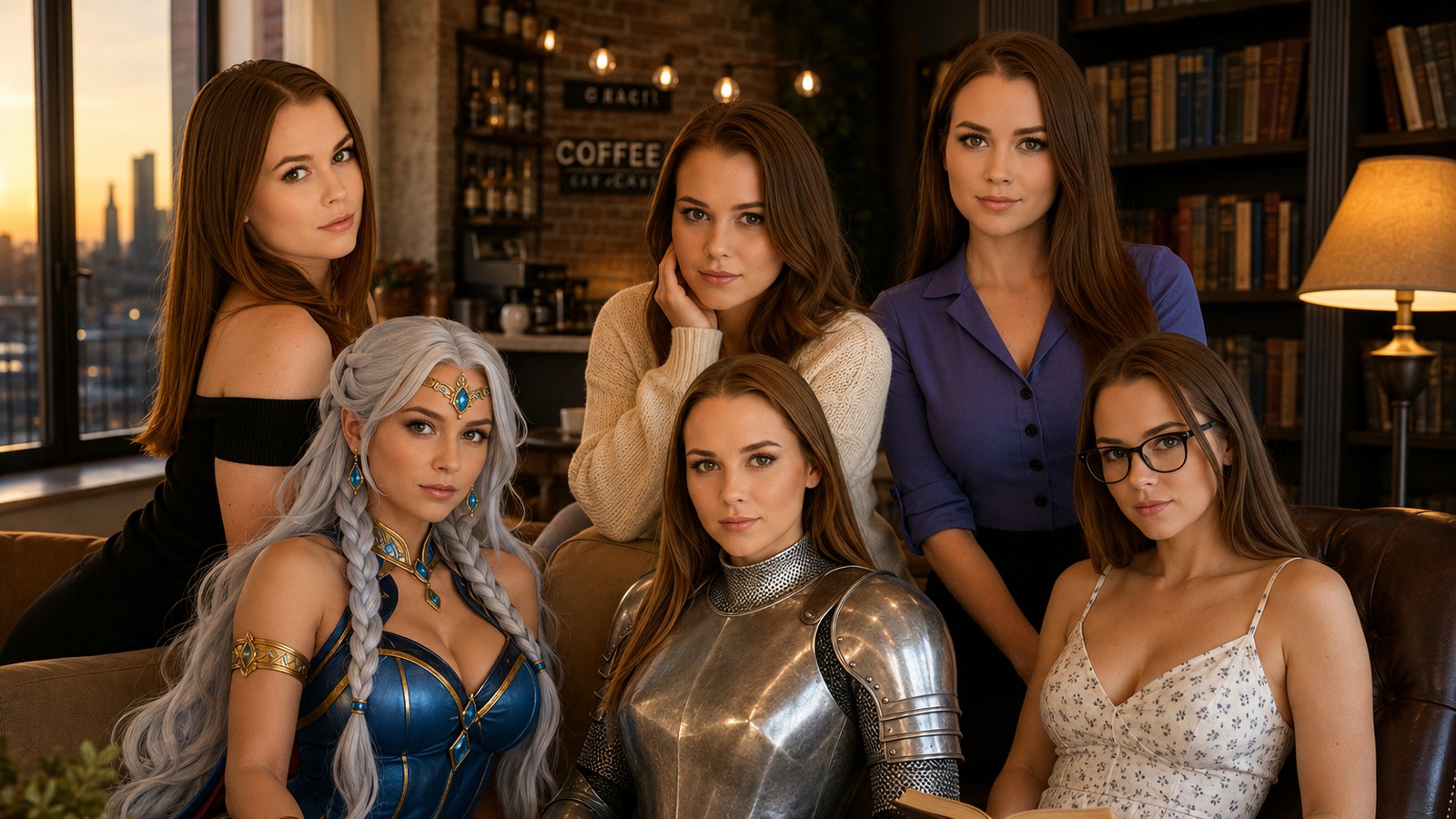
The NSFW toggle in the Image Studio is off by default and results carry an SFW badge. That default holds far better than most of this category. A coffee shop portrait came back in a buttoned black shirt. A library scene arrived in a summer dress, a gym shot in athleisure. No fighting over clothing at any point. It is a strong filter rather than a lock, so the same presets can come back bolder on a later run. Approve each generation before you use it and that is the end of it, which is sensible practice on any adult AI service anyway.
Unlimited generation, and the waiting is free
Video queues behave. One job cleared in five to six minutes. Another with a fourteen minute estimate finished exactly as promised. Chat keeps working while you wait, so the queue is rarely dead time. The Live Room is the one surface that asks for a little patience up front. It moves through Creating and Animating before she appears, and once she is there she stays for the whole call. Start the room, let it build while you type the first message, and the wait disappears into the conversation.
aiAllure is upfront about the arrangement. The notice under the generate button spells it out. Pro includes unlimited free videos. If your queue is full, you either wait for one to finish or switch to Premium for priority. Paying customers moving ahead of free ones is a fair trade, and the free path never stopped working while we waited.
One clarification, because it is easy to misread: the message saying new videos are ready in fifteen minutes is an estimate, not a lock. Submit the next job immediately and it goes straight into the queue.
Small things still being smoothed out
A generation call returned a 503 once and the retry went straight through. Interface copy still says NSFW inside the SFW flow, the video studio header reads images, and one gallery counter disagreed with what it was showing. Nothing here broke a session, and together they read as a young product shipping quickly rather than a neglected one.
aiAllure Pricing: Is aiAllure Free?
There is a free account, and it is a trial rather than a plan. aiAllure’s own FAQ states that video generation is not included for free accounts by default, and that free Live Room access can carry a message allowance. Paid plans are where the platform actually opens up. The plan prices below were re-checked against aiAllure’s live price guide on September 30, 2026, and the coin packs come straight off our billing page.
| Plan | Price |
|---|---|
| Free account | 0, limited core features, no video by default |
| 24-hour paid trial | 1.99 Starter, 3.99 Pro or 5.99 Power, then it renews monthly |
| Starter | 19.90 a month, 118.80 a year (9.90 a month) or 199 lifetime |
| Pro | 39.90 a month, 238.80 a year (19.90 a month) or 399 lifetime |
| Power | 59.90 a month, 358.80 a year (29.90 a month) or 599 lifetime |
The 3-month and 6-month plans sit in between. Starter costs 44.70 for 3 months or 77.40 for 6, Pro 89.70 or 149.40, and Power 134.70 or 221.40, all charged up front. Every paid tier includes unlimited core chat, images, video and Live Rooms. Starter allows up to 3 companions, 2 images per batch and 1 premium video job at a time. Pro opens unlimited standard companions, 4 images per batch and 3 video jobs. Power adds 8 images per batch, 5 video jobs and double priority.
AllureCoin packs for the paid extras
| Coin pack | Price |
|---|---|
| AllureCoins, Value Pack | €24.90 for 25,000 coins |
| AllureCoins, Creator Pack | €54.90 for 70,000 coins |
| AllureCoins, largest pack | €99.90 for 200,000 coins |
Plan numbers are the same in every currency. aiAllure shows them in USD, EUR or GBP depending on your region, so Starter is $19.90 in the US and €19.90 in the eurozone, and checkout shows the final amount. Our test account was billed in euros, which is why the coin packs above are in euros. Card, bank transfer and crypto are all accepted, upgrades are pro rated, and a downgrade takes effect at renewal.
Now the part that decides whether Pro is good value for you. aiAllure defines unlimited precisely in its FAQ. There is no daily or monthly cap on included core generation. Cooldowns, batch and concurrency limits, shared queues and fair use protections still apply. AllureCoins cover the optional add ons. That is an honest definition, and it holds up: generation never hit a hard wall, it simply took its turn in line.
Coins buy the extras on top of a subscription, including instant processing, HD, audio on video, longer clips and editing. The one line to skip is Skip the wait in the Live Room, at 30,000 coins. That lands between €15 and €30 depending on the pack, against a €39.90 monthly plan. The price also falls the longer you sit there, so patience is comfortably the cheaper option.
aiAllure for Business: the API Behind the Companion
Very few companion platforms publish a real developer offering, and this one does. aiAllure sells a managed API layer for chat, images, video and live rooms, with shared identity, memory and safety across all four. The sandbox runs 14 days with no card. It includes 500 chat turns, 25 images, 60 seconds of video and 30 minutes in a Live Room. That is enough for a working prototype.
Production pricing is annual and prepaid, after a technical fit review. Chat costs €1,800 for 250,000 turns, Image €2,400 for 15,000 images, Video €4,800 for 400 minutes at 480p, and Live Room €4,800 for 200 hours with three concurrent rooms. The Complete Stack bundles all four at €11,000 with five production keys, a saving of €2,800. Extra capacity is prepaid rather than pay as you go.
Two practical notes for anyone evaluating it. Billing is annual rather than metered, so the commitment is up front. And since the Image API is sold on character consistency, spend part of the free sandbox testing exactly that against your own use case.
Is aiAllure Legit? What to Expect
Yes, and the paperwork is public rather than a claim in a footer. For this aiAllure review the company details were checked in the register itself. Novera Group s.r.o. operates aiAllure. It is a limited company registered in Prague 1 on 14 October 2024, under company number 22152610. Anyone can verify it in the Czech business register. Payments run through Visa, Mastercard, Apple Pay and Google Pay, with bank transfer and crypto also offered.
The content policy is stricter than the category average, and that works in your favour. No real person content, no performer services and no user media uploads are permitted, which rules out the deepfake use case that gets similar platforms into trouble. Every companion is fictional and adult, and the age selector starts at 18. That option carries a label blunter than the rest of the interface.
Adult media in the Media Studio sits behind a one time age check, a short live camera scan. The modal says the platform holds those frames only temporarily, then deletes them. Until you clear it those thumbnails stay blurred, which is what a platform taking its 18+ obligations seriously should do. It is a one time step, and it only gates the adult media area. On the other side of the ledger, the memory panel lets you read and delete everything the system stores about you. That is more control than most competitors offer.
aiAllure Alternatives Worth Comparing
vs. Candy AI
The best known name in the category and the closest direct comparison, with a large character library and a polished chat experience. aiAllure counters with deeper image controls and the Live Room layer. Our full Candy AI review covers where it wins.
vs. Kales AI
A leaner AI girlfriend creator focused on building a character and generating video of her, at a lower entry price. It has no Live Room and no API. Read the Kales AI review for the hands on comparison.
vs. OurDream AI
The pick if voice is your priority, since its spoken replies are the most natural we have reviewed in this category. aiAllure holds the advantage on memory transparency and on video. See the OurDream AI review, and note that aiAllure is the memory pick in our OurDream AI alternatives roundup.
vs. SillyTavern
Free, self hosted and endlessly configurable. You supply your own model and do your own setup. There is no image or video pipeline waiting for you. The SillyTavern review explains who that trade suits.
Where It Excels (and Where It Falls Short)
Pros
- Memory is transparent, categorised and editable, and it survived a full session change intact
- Image to video keeps the face locked for the length of the clip
- The SFW toggle is off by default in the Image Studio and held through most of our generations
- More than 300 image presets across 13 categories, plus an Expert Mode with seed, guidance and strength
- Every result stores its prompt and seed with a copy button, so a good look is repeatable
- Custom EasyMode saves your own reusable prompt fragments, which is how you get clean video
- Chat holds the persona, asks questions back and never steered toward explicit content on its own
- A documented B2B API with a 14 day sandbox and no card required
- A strict content policy: no real person content, no performer services, no user uploads
Cons
- The Live Room takes a minute or two to build, and the movement inside it is limited to small shifts of posture and expression
- Skipping a queue costs 30,000 AllureCoins, roughly €15 to €30 against a €39.90 plan
- Features drift a little between separate images unless you reuse the seed
- The SFW badge is a strong filter rather than a lock, so approve each image before you use it
- Generated media expires in about 72 hours unless you lock it into a limited store
- Audio on video, HD, instant processing and longer clips cost coins on top of the subscription
- Every stock video preset is suggestive, so a clean clip needs a prompt you write yourself
- Interface copy still says NSFW inside the SFW flow, and one gallery counter disagreed with its contents
- The App Store and Google Play apps are a separate SFW chat product, so the full platform is browser only, and pinch zoom is disabled on the responsive web app
Final Verdict: Is aiAllure Worth It?

aiAllure is the most complete companion platform in this category right now. One character carries the conversation and remembers it a day later. She sits for a set of images, moves convincingly in a video and waits in a live room. All of it from one profile and one subscription. The memory panel alone puts it ahead of most of this category, because it lets you read and delete what the system knows about you.
What friction there is comes down to patience rather than quality. There is a shared queue, and a Live Room that takes a moment to build. Media also wants a click on Lock within three days. Nothing on that list touches what comes out the other end.
So here is the recommendation from this aiAllure review. If you want a companion who remembers you and a studio that can photograph and film her, Pro at $39.90 a month (€39.90 or £39.90 outside the US) buys a great deal for the money. Generate in batches, lock what you want to keep, approve every image before you use it, and let the queue be the queue. Come in with a little patience instead of a coin balance and this is one of the strongest buys in the category.
Want More After This aiAllure Review?
Want something a little naughtier than a clean coffee shop portrait? Our roundup of the most immersive NSFW AI roleplay platforms ranks the services that drop the filter completely. It is the fastest way to see where aiAllure sits among them.
Coming from a filtered app and looking for room to breathe? Start with our guide to the top Character AI alternatives. You can also compare the chat in our pick of the best AI chatbot for roleplay.
Frequently Asked Questions
What is aiAllure?
aiAllure is a browser based AI companion platform from Novera Group s.r.o. in Prague. You design one character. She then answers in chat, poses in the image studio, and joins you in a live video room.
Is aiAllure free?
There is a free account, but it is a trial rather than a plan. aiAllure gives free accounts no video by default, and Live Rooms there carry a message allowance. Paid plans remove the core caps.
How much does aiAllure cost?
Starter costs 19.90 a month, Pro 39.90 and Power 59.90, shown in USD, EUR or GBP depending on your region. Yearly billing cuts that to 9.90, 19.90 and 29.90 a month (118.80, 238.80 and 358.80 up front), lifetime access costs 199, 399 or 599 once, and a 24-hour paid trial starts at 1.99. AllureCoin packs for the extras run 24.90, 54.90 and 99.90.
Does aiAllure have an app?
Yes, but not the one this review covers. The aiAllure apps on the App Store and Google Play are a separate SFW text-chat companion with a Companion Plus subscription listed at $9.99 to $59.99, and paying never unlocks adult content. The full platform with the image studio, video and Live Rooms runs in your mobile browser.
Does aiAllure really have unlimited generation?
On paid plans, yes, with a precise definition. Core generation carries no daily or monthly cap. Shared queues, cooldowns and batch limits still apply. HD, audio and instant processing cost coins on top.
Does aiAllure remember your conversations?
Yes, and it is the strongest feature here. A Memories tab lists every stored fact by category and date. It recalled the details correctly in a brand new session hours later. You can delete the lot.
Can aiAllure generate videos?
Yes. Pick a generated image as the base and describe the motion. The free path returns a three to five second clip, and longer runs cost extra. The face holds because the clip starts from that still.
Does aiAllure have an SFW mode?
It does. The NSFW toggle in the Image Studio is off by default, and clean results carry an SFW badge. Check each generation before you use it, because the filter is strong rather than absolute.
What are the best aiAllure alternatives?
Candy AI is the closest all round rival. Kales AI is the cheaper character and video creator. OurDream AI leads on natural voice. SillyTavern is free and self hosted if you bring your own model.