
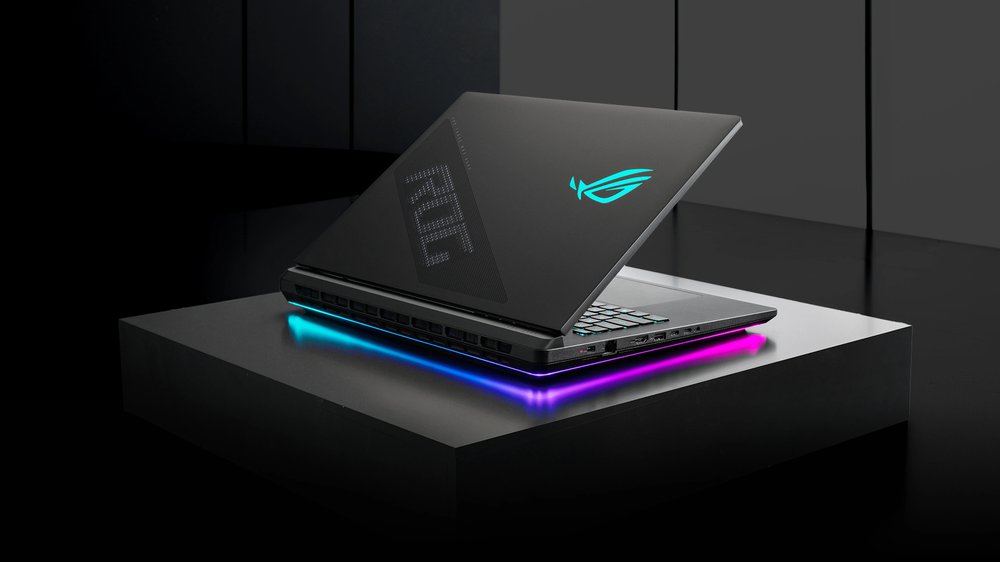
This ASUS ROG Strix Scar 18 review looks at whether the fastest RTX 5090 laptop, with its stunning Mini-LED screen, is as strong for local AI work as it is for gaming.
What Is the ASUS ROG Strix Scar 18?
The ASUS ROG Strix Scar 18 review in one line: this is the raw-power and display champion of our roundup. Still, the Scar 18 (model G835LX) is ASUS’s top 18-inch gaming laptop, pairing the NVIDIA GeForce RTX 5090 Laptop GPU — 24GB of VRAM at a full 175W — with Intel’s 24-core Core Ultra 9 275HX. Plus, the headline feature, though, is the screen: an 18-inch ROG Nebula HDR Mini-LED panel that is genuinely stunning.
Meanwhile, aSUS positions the Scar 18 for hardcore gaming, not AI. But the hardware does not care about marketing: that 24GB of VRAM is exactly what you need to run local LLMs. This is why it earns a spot in our best laptop for AI development roundup as the pick for people who want maximum performance and the best display. Indeed, this review covers what it is like as both.
Moreover, it is worth setting expectations early. Notably, unlike the Razer Blade 18, the Scar 18 was not redesigned around AI; it is a gaming halo product that happens to carry the exact GPU and VRAM that local AI thrives on. In fact, that makes it a slightly unconventional pick for this list. In fact, but a compelling one if you value the screen and the raw speed above software polish.
ASUS ROG Strix Scar 18 Price and Where to Buy
Importantly, the ASUS ROG Strix Scar 18 in its RTX 5090 configuration costs around $4,499 (the G835LX-XS97 build with 32GB of RAM and a 2TB SSD). Configurations with a lower-tier GPU bring the entry price down. However, for AI work you want the RTX 5090 and its 24GB of VRAM.
On top of that, that is a steep, flagship price — a notable jump over the previous RTX 4090 generation. Crucially, you are paying for the top mobile GPU and one of the best laptop displays ever made.
Also, is it worth it? Still, if you only run AI, you can get the same 24GB of VRAM for less elsewhere in the roundup. But if you also game seriously or need a reference-grade screen, the Scar 18 bundles three machines. Plus, indeed, AI workstation, gaming rig, and color-accurate creative laptop — into one price. Framed that way, the number is much easier to swallow.
The ASUS ROG Strix Scar 18 for AI Development
Let us be honest about the framing: ASUS does not sell the Scar 18 as an AI laptop. There is no NPU-focused software suite and no equivalent to Razer’s AIKit. What you get instead is the raw hardware — and for local AI, that hardware is excellent.
24GB of VRAM does the heavy lifting
VRAM is what decides which models you can run locally. The RTX 5090’s 24GB is the most available on a laptop. On the Scar 18 that means 7B and 13B models run fully on the GPU, quantized 27B to 35B models fit in 4-bit. LoRA or QLoRA fine-tuning works for small and mid-size models. CUDA is native, so PyTorch, Ollama, and LM Studio all run without compromise. If you are starting out, our guide to running an LLM locally shows the workflow on exactly this class of GPU.
Plenty of CPU and memory headroom
The 24-core Core Ultra 9 275HX keeps the CPU-bound parts of AI work. Notably, data prep, tokenization, compiling — moving quickly. The Scar 18 supports up to 64GB of DDR5, double the standard config. For datasets that spill out of VRAM, that extra system memory matters.
How big a model can it run?
The practical limits match any 24GB laptop. Models up to 7B run fully on the GPU with headroom; 13B models fit comfortably; and quantized 27B to 35B models load in 4-bit at usable token rates. 70B-class models are the ceiling. As a result, possible with CPU offload, but slow, and better handled by a 128GB Apple-silicon Mac. For fine-tuning, 24GB covers LoRA and QLoRA on small and mid-size models, which is what most real customization needs. In short, the Scar 18 prototypes and ships real local-AI work; it is not just a demo machine.
The catch: it is loud
The Scar 18’s tri-fan cooling with liquid metal is effective. However, it is noticeably louder under sustained load than the quieter Razer Blade 18. For a long training run at your desk, that noise is the main thing separating it from the AI-first competition.
That Display: The Best Screen in the Roundup
If you only remember one thing about the Scar 18, make it the screen. The 18-inch ROG Nebula HDR display uses Mini-LED backlighting with over 2,000 local dimming zones, a 2.5K (2560×1600) resolution at 240Hz with a 3ms response time, 100% DCI-P3 color, and ASUS’s ACR anti-reflection coating. In practice that means inky blacks, searing HDR highlights, and color accurate enough for real creative work.
For an AI developer who also edits video, generates images, or grades photos, this panel is a genuine advantage over the IPS screens on most rivals. Meanwhile, you see your generated and edited output the way it is meant to look. It is the best display in our entire roundup.
One honest note: Mini-LED with thousands of dimming zones can show faint blooming around bright objects on a black background, and it is not an OLED. For coding in a dark IDE or watching HDR content it is superb; for pixel-perfect uniformity on pure-black screens, OLED rivals edge slightly ahead. For the vast majority of development and creative tasks, though, this is as good as laptop displays get.
Design, Build, and Ports
The Scar 18 wears its gaming identity proudly: an aggressive chassis with a translucent lid section, a front light bar, and per-key Aura Sync RGB. It is large and heavy at around 3.1kg, and it is not subtle. Still, this is a desktop replacement that looks the part.
Build quality is strong and, crucially for developers, it stays serviceable: the RAM and dual M.2 storage are user-upgradeable. Connectivity is comprehensive too, with Thunderbolt 5, additional USB-C and USB-A, HDMI 2.1, 2.5Gb Ethernet, and Wi-Fi 7. The keyboard is comfortable with better travel than the Blade’s, though the speakers and webcam are merely fine.

ASUS ROG Strix Scar 18 Review: Performance and Thermals
This is one of the fastest laptops money can buy. With the RTX 5090 running at a full 175W and the 275HX feeding it, the Scar 18 sits at the very top of gaming benchmarks and handles 4K creative workloads and local AI inference with ease. Reviewers consistently rank it among the most powerful gaming laptops of the generation.
Thermals and noise
The liquid-metal, tri-fan cooling keeps clocks high, but it earns those clocks with fan noise. In its top performance mode the Scar 18 is loud; quieter profiles tame it at some cost to sustained performance. Plan on a headset, or a quieter room, for long sessions.
Creative work and battery
Blender, DaVinci Resolve, and Stable Diffusion all fly here, helped by the 24GB of VRAM and that exceptional display. Battery life, as with every RTX 5090 18-incher, is short away from the wall. Moreover, this is a plug-in performance machine.
Living With the Scar 18: Gaming by Night, AI by Day
The Scar 18’s split personality is the whole point. By day it is a local-AI workstation; by night it is one of the fastest gaming laptops ever built. ASUS’s Armoury Crate software ties the two together, with performance modes that ramp the RTX 5090 to its full 175W for training and rendering, then a quieter profile for everyday coding and writing. The per-key RGB and front light bar are pure gamer flair, but the underlying flexibility is genuinely useful. Crucially, you are not buying a single-purpose machine.
That dual-use case is also the honest argument for the price. If you would otherwise buy a gaming laptop and a separate AI machine, the Scar 18 collapses both into one, with a display good enough for color work on top. The trade-off is that you carry a heavy, flashy 18-incher everywhere. You live with the fan noise when you push it. For the right person, that is a fair deal.
ASUS ROG Strix Scar 18 Specs
Here is the ASUS ROG Strix Scar 18 (2025, G835LX) spec sheet at a glance:
- GPU: NVIDIA GeForce RTX 5090 Laptop, 24GB GDDR7, up to 175W with Dynamic Boost
- CPU: Intel Core Ultra 9 275HX, 24 cores, up to 5.4GHz
- Display: 18-inch ROG Nebula HDR Mini-LED, 2.5K 2560×1600, 240Hz / 3ms, 2,000+ dimming zones, 100% DCI-P3
- RAM: up to 64GB DDR5-5600 (user-upgradeable)
- Storage: dual M.2, 2TB PCIe Gen4 standard (user-upgradeable)
- Cooling: tri-fan with Conductonaut Extreme liquid metal
- Ports: Thunderbolt 5, USB-C, USB-A, HDMI 2.1, 2.5Gb Ethernet
- Wireless: Wi-Fi 7, Bluetooth 5.4
- Extras: per-key Aura Sync RGB, front light bar
- Weight: approximately 3.1kg
ASUS ROG Strix Scar 18 — key AI specs at a glance.
How the ASUS ROG Strix Scar 18 (2025) Compares to the Razer Blade 18
Pros and Cons
What we liked
- RTX 5090 (24GB) and 275HX make it one of the fastest laptops you can buy
- Best display in the roundup: 2.5K Mini-LED, 240Hz, 100% DCI-P3 HDR
- 24GB of VRAM runs 7B–35B local models and CUDA workloads natively
- Up to 64GB of DDR5 and user-upgradeable RAM and storage
- Thunderbolt 5, Wi-Fi 7, and a comfortable keyboard
What could be better
- Loud under sustained load — the noisiest of the AI-laptop picks
- No AI-specific software or NPU focus (it is marketed for gaming)
- Expensive in the RTX 5090 configuration
- Large, heavy, and flashy — not for everyone
- 24GB VRAM still caps you below 70B-class models
Who Should Buy the ASUS ROG Strix Scar 18?
The ASUS ROG Strix Scar 18 is for the person who wants it all: top-tier gaming, the best display in the class. A machine that also runs local AI seriously well. If your days mix model work with content creation and gaming. By contrast, and you care about a gorgeous, color-accurate screen — nothing else here matches it.
It is not the pick if quiet operation is a priority; the best laptop for AI development roundup has calmer options like the Razer Blade 18 or the Lenovo Legion Pro 7i. It is also overkill if you only run AI and never game. What is more, you would pay for a gaming display and aesthetics you do not need. And like every RTX 5090 laptop, models beyond 24GB belong on a high-memory Mac.
Two buyers fit it best. The first is the gamer-developer who refuses to compromise on either side. On top of that, maximum frame rates and a flawless screen after hours, real local-AI horsepower during the day. The second is the visual creator who fine-tunes or runs image models and needs a color-accurate HDR display to judge the output; for them, the Mini-LED panel alone can justify the buy.
Final Verdict: Is the ASUS ROG Strix Scar 18 Worth It?
The ASUS ROG Strix Scar 18 is the raw-power and display king of our roundup. The RTX 5090 and 275HX make it one of the fastest laptops you can buy, the Mini-LED screen is the best in the class. 24GB of VRAM makes it a genuinely capable local-AI workstation despite ASUS’s gaming-first marketing. The honest knocks are noise, weight, and a flagship price — and the absence of any AI-specific software polish. If you want maximum performance with a stunning screen. You will game as much as you train, this is the one.
Frequently Asked Questions
Is the ASUS ROG Strix Scar 18 good for AI development?
Yes. Its RTX 5090 has 24GB of VRAM and native CUDA support. As a result, it runs local LLMs, fine-tuning, and image generation as well as any laptop. The caveats are that it is loud under load and has no AI-specific software, since ASUS markets it for gaming.
How much VRAM does the ASUS ROG Strix Scar 18 have?
The RTX 5090 configuration has 24GB of GDDR7 VRAM at up to 175W. Importantly, the most available on a current laptop GPU, enough for 7B to 13B models at full speed and quantized 27B to 35B models.
What display does the ROG Strix Scar 18 have?
It uses an 18-inch ROG Nebula HDR Mini-LED panel: 2.5K (2560×1600) at 240Hz, with over 2,000 dimming zones and 100% DCI-P3 color. It is one of the best laptop displays available and the standout in our roundup.
What processor is in the ASUS ROG Strix Scar 18?
The 2025 Scar 18 (G835LX) uses Intel’s Core Ultra 9 275HX, a 24-core flagship that boosts to 5.4GHz. In fact, strong for the CPU-bound parts of AI work like data preparation and compiling.
How much does the ASUS ROG Strix Scar 18 cost?
The RTX 5090 configuration (G835LX-XS97, 32GB RAM, 2TB SSD) costs around $4,499. Lower-GPU configurations are cheaper, but for AI you want the RTX 5090 and its 24GB of VRAM.
Is the ASUS ROG Strix Scar 18 better than the Razer Blade 18?
They share the same RTX 5090, so performance is close. The Scar 18 wins on display (Mini-LED versus IPS) and gaming flair; the Razer Blade 18 wins on quiet cooling, build, and AI-specific software like AIKit. Choose the Scar for the screen, the Blade for AI focus and low noise.
Is the ASUS ROG Strix Scar 18 loud?
Yes, in its top performance mode it is one of the louder gaming laptops. Quieter profiles reduce the noise at some cost to sustained performance. As a result, a headset or a separate room helps for long AI jobs.
Does the ASUS ROG Strix Scar 18 have Thunderbolt?
Yes, it includes Thunderbolt 5 alongside additional USB-C, USB-A, HDMI 2.1, 2.5Gb Ethernet. Wi-Fi 7, so external storage, docks, and multi-monitor setups are easy.
Want More Than This ASUS ROG Strix Scar 18 Review?
Compare it against every rival in the best laptop for AI development roundup, or see the best GPU for AI guide if a desktop build is on the table.