Disclosure: this article contains affiliate links. If you buy through them, we may earn a commission at no extra cost to you. It never decides our picks. Affiliate Disclosure · How we use AI
AI video models change every month, so the real question in this Magnific AI review is who keeps all of them under one roof.
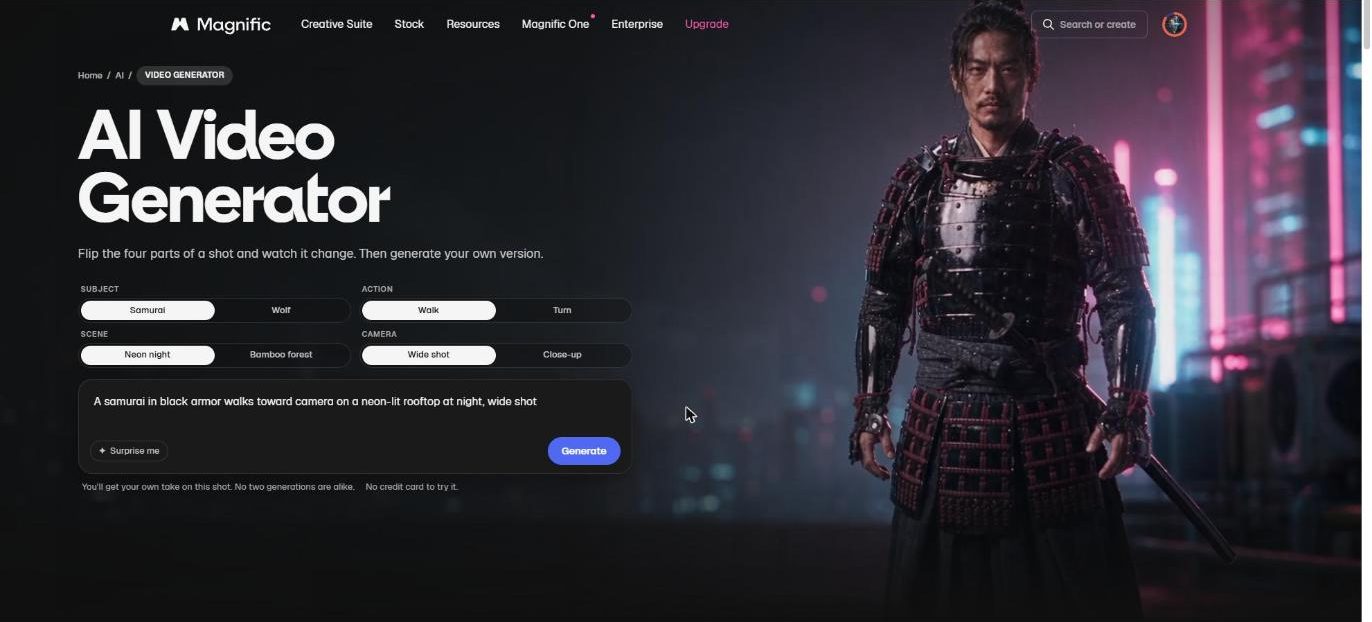
Most people still know Magnific as the upscaler that made blurry images sharp. However, that changed in April 2026, when Freepik took the Magnific name for the whole company. This Magnific AI review looks at the platform that came out of it: one credit plan for Wan 3.0, Kling, Seedance, Veo and dozens of other models.
In addition, we used it for real work. Our viral cat video for the Bad Times trend was made on Magnific with Wan 3.0, after Kling and Seedance failed the same test. So the numbers below come from the billing page and from our own credit balance.
What Is Magnific AI?
What is Magnific AI? It is an AI creative platform for video, images, audio and 3D, run by the company formerly known as Freepik. First, you pick a model and give it a prompt, a start image or a reference clip, and the platform returns the result. After that, every model draws on the same pool of credits.
The name comes from the Magnific upscaler, which Freepik bought in 2024. Today, however, that upscaler is one tool among many. The video generator alone lists models from Alibaba, ByteDance, Kling, MiniMax, Google and others. On top of that you get Spaces, a node canvas for longer workflows, plus a stock library of more than 250 million assets.
Magnific runs in the browser, in desktop and mobile apps, and inside Claude and ChatGPT through an MCP connector. We use that connector daily for news images and music, so this Magnific AI review covers the plumbing as well as the web app.
Who Is Magnific AI For?
Magnific fits creators who switch models often. A social video maker can draft in Seedance, finish in Wan 3.0 and add a voice in ElevenLabs without a second login. Similarly, designers get the upscaler, the image models and the stock library in the same plan.
However, it fits casual users less well. Credits run out fast on premium video models, and the cheapest plan has no top-ups. Also, if you only ever use one model, that model’s own app may cost less.
How Does Magnific AI Work?
The video tool is where most of the credits go, so this part of the Magnific AI review starts there. Then it moves to references, upscaling and the rest of the suite.
Magnific AI Video Generator: Every Major Model in One Picker

The model picker above is the heart of the platform. Featured models include Wan 3.0 Prime, MiniMax H3, Seedance 2.5 and Kling 3.0. Below them sit full families: ten Alibaba models, eight from Kling, seven from MiniMax and six from ByteDance, plus Grok and Google Veo.
In addition, each row shows what the model accepts, such as references, multiple shots, start and end frames, resolution and audio. It also shows a credit range. Because of this, you can compare price and features before you generate anything. Finally, an Auto option picks a model for you.
Wan 3.0 With a Video Reference
Wan 3.0 is the model that made our trend video possible. In short, it takes a real video as a reference and lets a character from a photo perform the same moves. According to Magnific, one call can mix up to 10 images, 5 clips and 5 audio tracks, and a shot runs from 2 to 30 seconds.
In our run in early October, the output came back at exactly 30 frames per second. Moreover, fur stayed furry, and the cat kept its color from clip to clip. The pricing page now lists Wan 3.0 at 1080p for 400 credits per 2 seconds, marked 50% off.
Kling, Seedance, Veo and MiniMax on the Same Credits
Meanwhile, the same credits cover the other big names. Kling 3.0 Pro at 1080p costs 450 credits per 5 seconds. Seedance 2.5 at 1080p costs 4,400 credits per 4 seconds, while a new Seedance 2.5 Draft mode at 480p costs 800 credits for the same length. Google Veo 3.1 in 4K with audio sits at 2,080 credits per 4 seconds.
Premium+ and Pro also include unlimited generations on more than 20 models, such as Kling 2.5, Nano Banana 2 and Seedream 4.5. That unlimited use works in the web app. When we checked our MCP connection, it reported that unlimited does not apply there, so automated work still spends credits.
The Magnific Upscaler, Spaces and the Rest of the Suite
The upscaler that started it all is still here, now for video too. Premium+ adds Magnific and Topaz 4K image and video upscaling. Video upscaling is expensive, though. The in-app estimate for our 58 second 720p clip was about 39,000 credits, so we upscaled that one on our own PC instead.
Besides that, around the generators sit image editing, layer separation, relight, lip sync, voiceover, music and 3D tools. Spaces connects them on one canvas, so an image can feed a video, a voice and a soundtrack in one flow. On top of that, plugins bring the same tools into Photoshop, After Effects and Figma.
Magnific AI Review in Practice: Our Bad Times Test
Our real test came from a TikTok trend. The Bad Times trend shows people lip-syncing a song by Imael Angel, and we wanted a cat to copy one performance move for move. The video below shows the whole workflow, start to finish.
Wan 3.0 vs Kling vs Seedance: Same Clip, Three Results
First, we fed the same reference clip and the same cat photo to three models on Magnific. Kling 3.0 Omni followed the motion well. However, it drew human fingers on the cat whenever the performer pushed a palm toward the lens, and three prompt fixes did not stop it.
Seedance 2.5 refused the clip outright, because it blocks videos of real people. To its credit, the refusal cost nothing. In contrast, Wan 3.0 accepted the clip, kept furry paws and held the cat’s color steady, so it won. The full recipe, prompts included, is in our Bad Times AI trend guide.
What Still Needed Manual Work
Wan 3.0 is not perfect either. For example, twice it kept the background from the original video instead of the one in our photo. Shorter segments of 5 to 10 seconds fixed that. Also, it cannot take a start frame together with a reference clip, so each new segment begins slightly off.
Our fix was to generate short 5 second bridges over every seam and cut on the best matching frame. That works, but it costs extra credits and time. So plan for retries when you budget a project, because the first render is rarely the final one.
Magnific AI Pricing Review: Is Magnific AI Free?

Every price in this Magnific AI review comes straight off the official pricing page, read on October 16, 2026 from a logged-in Premium account in Europe. The page shows euros excluding VAT, and it localizes the currency, so US visitors see dollar amounts. Annual plans load the whole year of credits upfront.
| Plan | Price |
|---|---|
| Free | €0: up to 20 AI images a day on the in-house model, 10 stock downloads a day, personal use with attribution |
| Premium | €15/month, or €10.50/month billed annually: 240K credits a year, 8 concurrent generations |
| Premium+ | €34/month, or €25.50/month billed annually: 600K credits a year, unlimited use of 20+ models, top-ups, API |
| Pro | €83/month, or €62.25/month billed annually: 1.5M or 4M credits a year, 48 concurrent generations, ProRes export |
Is Magnific AI free? Partly. A free account covers stock downloads and a small daily allowance of AI images, but serious video work needs a paid plan. We pay for Premium on annual billing, which works out to €126 a year for 240,000 credits, or about €0.0005 per credit. Top-ups start on Premium+, so a Premium user who runs dry waits or upgrades. The checkout promises a 30-day refund guarantee and no cancellation fees.
Magnific AI Review of the Credit Math: What a 10 Second Clip Costs
Of course, credits make sense only once you turn them into clips. The table uses the per-second rates on the pricing page and our Premium price per credit. Promotional discounts, such as the current 50% off Wan 3.0, can end at any time.
| Model (10 seconds) | Credits | About on Premium |
|---|---|---|
| Kling 2.5, 720p | 280 | €0.15 (unlimited on Premium+ and Pro) |
| Kling 3.0 Pro, 1080p | 900 | €0.47 |
| Wan 3.0, 1080p (50% off) | 2,000 | €1.05 |
| Seedance 2.5 Draft, 480p | 2,000 | €1.05 |
| Wan 3.0 Prime, 1080p | 3,400 | €1.79 |
| Seedance 2.5, 720p | 4,400 | €2.31 |
| Veo 3.1, 4K with audio | 5,200 | €2.73 |
| Seedance 2.5, 1080p | 11,000 | €5.78 |
So 240,000 credits buy about 20 minutes of Wan 3.0 at 1080p, but fewer than four minutes of Seedance 2.5 at 1080p. Rates also move. In September, our own 10 second vertical Seedance 2.5 clip at 1080p was quoted at 7,900 credits, lower than today’s list price. Check the cost shown in the generator before every big render.
Freepik Is Now Magnific: What Changed for Freepik Users
Freepik announced the new name on April 28, 2026. According to The Next Web, the company reported about $230 million in annual recurring revenue and more than one million paying subscribers at the time. Video already brought in roughly half of that revenue, which explains the new focus.
For existing users, though, the move was mostly cosmetic. The account, the plan and the credits carried over, and freepik.com now redirects to magnific.com. Anyone searching for a Freepik AI review will therefore land on the same product described here. The stock library also kept its place inside the plan.
Is Magnific AI Legit? What This Review Checked
Is Magnific AI legit? Yes. For this Magnific AI review we checked the company, the reviews and our own billing. It is the same company that has run Freepik since 2010, and it lists brands such as Coca-Cola, Ogilvy and Delivery Hero as customers.
On Trustpilot, the merged profile held 4.0 out of 5 from 3,218 reviews when we checked. On the plus side, users praise the ease of use and the range of models. The complaints focus on billing after a cancellation and slow human support. Therefore, set a reminder before an annual renewal and keep your cancellation email.
Is Magnific safe to use? Payments run through standard checkout, paid plans include a commercial AI license, and the pricing page says your work is never used to train AI models. In our own use, the generator showed the credit cost before each render, and the Seedance clip it refused was never charged.
Magnific AI Review: Alternatives Worth Comparing
Magnific AI vs Higgsfield

Higgsfield offers many of the same models, including Seedance 2.5, Kling 3.0 and Wan 3.0, with timed unlimited windows on some of them. A 10 second Seedance 2.5 clip at 1080p came out cheaper there in our September comparison. However, its unlimited use works only on the website. Our Higgsfield AI review covers the plans.
Magnific AI vs Pollo AI

Next, Pollo AI is the closest match in spirit: one subscription, many models, and Wan 3.0 among them. It bills in monthly credits that do not roll over, and its own Pollo models make simple clips cheap. It lacks the stock library and the upscaler, as our Pollo AI review explains.
Magnific AI vs DeeVid AI

DeeVid AI also runs Wan 3.0 and accepts up to five video references, so it can handle the same pet trend. However, it focuses on video alone, which keeps the interface simple. Choose it if you never need stock, images or audio in the same plan.
Magnific AI vs Kling AI

Finally, Kling AI sells its own models directly, and it often gets new Kling features first. That suits creators who use only Kling. In our pet test, though, Kling 3.0 Omni drew human fingers where Wan 3.0 drew paws. See our Kling AI review for the full picture.
Magnific AI Review Scorecard: Where It Excels and Where It Falls Short
Pros
- One credit pool for Wan 3.0, Kling 3.0, Seedance 2.5, Veo 3.1, MiniMax and dozens more models
- Wan 3.0 with video references handled a real-person clip that Seedance refused and Kling got wrong
- Annual credits land upfront and stay valid for the whole year
- The credit cost shows before every render, and refused generations cost nothing
- Upscaler, image tools, audio, Spaces and a 250M+ stock library sit in the same plan
- MCP connector for Claude and ChatGPT, plus plugins for Photoshop, After Effects and Figma
Cons
- Premium video models burn credits fast: 10 seconds of Seedance 2.5 at 1080p cost 11,000 credits
- No credit top-ups on the cheapest paid plan
- 4K video upscaling is expensive: about 39,000 credits for our 58 second clip
- Unlimited generations work only in the web app, not through the MCP or API
- Trustpilot users report billing problems after cancelling and slow human support
- Promotional rates, such as 50% off Wan 3.0, change without notice
Magnific AI Review Verdict: Is Magnific Worth It?
The short answer from this Magnific AI review: yes, if you make AI video every week and like to pick the model per shot. No other plan we have paid for put Wan 3.0, Kling, Seedance and Veo behind one balance, with a stock library thrown in. Our own trend video would not exist without that choice.
What this Magnific AI review kept coming back to is the credit math. Cheap models feel almost free, while Seedance at 1080p empties a Premium year in minutes. So start on Premium, track what each finished clip really costs, and move up only when the numbers say so.
After all, models will keep changing. The reason to pay Magnific is that you do not have to change platforms every time they do.
Want More AI Video Tools After This Magnific AI Review?
This Magnific AI review covers one option in a crowded field, so compare it before you pay. Our Best AI Video Generators collection lines up the main platforms and the job each one does best.
Want to see Magnific at work first? Our Bad Times AI trend tutorial walks through the exact Wan 3.0 prompts we used, and the AI image generator round-up covers the image side.
Magnific AI Review FAQ
What is Magnific AI?
Magnific AI is an AI creative platform, formerly Freepik. It puts Wan 3.0, Kling, Seedance, Veo and many other models under one credit plan.
Is Freepik now Magnific?
Yes. Freepik renamed itself Magnific on April 28, 2026, and accounts, plans and credits carried over.
Is Magnific AI free?
Magnific AI has a free account with up to 20 AI images a day for personal use. AI video needs a paid plan from 10.50 euros a month on annual billing.
How much does Magnific cost?
Magnific costs 15 euros a month for Premium, 34 for Premium+ and 83 for Pro on monthly billing. Annual billing lowers that to 10.50, 25.50 and 62.25 euros a month, before VAT.
Do Magnific credits roll over?
On annual plans Magnific loads the whole year of credits upfront, and they stay valid for that year. Premium cannot buy extra credits, while Premium+ and Pro can top up anytime.
Is there a Magnific promo code?
Magnific gives 20% off Premium and Premium+ through partner links, applied at checkout without typing a code. The Pro plan has no discount.
Is Magnific AI legit?
Yes. Magnific AI is run by the company behind Freepik, and its Trustpilot profile shows 4.0 out of 5 from more than 3,000 reviews.
Which Magnific model is best for pet trend videos?
In our Bad Times test, Wan 3.0 gave the best result. It accepted a real-person reference clip and kept furry paws, while Kling drew fingers.
Magnific vs Higgsfield: which is better?
Magnific is the better pick for automation and for mixed work, because the MCP, upscaler and stock library share one plan. Higgsfield can be cheaper for heavy Seedance use inside its website.