Disclosure: this article contains affiliate links. If you buy through them, we may earn a commission at no extra cost to you. It never decides our picks. Affiliate Disclosure · How we use AI
Hand it a script, a blog link or a two-hour recording, and it hands back a finished video: this Pictory AI review put every route to the test.
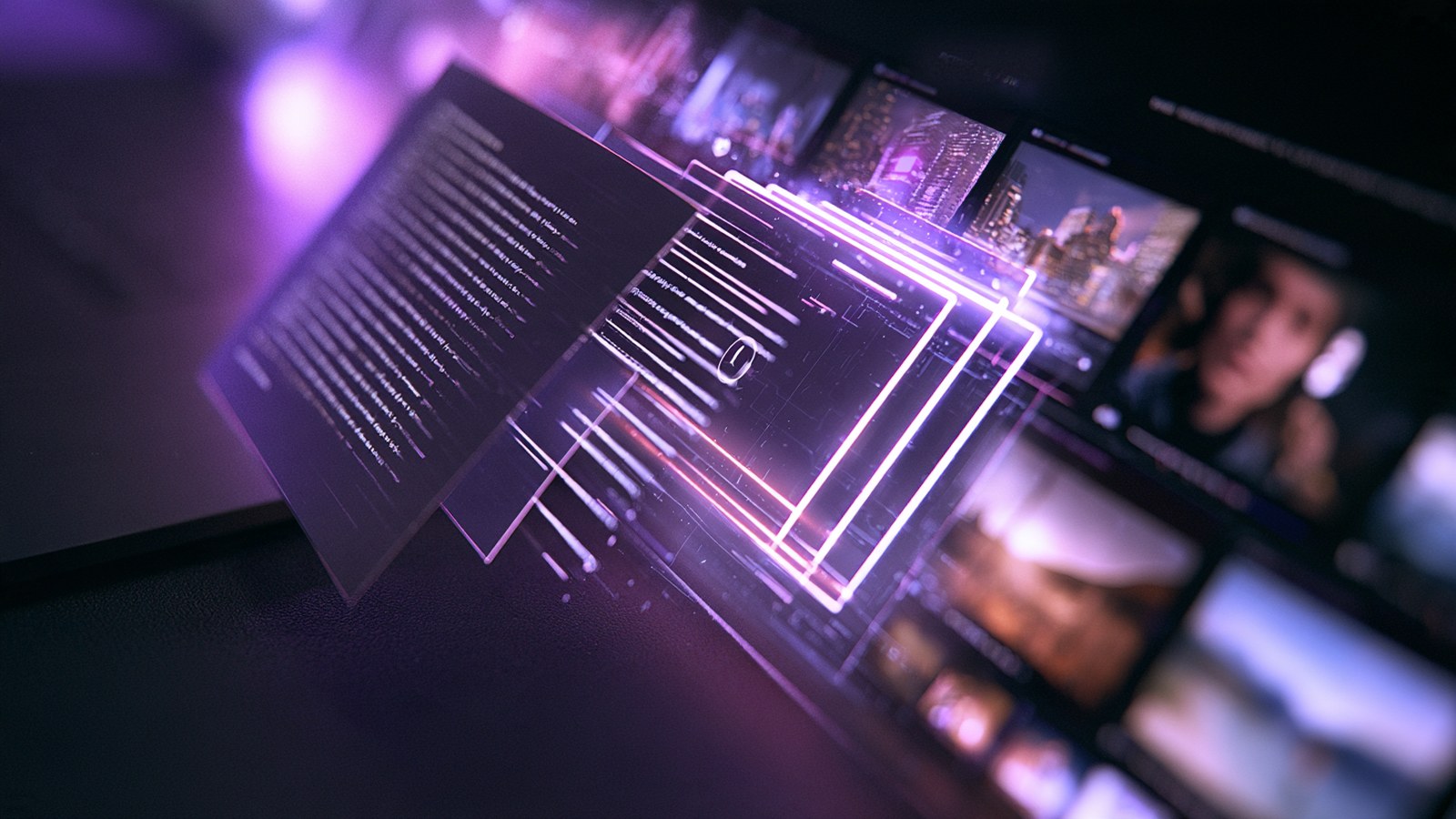
Most video tools ask you to learn them first. This Pictory AI review starts from the opposite place. Pictory AI takes whatever you already have, a script, a published article, a webinar recording, a slide deck or a podcast, and hands back a narrated, captioned, fully edited video. Our first test ran a 141-word script through it and finished in three minutes, with seven scenes, stock footage and a voice-over nobody recorded.
That speed is the whole product. However, speed alone settles nothing. You still need to know whether the result is publishable, what it costs after the trial, and where you must step in by hand. So we tested the script route, the blog-post route and the long-video route, then measured the exported files rather than trusting the preview window.
What Is Pictory AI?
Pictory AI is a browser-based video generator built for people who already have words and need pictures. Instead of a timeline, you get a storyboard: every paragraph becomes a scene, and every scene gets footage, a caption card and narration chosen for you.
It is not limited to stock, either. The built-in AI Studio generates video from a text prompt using a choice of models: Pixverse for basic motion, Veo Fast and Veo for cinematic quality, and Omni Flash when you want synchronised audio. Those generations cost credits, so most people mix them with stock rather than building a whole film that way.
The toolbox is wider than the name suggests, and it is the part this Pictory AI review kept coming back to. Alongside text to video, Pictory AI converts a published URL into a video and turns a long recording into short vertical clips. It also builds videos from slide decks or documents, and records your screen.
Who Is Pictory AI For?
Pictory AI fits anyone who publishes regularly and keeps running out of time. Bloggers turn posts into YouTube videos. Course creators turn lesson notes into modules. Agencies turn one client script into a landscape video, a square post and a vertical reel without rebuilding anything.
Meanwhile, and this Pictory AI review is blunt about it, one thing decides whether it suits you. Pictory AI wants a starting point: a script, an article, a recording, an idea to expand. Give it one and you can direct everything after that, scene by scene, down to which model renders which shot. What it will not do is invent a concept for you from nothing, so if you arrive with a blank page and expect the tool to have the idea, you will be disappointed.
How Does Pictory AI Work?
Every route below was run for this Pictory AI review, and they all start on one screen. You either paste a script, drop in a link, upload a recording or describe an idea and let Pictory AI write the script for you. From there the storyboard does the heavy lifting, and each of the routes below behaves a little differently.
Script to Video: The Three Minute Test
We pasted a 141-word script and changed nothing else. Pictory AI split it into seven scenes, matched footage to each one, generated narration and produced a 56-second video in roughly three minutes.
What surprised us was the reading comprehension. The line “then the banks freeze” did not return images of ice. It returned a queue of people at a cash machine. A sentence about air traffic control surviving an outage became a built comparison card. A red cross sat beside “internet-dependent services”, a green tick beside “air traffic control”. Pictory AI understood the logic of the sentence, not just its nouns.
Blog Post to Video: Paste a URL, Get a Script
Give Pictory AI a link and it reads the page, then writes a narration script before building anything. We tested it on a long historical article and checked every figure against the source. Dates, quantities, casualty numbers and measurements all came back correct.
Read the generated script once before you build the video. The writing is good enough that you will be tempted to skip that step, and it is the only place where a small correction costs you nothing.
Long Videos Into Short Clips, With the Filler Words Gone
Upload a recording of up to five gigabytes and three hours, and Pictory AI transcribes it, picks the highlights and cuts them into short clips. The transcript view is where this earns its keep: every “uh” and “um” is highlighted in the text, and one toggle deletes them from the video itself. Our test clip dropped from 27 to 25 seconds instantly.
Switching that clip from landscape to vertical was equally quick. More importantly, the crop tracks the speaker rather than sitting still, so the face stayed centred through the whole clip when we checked it frame by frame.
Voices From ElevenLabs, Not a Robot From 2019

The most common complaint aimed at tools in this category is robotic narration. Pictory AI sidesteps it by licensing its premium voices from ElevenLabs, the company behind much of the synthetic speech you have already heard online. The library holds 111 premium voices, tagged by accent, age, gender and delivery style.
Voice cloning sits in the same panel, so a brand can narrate everything in one consistent voice. Eight English accents are offered, from American and British through to Indian and Australian.
Licensed Stock, AI Images and AI Video in One Panel
The footage library pulls from licensed stock sources, Getty Images among them, which explains why the clips look considerably better than the free libraries most budget tools ship with. Pictory AI also suggests search terms per scene, so replacing a weak shot takes seconds.
When no stock exists for your idea, the built-in AI Studio fills the gap. Images come from Flux at 0.6 credits each, roughly one fortieth of a full video. Swapping a generated image into a scene takes three clicks.
Video generation sits in the same panel and is the part most reviews miss. You pick the model per clip: Pixverse for basic motion, Veo Fast or Veo when you want cinematic quality, Omni Flash when the clip needs its own synchronised audio. A five second 16:9 clip on Pixverse costs 8 credits. Because the choice is per scene, you can leave the ordinary shots on stock and spend credits only where a scene has to carry the video.
Pictory AI Review in Practice: How Good Is It?
Judged on its own promise, and that is the fairest test this Pictory AI review could apply, Pictory AI delivers. The first automatic result was watchable, the scenes were sensibly divided, and the narration matched the pacing. For a video that took no human effort at all, that is a genuinely high bar cleared.
One thing still needs your hand before publishing, and it is what this Pictory AI review would flag first. Narration exports at 50 percent volume by default, with music at 10 percent, so raise the voice slider before you export. Otherwise your video lands quieter than everything around it in a feed.
What the Automatic Pass Gets Wrong
Left entirely to itself, it sometimes mixes a photograph with a stylised illustration in neighbouring scenes. That is a side effect of letting it choose stock unattended. Once you set the visual direction yourself, whether by picking shots or generating them, the look holds together from the first attempt.
Control is finer than the automatic first pass suggests. Every scene can be reworked on its own: swap the stock clip, pick a different library shot, or generate a new one with the model you choose. If the replacement runs a different length from the narration, Pictory AI asks whether it should adjust the timing rather than leaving you to fix the gap. That single prompt removes most of the fiddly work this kind of tool usually creates.
One thing to check on your own first project is how text lands on screen. In our runs the script route sometimes rendered our own sentences and sometimes wrote its own short headline for the scene. Both read well, but they are not the same thing, so look at the first export before you build a batch around either behaviour.
Pictory AI Pricing Review: Is Pictory AI Free?
Every price in this Pictory AI review comes straight off the billing page. There is no free forever plan, though every tier starts with a free trial and, usefully, no plan stamps a watermark on your exports. Annual billing is where the real saving sits, and our readers can stack a further 20 percent with the code AIMIRACLE20. Paste it in the coupon field at checkout; on the $300 Starter annual plan it takes the bill down to $240. The same code is listed on our AI tool deals page.
| Plan | Price |
|---|---|
| Starter (annual) | $25/month, billed $300/year |
| Starter (monthly) | $29/month |
| Professional (annual) | $35/month, billed $420/year |
| Professional (monthly) | $59/month |
| Team (annual) | $119/month, billed $1,428/year |
| Team (monthly) | $199/month |
| Enterprise | Custom pricing, 10+ seats |
Starter covers 2,400 video minutes a year, one brand kit and 720 minutes of ElevenLabs narration. Professional is the tier most people should look at. It triples the video minutes and adds voice cloning, custom avatars, five brand kits and 12,000 AI credits a year. For scale, a one-minute video costs around 26 credits and a generated image costs 0.6, so those credits stretch a long way.
Pictory AI Review: How It Compares to InVideo
InVideo is the comparison readers of this Pictory AI review ask about most. Both let you art-direct a video shot by shot, so the honest difference is where each one starts. InVideo hands you templates and a canvas, and you build from there.
Pictory AI hands you a finished draft first, then lets you take it apart. Replace any scene from the library, generate a new shot with the model you pick, and let it refit the timing. That is the faster road when you already have the words and a stack of pieces waiting to be converted. Choose InVideo when you want to design from a blank layout, and Pictory AI when you would rather edit something that already works.
Is Pictory AI Legit? What This Review Checked
For this Pictory AI review the company behind the product was checked as well. Pictory AI is an established commercial product rather than a weekend project, with paid tiers, a team plan and enterprise features such as single sign-on. The premium voices come from ElevenLabs and the footage comes from licensed stock libraries, so the two components most likely to cause rights problems are both properly sourced.
One licensing rule is worth reading carefully before you build a workflow around it. Stock footage from Pictory AI is licensed for use inside videos exported from Pictory AI. In other words, you cannot lift individual clips out and drop them into a different editor.
Exports also receive a shareable link and an embed code automatically, which is convenient for sending a draft to a client. Check that link’s visibility settings before you send anything sensitive.
Pictory AI Review: Alternatives Worth Comparing
vs. Synthesia
Synthesia builds videos around presenter avatars who speak to camera, which suits corporate training and internal communication. Pictory AI puts footage on screen instead, so it fits marketing and editorial content better. Synthesia also costs considerably more.
vs. Fliki
Fliki competes directly on text to video and ships a large voice library of its own. Pictory AI answers with the summarisation route, filler word removal and licensed stock. Those count for a lot once you repurpose recordings rather than only writing scripts.
vs. Descript
Descript is the stronger editor, full stop, especially for podcasts and screen recordings where you edit video by editing text. Pictory AI is the stronger generator, since Descript expects you to arrive with footage already shot.
vs. Lumen5
Lumen5 pioneered the blog-to-video idea and remains simple to use. Pictory AI has since overtaken it on voice quality and on the long-video workflow, which is where most of the recent development has clearly gone.
Pictory AI Review Scorecard: Where It Excels and Where It Falls Short
Pros
- A finished, narrated, captioned video from pasted text in about three minutes
- Reads meaning rather than keywords, and even builds comparison cards from a sentence
- Premium voices licensed from ElevenLabs, with voice cloning on the Professional tier
- Licensed stock footage, Getty Images among the sources, instead of the free libraries budget tools rely on
- Filler word removal that actually shortens the clip, with every word flagged in the transcript
- Vertical reframing that tracks the speaker instead of cropping to a fixed box
- No watermark on any paid plan, including the entry tier
- Generated images cost 0.6 credits, so experimenting is close to free
- Per-scene control: swap, search or generate any shot, and it offers to refit the timing for you
- AI video generation built in, with a model per clip: Pixverse, Veo Fast, Veo or Omni Flash
Cons
- Left fully on automatic, the stock picker can mix photography with illustration between scenes
- Narration exports at 50 percent volume unless you raise the slider yourself
- Generated video eats credits quickly, so a fully generated film gets expensive
- No free forever tier, only a trial
Pictory AI Review Verdict: Is Pictory AI Worth It?
The short answer from this Pictory AI review: Pictory AI is worth it if you publish words for a living and keep failing to turn them into video. Nothing else we tested moves from a paragraph to a finished film this quickly. Better still, the ElevenLabs voices remove the objection that sank tools like this a few years ago.
By the end of this Pictory AI review one thing was clear about where it fits. It starts from your words rather than a blank canvas, and it will not save a weak script. What it will do is turn twenty pieces you already wrote into twenty videos while you do something else. Then you go back and lift any scene that deserves better with a generated shot.
Raise the voice slider, read the generated script once, and glance at the scene styles before you export. Those three habits take a minute and turn a good automatic result into something you are happy to put your name on.
Want More AI Video Tools After This Pictory AI Review?
This Pictory AI review covers one option in a fast moving field, so it helps to see it beside its rivals. Our Best AI Video Generators collection lines up the main platforms and shows which one suits which job.
Working without a budget? The Best Free AI Video Generators round-up covers what you can produce for nothing. And if you want a presenter on screen rather than stock footage, start with our Top AI Avatar Generators.
Pictory AI Review FAQ
Is Pictory AI free?
There is no free forever plan. Every tier begins with a free trial, so you can build and export before paying. Paid plans start at $25 a month annually, and no plan adds a watermark.
How much does Pictory AI cost?
Starter is $29 monthly or $25 a month annually. Professional is $59 monthly or $35 annually. Team starts at $119 a month. Readers can take a further 20 percent off with the code AIMIRACLE20.
Is Pictory AI safe to use?
Yes. This is an established commercial platform with team tiers and single sign-on. Voices come from ElevenLabs and footage from licensed stock libraries, so both are properly licensed.
Is Pictory AI good for beginners?
It is one of the easiest video tools available, because there is no timeline to learn. Paste text and Pictory AI handles the scenes, footage, narration and captions.
Is Pictory AI an app or a website?
It runs entirely in the browser. Nothing needs installing, and it works the same on Windows and Mac.
Can Pictory AI turn a blog post into a video?
Yes, and it is one of the strongest routes here. Paste the article URL and Pictory AI writes a narration script, then builds the video. Read that script once before generating.
Does Pictory AI add captions automatically?
On the summarisation route, yes, with more than 60 styles, and the export also offers SRT or VTT subtitle files. In the script route, on-screen text varies between your own sentence and a headline written for the scene, so check your first export.
Can Pictory AI generate video, or is it only stock?
It generates video too. Pick a model per clip: Pixverse for basic motion, Veo Fast or Veo for cinematic quality, Omni Flash for synchronised audio. A five second clip starts at 8 credits, so most people mix generated shots with stock.
Pictory AI vs Synthesia: which should I choose?
Choose Synthesia for a presenter avatar speaking to camera, typically for training. Choose Pictory AI for footage on screen when repurposing articles or recordings. It also costs less.