
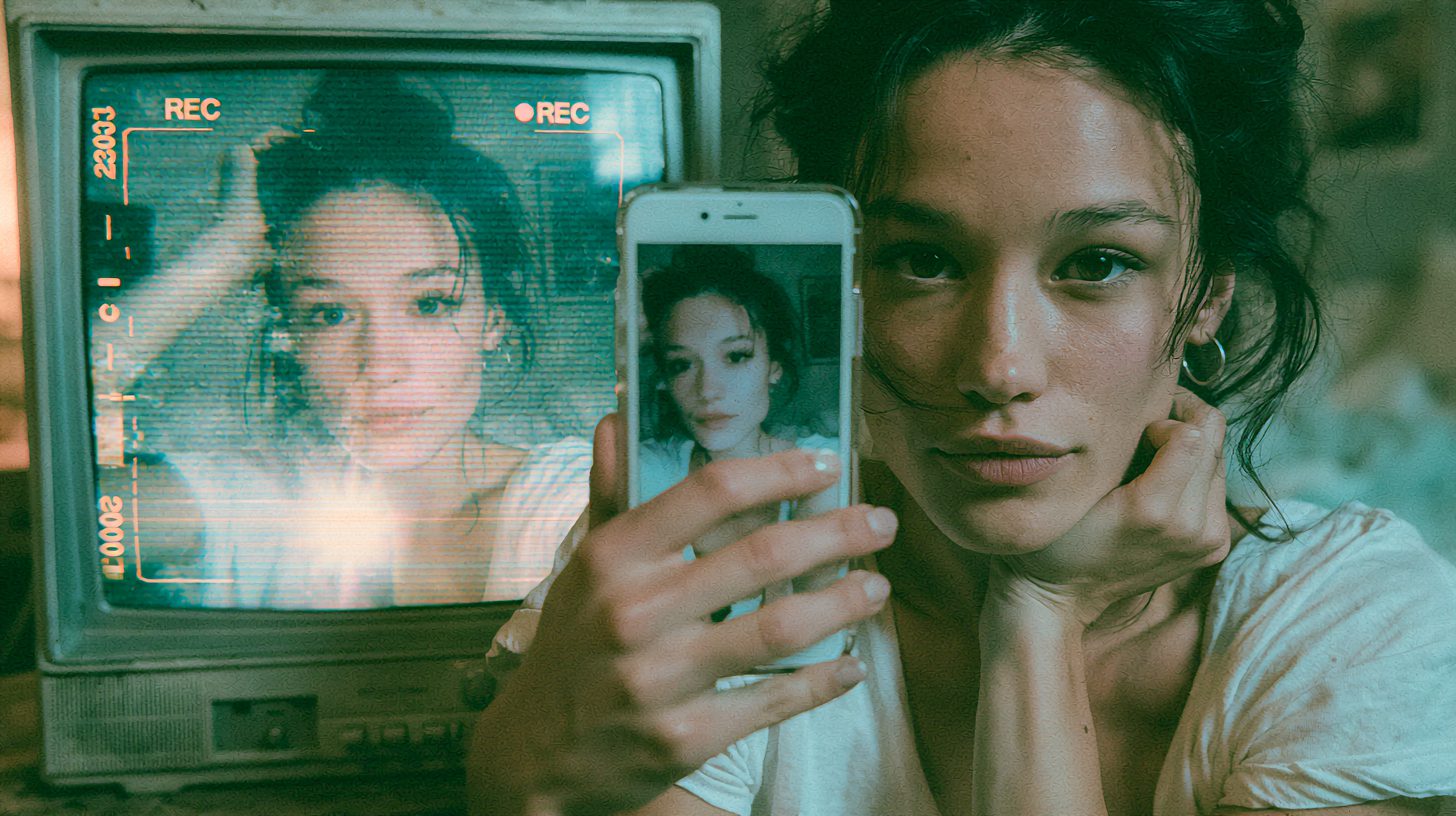
The Y2K AI Photo Prompt Trend Taking Over TikTok
Right now, the Y2K AI photo prompt is everywhere on TikTok and Instagram Stories. Basically, it turns a normal selfie into a grainy early-2000s camcorder memory. As a result, your photo looks like a frame pulled from a 2003 home video. Best of all, you can make one in a couple of minutes.
So how does it work? First, you upload a clear selfie. Then, you paste a detailed prompt. After that, the AI adds timestamps, VHS distortion, flash glare, and that washed-out camcorder color. Meanwhile, your face stays the same.
For the most part, Google’s Gemini app powers these viral edits. However, ChatGPT works too. Specifically, the real magic comes from the prompt itself, because it sets the grain, the lighting, and the retro mood. Therefore, a strong Y2K AI photo prompt makes all the difference.
Below, you’ll find three copy-paste prompts plus quick tips. So grab your favorite selfie, and let’s bring back the early 2000s.
The Best Y2K AI Photo Prompts to Try
Ready to time-travel? Here are three Y2K AI photo prompts to copy and paste. The first one is the original viral version. Meanwhile, the other two are on-theme variations for a flash party look and a night camcorder scene. So try each one, and keep the version you love most.
The Original Y2K Camcorder Prompt
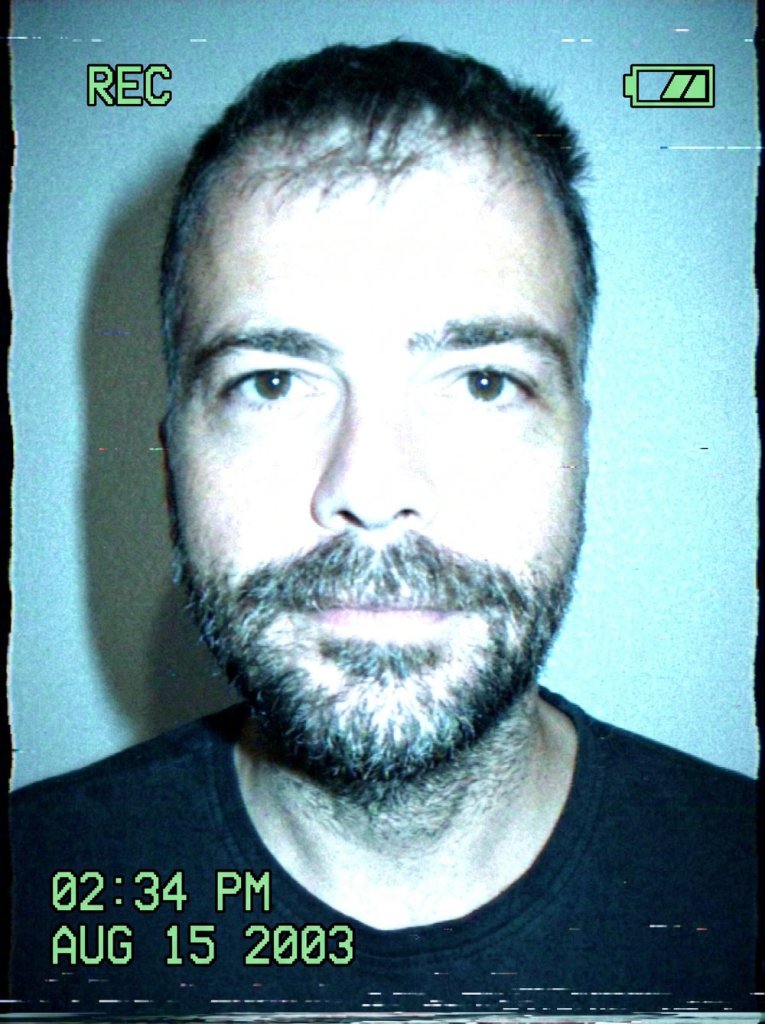
IMAGE PROMPT
Edit this photo like it was captured on a cheap 2003 camcorder.
Add timestamp overlays, flash overexposure, low-resolution grain, slight VHS distortion, and cool-toned indoor lighting.





Tip: Start with a sharp, well-lit selfie for the best face likeness.
Y2K Flash Party Snapshot
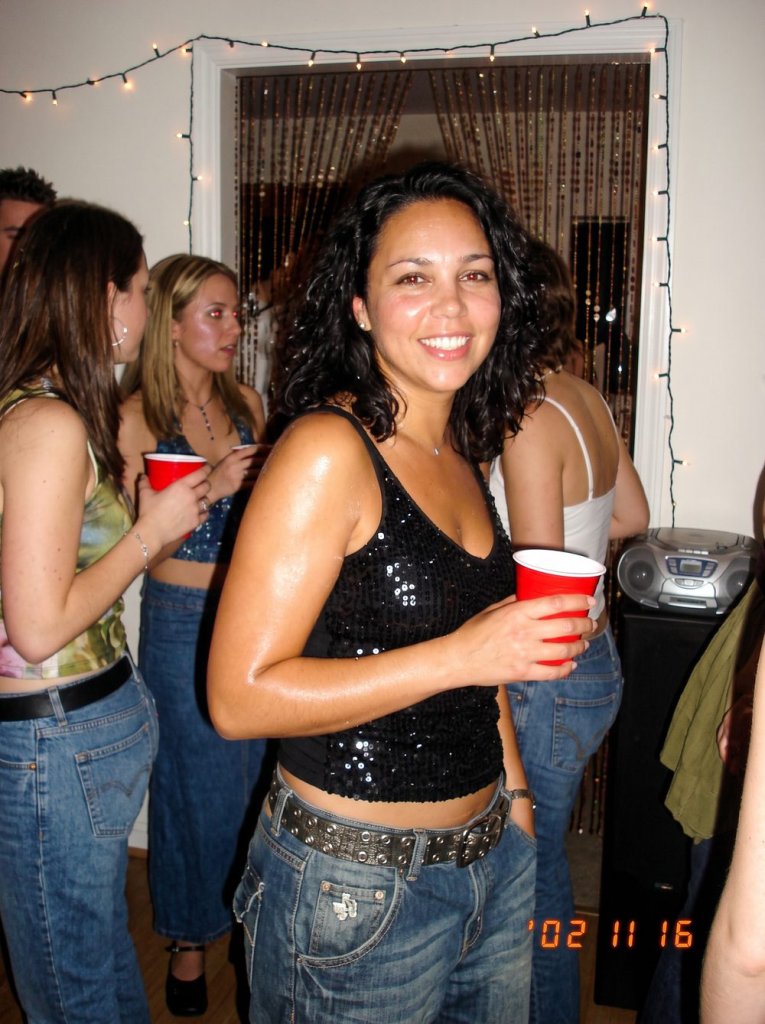
IMAGE PROMPT
Turn this selfie into a Y2K party snapshot taken on a 2002 digital camera with the flash on.
Add harsh direct flash, glossy skin, slight red-eye, a timestamp in the bottom corner, and a blurry low-resolution look.
Put me in baggy jeans and a sparkly top inside a dim early-2000s house party.
Keep my face exactly the same and do not change my features.
Tip: Face the camera straight on so the flash hits your whole face.
Y2K Night Camcorder Frame
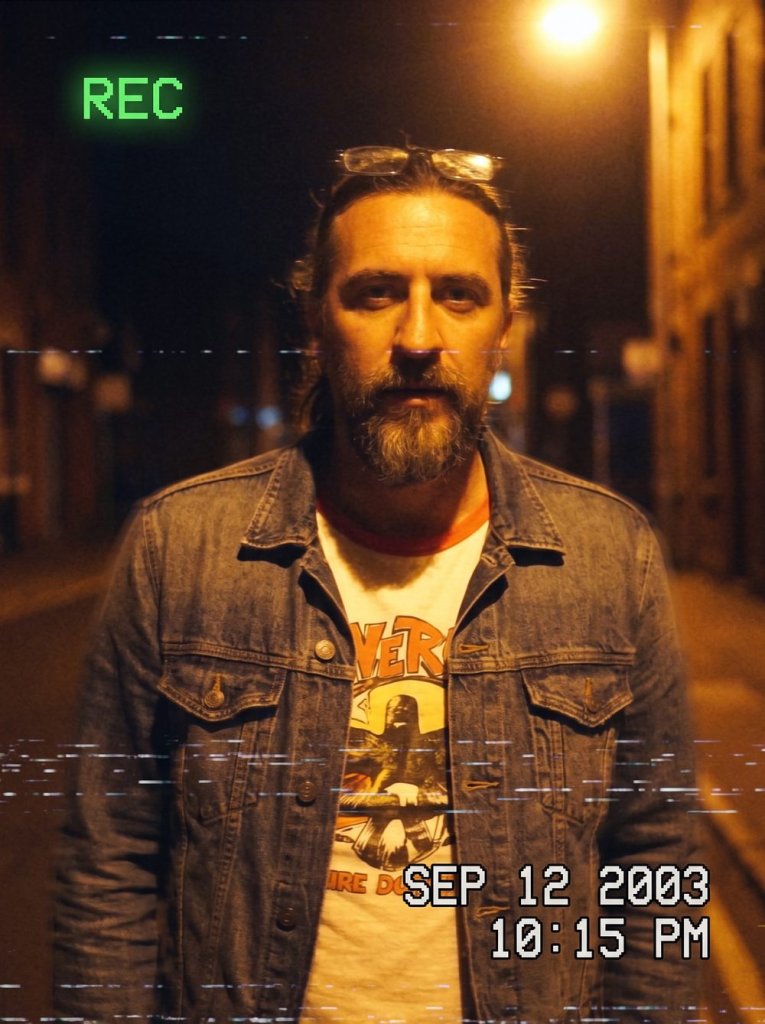
IMAGE PROMPT
Make this photo look like a still frame from an old 2000s camcorder video filmed at night.
Add a glowing timestamp, a REC indicator, VHS scan lines, motion blur, and warm streetlight glow.
Keep my outfit casual and early-2000s, with grainy, slightly washed-out camcorder color.
Do not change my face.
Tip: Pick a night or low-light selfie so the camcorder glow looks natural.
Tips for the Best Y2K Camcorder Photos
First, start with a sharp, well-lit selfie. After all, the AI keeps your face better when the original is clear. However, avoid heavy filters before you upload.
Next, keep the line “do not change my face” in your prompt. As a result, your features stay recognizable. Moreover, you can swap the year, the outfit, or the location to match your vibe.
Finally, generate a few versions and pick the grainiest one. For the most realistic look, add a timestamp and a slight VHS blur. Want more ideas? Then explore our how-to prompt guides for the next viral trend.
Want More?
Loved your retro camcorder shot? Then keep the throwback going. Browse our best AI image generators to nail the grain, then bring your photo to life with the best AI video generators — everything from the first prompt to a share-ready clip.
Prompt inspiration is a story from eweek.com — source.
Frequently Asked Questions
Which AI tool is best for the Y2K AI photo prompt?
For the most part, Google’s Gemini app delivers the best results. However, ChatGPT and other image tools work too. Ultimately, the prompt matters more than the tool, so keep it detailed.
Is the Y2K AI photo prompt trend free to use?
Yes, you can start for free in most cases. Specifically, Gemini offers free image generation with daily limits. Therefore, you can make several Y2K photos without paying.
How do I stop the AI from changing my face?
Always add the line “do not change my face” at the end of your prompt. As a result, the AI keeps your features. Moreover, a clear, front-facing selfie helps the likeness.
How do I make my photos look Y2K with AI?
First, upload a selfie. Then, paste a prompt that asks for camcorder grain, timestamps, flash glare, and VHS distortion. After that, generate and pick the grainiest result.
Can I use the Y2K AI photo prompt in ChatGPT and Gemini?
Yes, both work well. However, Gemini tends to keep faces more consistent. So if one tool changes your look, simply try the same prompt in the other.
What makes a good Y2K camcorder photo?
Mostly, it comes down to imperfection. For example, add a timestamp, soft blur, harsh flash, and washed-out color. As a result, the photo feels like a real early-2000s home video.
Can I copy and paste these Y2K prompts?
Absolutely. Each prompt above is copy-and-paste ready. Just swap the year, outfit, or setting to match your style, and keep the face-preserving line.