
The Vintage Saree AI Prompt Trend Taking Over Instagram
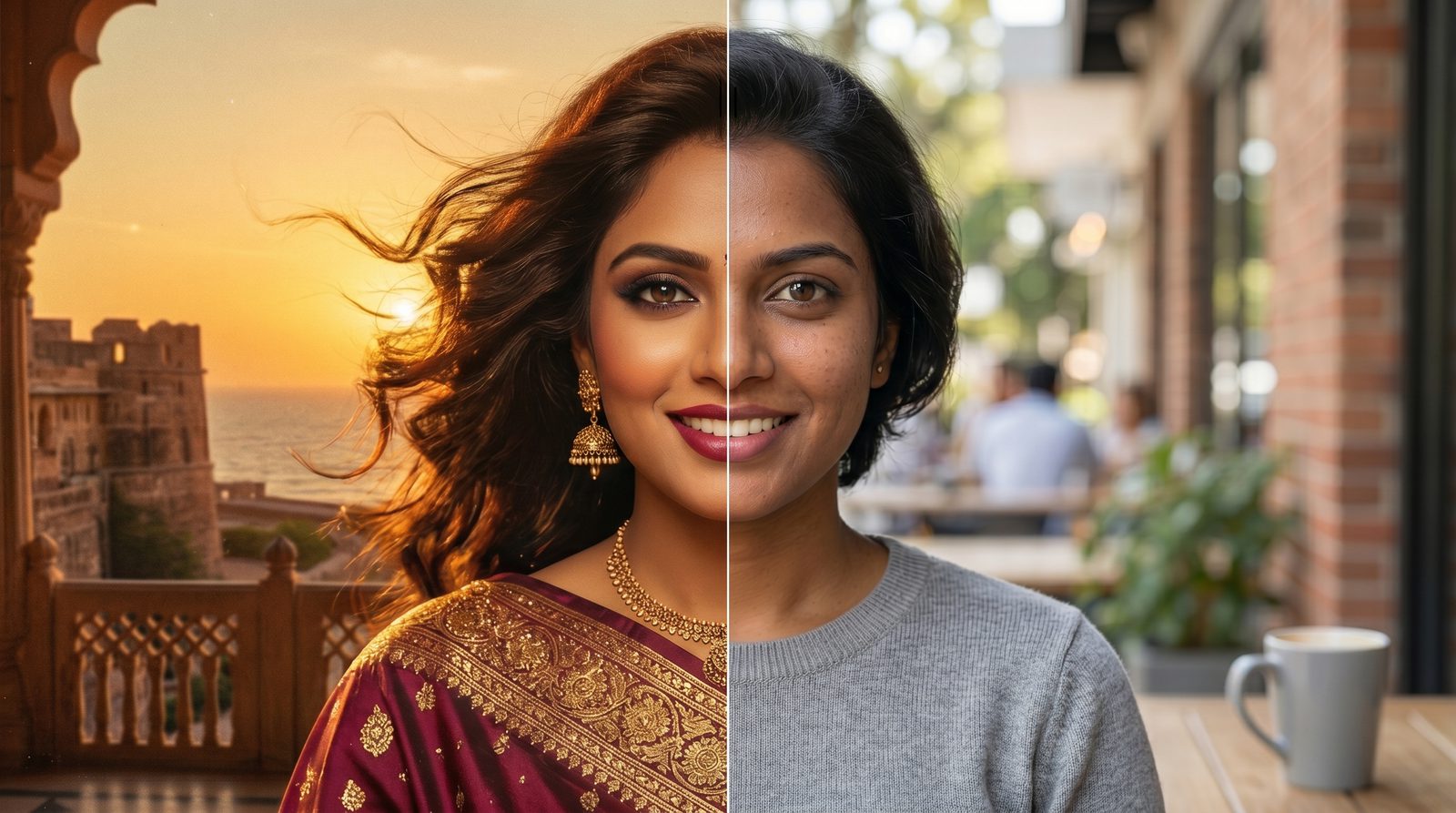
The vintage saree AI prompt is everywhere on Instagram right now. It turns one normal selfie into a cinematic 90s Bollywood portrait. Moreover, you don’t need any editing skills at all.
So how does it actually work? The trend runs on Google Gemini and its Nano Banana image engine. First, you give it a clear selfie. Then the AI wraps you in a flowing saree while keeping your face the same.
People love it because the results look like real film stills. The grain, the golden light, and the windswept drape all feel nostalgic. As a result, the edits rack up likes and shares across India and beyond.
Below, you’ll find three copy-and-paste prompts to try. We’ll also share quick tips and answer the most common questions. Finally, you can mix and match colors and fabrics to make the look your own.
The Best Vintage Saree AI Prompts to Try
Ready to try it yourself? Below are three popular saree prompts going viral on Gemini right now. Each one keeps your face the same while changing the outfit and the mood.
First, copy a prompt. Then upload a clear selfie and paste it into the Gemini Nano Banana saree prompt box. Finally, download your favorite result.
Try the white polka-dot vintage saree look
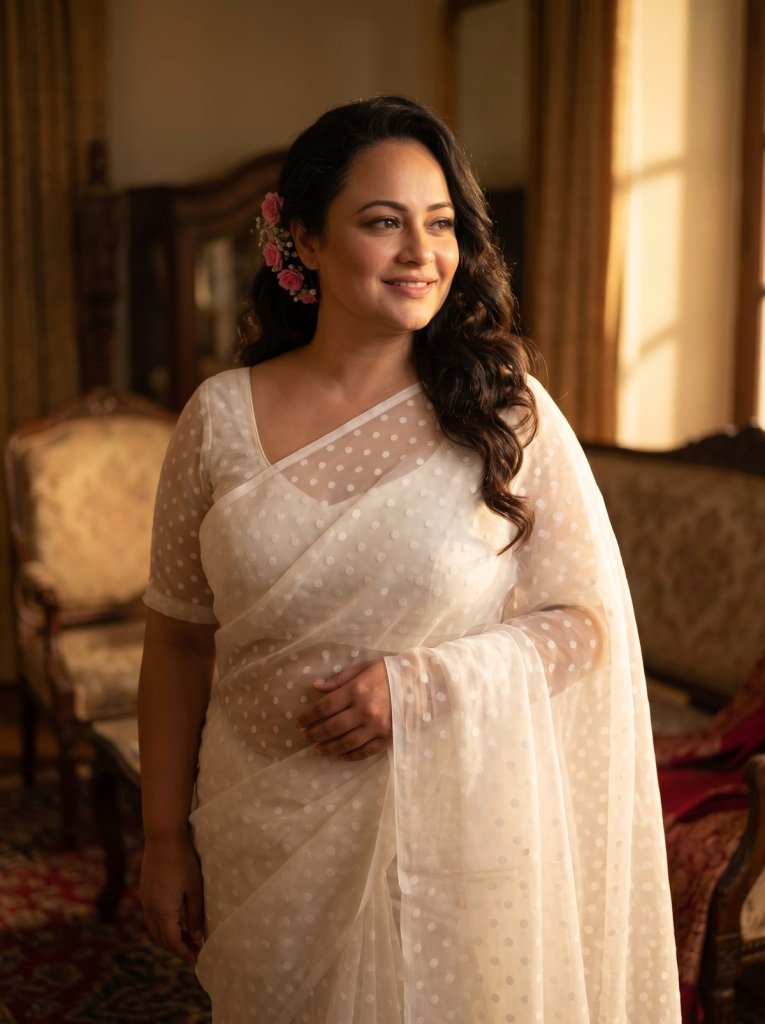
IMAGE PROMPT
Create a 4K HD realistic portrait of a woman in a translucent white polka dot saree with blouse for the reference image.
Keep the facial features and smile the same.
Small pink flower tucked behind her ear, soft, serene expression, warm light from the right casting a cinematic profile shadow.
Pure vintage diva energy.





Tip: Use a sharp, front-facing selfie so the AI keeps your face accurate.
Get the moody black 90s Bollywood vintage saree
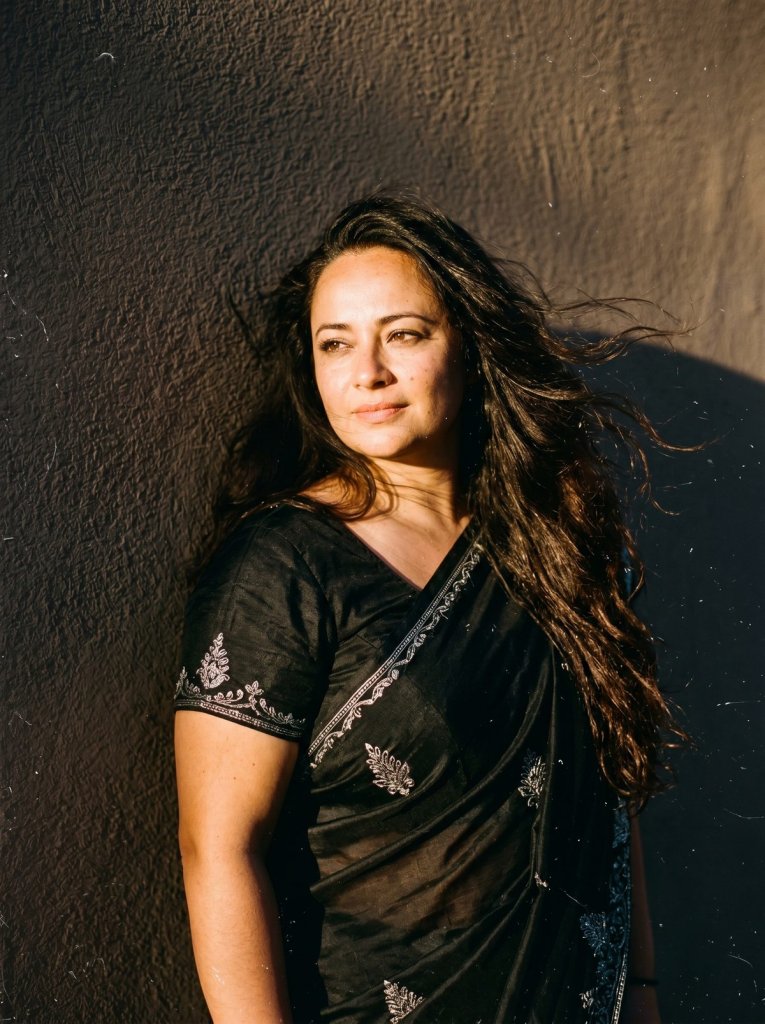
IMAGE PROMPT
Convert this person into a retro vintage grainy but bright image, black party-wear saree, 90s film aesthetic.
She is standing against a solid, deep wall with dramatic shadows and contrast, creating a mysterious and artistic atmosphere.
The environment feels windy and romanticised.
Lighting is warm, with golden sunset tones evoking golden hour glow.
The background is minimalist and slightly textured.
Her expression is moody, calm, yet subtly happy and introspective.
Tip: Warm, dim lighting in your source photo makes the grainy 90s vibe land better.
Recreate the sky-blue chiffon vintage saree look
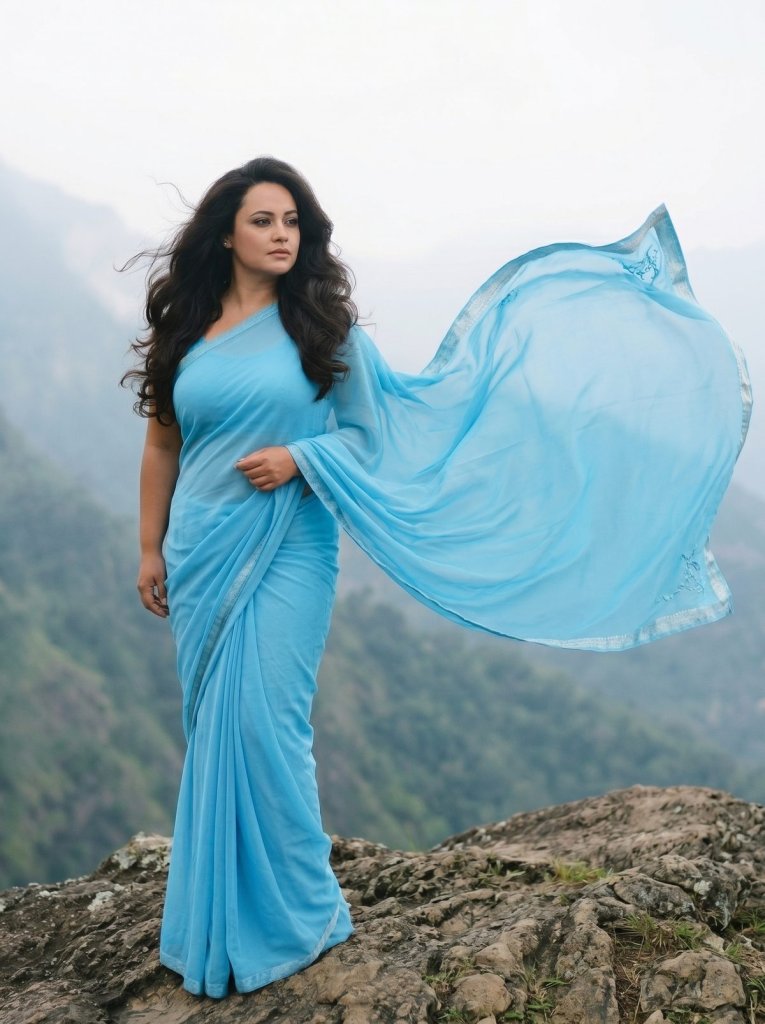
IMAGE PROMPT
Recreate the iconic 1990s Bollywood cinema heroine look.
Keep the face completely unchanged.
The subject wears a flowing, solid sky-blue chiffon saree.
Hair is voluminous with a classic professional blow-dry look.
Background: A misty mountain landscape with a soft mist haze filter.
Vibe: Nostalgic, fan-blown hair cinematic wide shot.
Tip: Swap in any saree color to remix this into your own palette.
Tips for the Best Vintage Saree AI Photos
Want sharper results? A few small tweaks make a big difference. First, always start with a clear, well-lit selfie where your face is fully visible.
Next, if the AI changes your face, add a line like keep my facial features 100% identical. Moreover, you can name the fabric, such as chiffon, silk, or organza, to get more realistic drapes.
Finally, don’t be afraid to remix. You can swap the saree color, the background, or the lighting in any prompt. For more copy-paste trends like this, browse our full how-to guides.
Want More?
If you love turning selfies into art, keep going. Try one of the best AI image generators to create even more looks from scratch. You can also bring your saree portrait to life with a top AI video generator and turn it into a short clip.
Prompt inspiration is a story from storyboard18.com — source.
Frequently Asked Questions
What is the vintage saree AI prompt trend?
It is a viral Instagram trend that turns a selfie into a cinematic saree portrait. You upload a photo, paste a prompt into Google Gemini, and the Nano Banana engine does the rest. The result looks like a 90s Bollywood film still.
Which app do I need for the Gemini saree look?
You need the free Google Gemini app or the Gemini website. First, open the image editing option with the banana icon. Then upload your photo and paste any vintage saree AI prompt.
Is the Nano Banana saree prompt free?
Yes, in most cases you can start for free. Gemini offers free image generations each day. However, heavy users may hit a daily limit and need a paid plan.
How do I keep my face the same in the AI saree edit?
Add a clear line like keep my facial features 100% identical to your prompt. As a result, the AI maps the saree around your real face. A sharp, front-facing selfie helps too.
Can I change the saree color or fabric?
Absolutely. Every prompt here is modular, so you can swap the color or fabric easily. For example, change sky-blue chiffon to emerald silk and the AI adjusts the whole look.
Why does my vintage saree AI photo look blurry or fake?
Usually the source photo is the problem. Therefore, use a high-resolution, well-lit selfie for the best output. Moreover, naming the fabric and asking for 8K resolution sharpens the result.
Are these AI saree photos safe to post on Instagram?
Yes, but only upload photos you own or have permission to use. Gemini also adds an invisible SynthID watermark to flag AI images. So you stay transparent when you share.