
The AI Time Travel Photo Prompt Taking Over Your Feed
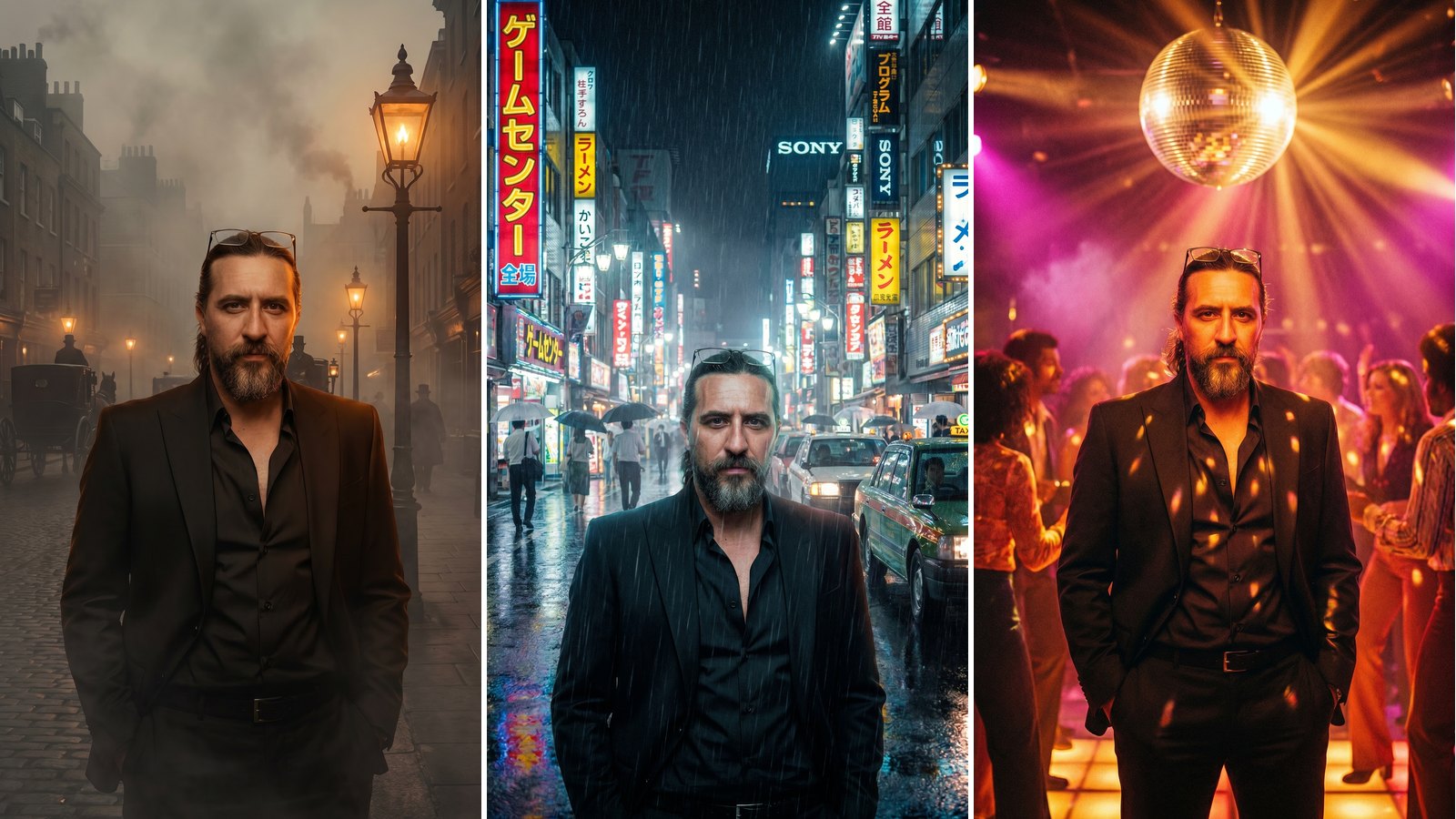
Right now, the AI time travel photo prompt is everywhere. In fact, people are dropping themselves into rainy 1986 Tokyo, foggy 1890 London, and neon 1970s discos. As a result, a single selfie suddenly looks like a frame from a period film. Best of all, you can try it in just a few minutes.
Basically, this trend uses AI image tools to rebuild the world around you. First, you upload a clear photo. Then, you paste a detailed prompt that names a decade. After that, the AI swaps the background, the clothing, and the lighting to match that era while keeping your face.
For the most part, Google’s Gemini and ChatGPT power these cinematic edits. However, the real magic lives in the prompt itself. Specifically, a strong prompt sets the year, the city, the light, and the mood. Therefore, the words you choose matter more than the tool.
Below, you will find three ready-to-use prompts. Moreover, each one is written for a grainy, filmic, time-travel look. Simply copy a prompt, add your photo, and generate. Finally, let’s jump through the decades.
The Best AI Time Travel Photo Prompts to Try
Below are three ready-made prompts for the most popular eras. First, pick the decade you love most. Then, copy the prompt and add your own photo. Finally, generate and watch yourself time travel.
Rainy 1986 Tokyo Time Travel Prompt
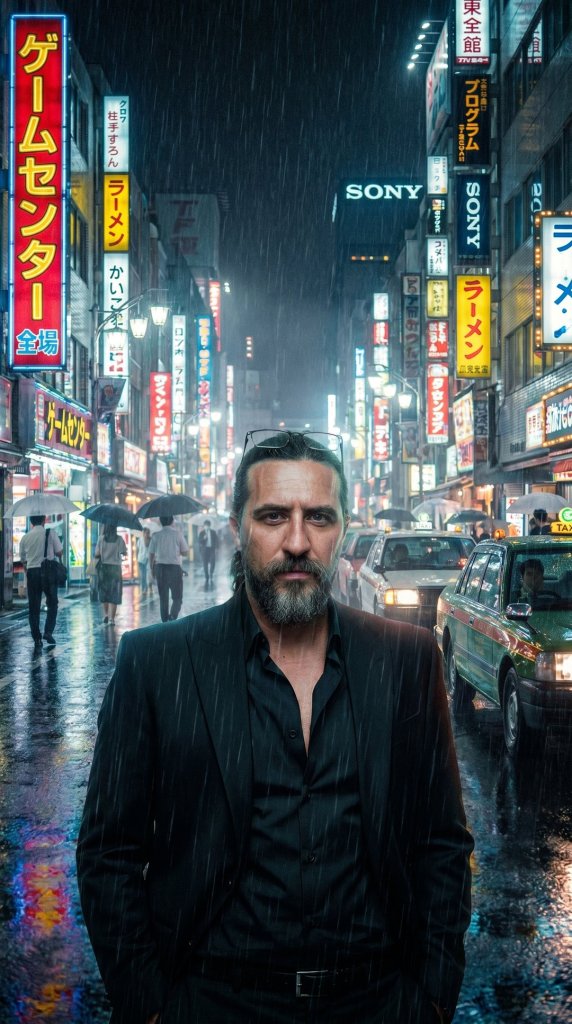
IMAGE PROMPT
Place this person inside a rainy Tokyo street in 1986 at night.
Add glowing neon reflections, vintage shop signs, cinematic fog, and realistic lighting that naturally matches the environment.





Tip: Add the line do not change my face to keep your likeness.
Foggy 1890 London Time Travel Prompt
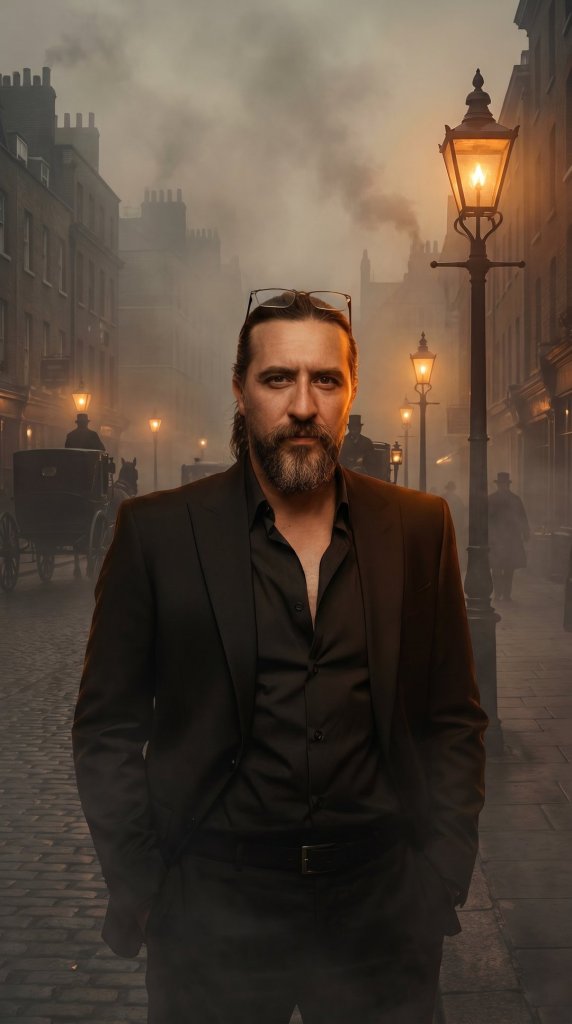
IMAGE PROMPT
Recreate the background of this photo to look like London in the year 1890 during a foggy evening.
Keep the person exactly as they are, but adjust the lighting on their clothes to match the warm, dim glow of the gas streetlamps.
Tip: Name a real street to make the Victorian scene feel real.
1970s Disco Time Travel Prompt (Variation)
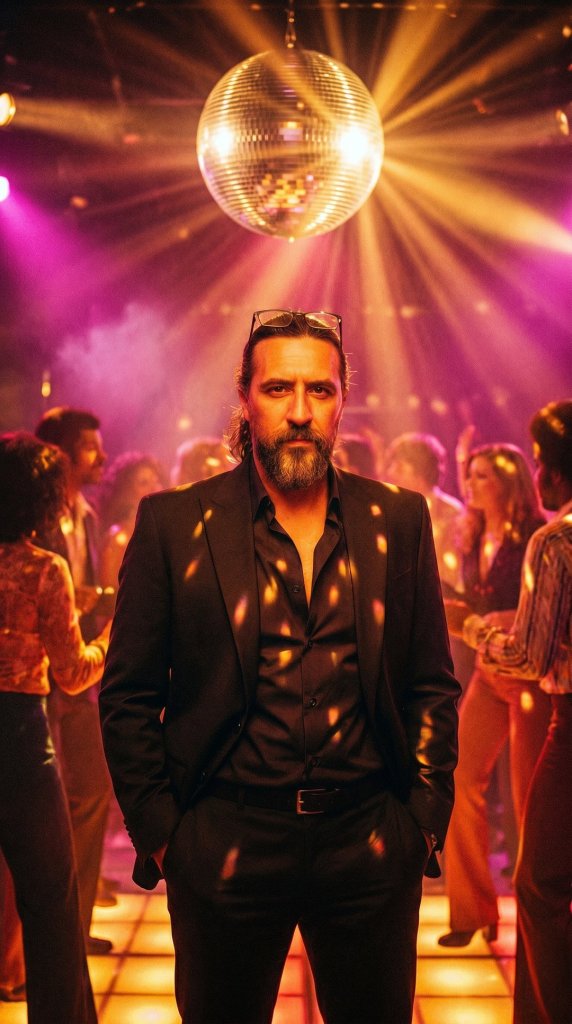
IMAGE PROMPT
Place this person inside a 1970s disco at night.
Add a spinning mirror ball, warm amber and magenta lights, soft lens flare, and grainy film texture.
Keep their face exactly the same and match the glow of the dance floor.
Do not change my face.
Tip: Swap the decade and city to travel anywhere you like.
See Your AI Time Travel Photo Come to Life
Video
Take your finished time travel photo and upload it to an AI video tool.
Animate the scene with gentle camera motion, falling rain and flickering neon, while keeping the person still and photorealistic.
Export it as a 9:16 vertical clip for Reels, TikTok and Shorts.
Tip: Hover to play. Vertical 9:16 clips perform best on Reels, TikTok and Shorts.
Tips for the Best AI Time Travel Photos
So, do you want your time travel photo to look believable? Then a few small tweaks make a big difference. First, always add the line do not change my face to every prompt. As a result, your features stay natural and easy to recognize.
In addition, the year and the lighting do the heavy lifting. For example, name a real decade, such as the 70s, 80s, or 90s. Moreover, a grainy film filter sells that vintage, time-travel feel. Also, pick a specific city or street for extra realism.
Next, match your outfit to the era you choose. For instance, neon and big hair suit a 1980s scene. Meanwhile, tweed and gas-lamp glow fit a Victorian London street. Similarly, denim and warm film tones work for a 1970s look.
Finally, it is your turn to join the trend. First, pick a prompt. Then upload your favorite selfie and let the AI do the rest. After that, share your time-travel shot and tag your friends. Above all, have fun and explore our other AI how-to guides on AI Miracle.
Want More?
Loved sending yourself back in time? Then keep creating. Browse our best AI image generators to nail the look, then bring your shot to life with the best AI video generators — everything from the first prompt to a share-ready clip.
Prompt inspiration is a story from eweek.com — source.
Frequently Asked Questions
Which AI tool is best for the time travel photo trend?
For the most part, Google’s Gemini and ChatGPT deliver the best results. However, other AI image tools can work too. The real difference comes from your prompt, so name the year, the place, and the light clearly.
Is the ai time travel photo prompt free to use?
Yes, you can start for free in most cases. Gemini and ChatGPT both offer free image generation with daily limits. Therefore, you can hop through several decades without paying anything.
How do I stop the AI from changing my face?
Always add the line do not change my face to your prompt. As a result, the AI keeps your real features. In addition, a clear, front-facing selfie helps a lot.
Can I travel to any decade or era?
In general, yes. Popular picks include the 1890s, the 1920s, the 1970s, the 1980s, and Y2K. Simply name the year and describe the city or scene you want.
How do I write a good cinematic time travel ai prompt?
Start with the person, then name the year and the city. Next, describe the lighting, the weather, and the film grain. Finally, lock your face so only the world around you changes.
Does the prompt work on both ChatGPT and Gemini?
Yes. Paste the same gemini time travel prompt into either app, then upload your photo. However, Gemini’s Nano Banana often nails period lighting, while ChatGPT handles detailed scenes well.
Why does my time travel photo look fake?
Usually, the prompt is too vague. So, add a real year, a specific place, and a grainy film look. Moreover, ask for matching shadows and lighting so you blend into the era.