
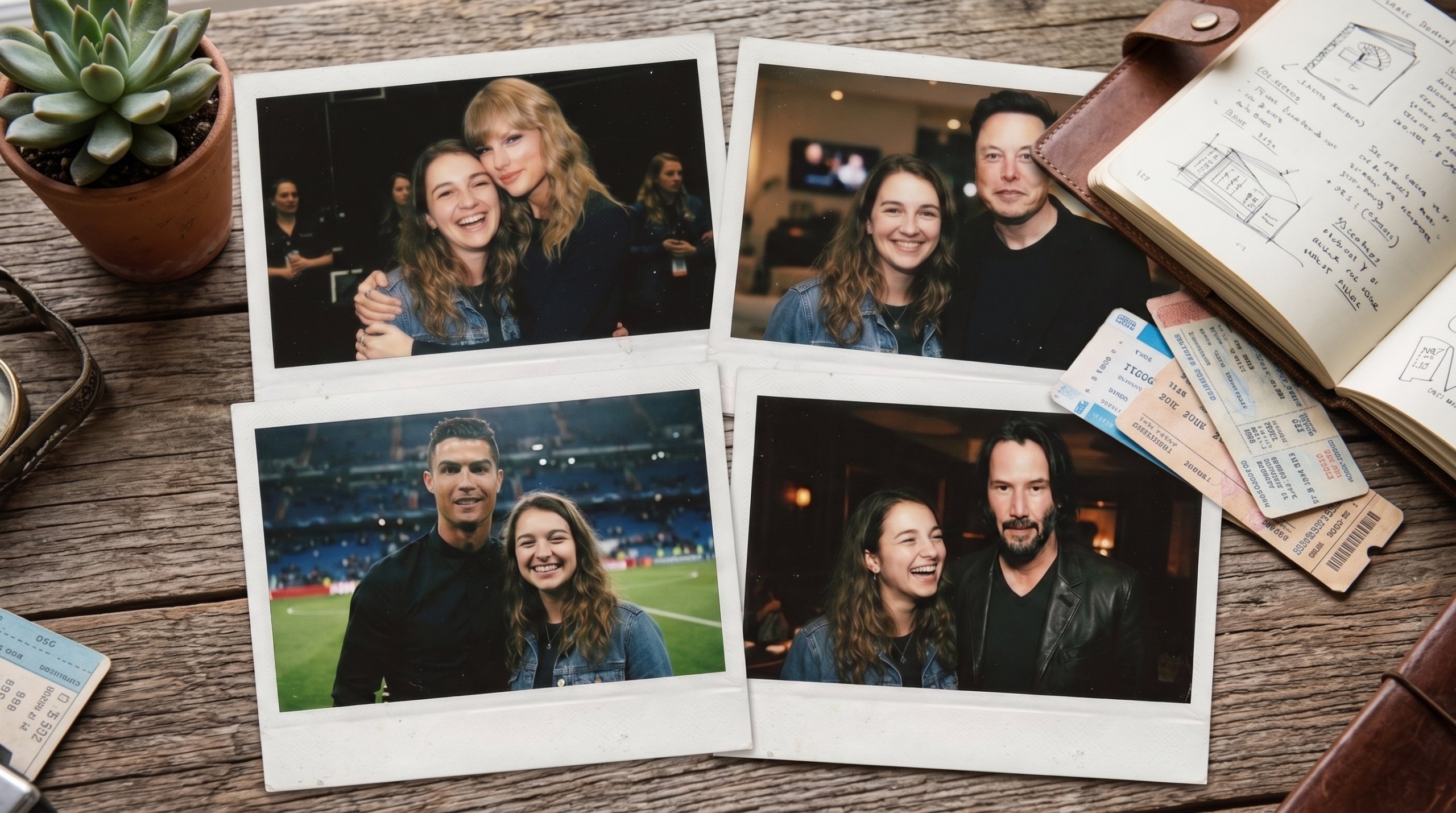
The AI Polaroid Prompt With Idol Trend Explained
Have you seen those dreamy retro snapshots taking over your feed? The viral AI polaroid prompt with idol trend lets you pose next to any star, as if you snapped a real Polaroid together.
First, you upload a clear selfie. Then you add a photo of your idol. Finally, you paste a short prompt, and the AI blends both faces into one nostalgic, flash-lit frame.
Moreover, the look is intentionally imperfect. Soft blur, a white curtain backdrop, and warm grain make it feel like a genuine memory instead of a polished edit.
Below, you will find three copy-and-paste prompts, plus quick tips. So grab your favorite photo, and let us recreate that instant-camera magic.
The Best AI Polaroid Prompts to Try
Below are three ready-made prompts for the most popular versions of this trend. First, copy one. Then upload your photos into an AI image tool. Finally, generate and save your favorite shot.
Polaroid With Your Idol
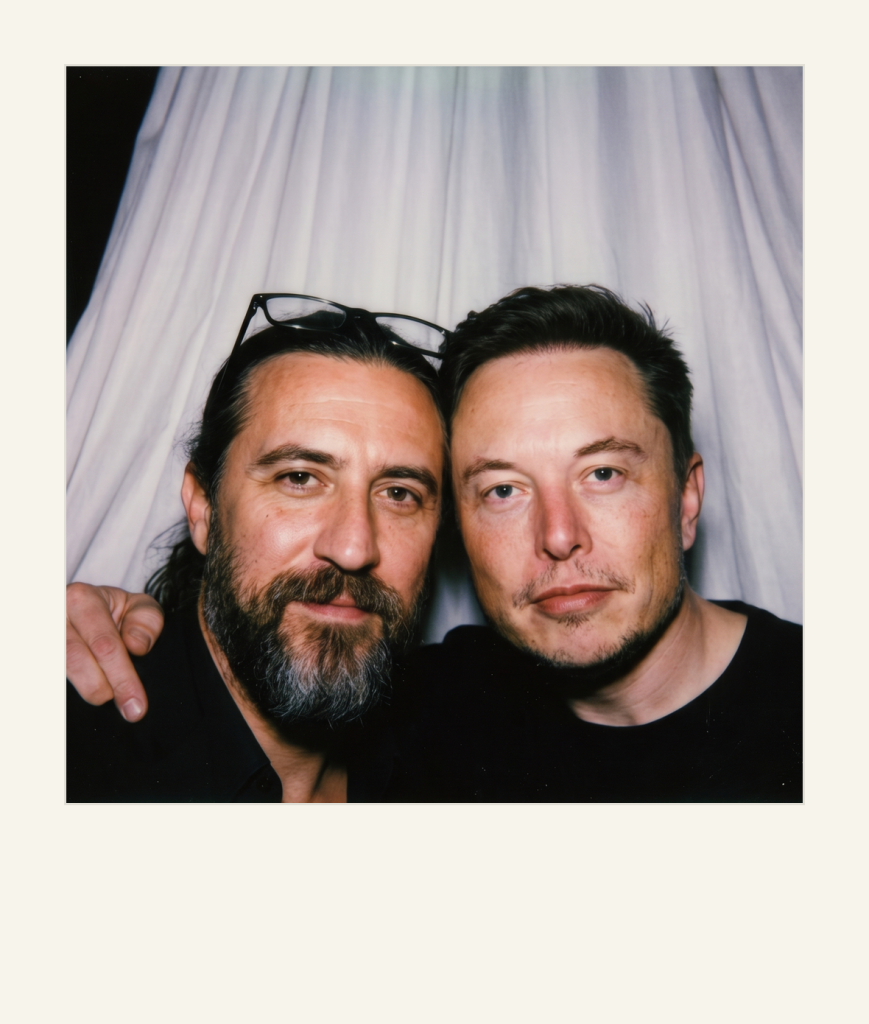
IMAGE PROMPT
Take a picture with a Polaroid camera.
The photo should look like a normal photo, without any clear subjects or props.
The photo should have a slight blur effect and a consistent light source, such as a flash from a dark room, spread throughout the photo.
Do not change the faces.
Replace the background behind the two people with a white curtain.
With the guy being close to me like a couple.
Don’t change the angle of our faces.




Tip: Upload your selfie first, then your idol’s photo, so the AI keeps both faces accurate.
Polaroid on a Neon Rooftop
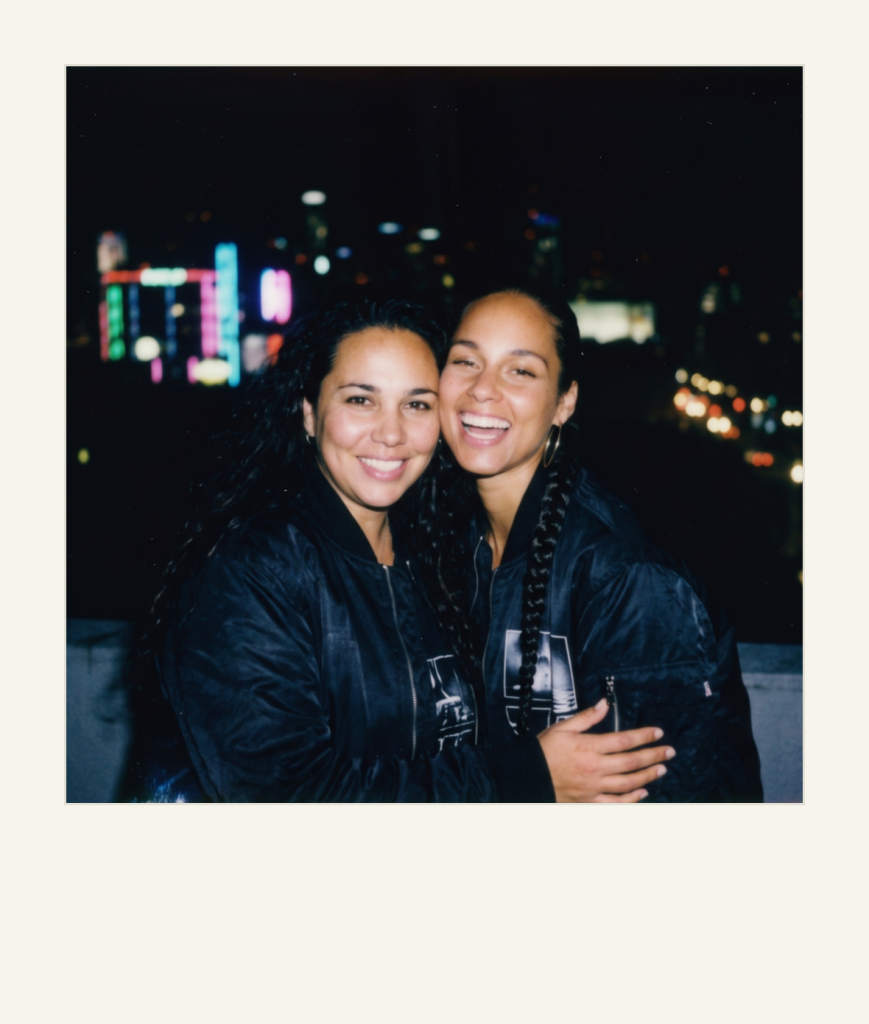
IMAGE PROMPT
A Polaroid picture taken on a rooftop at night.
Behind the couple, the city skyline is faintly visible with blurred neon lights and bokeh street lamps.
The flash highlights the couple while the background stays grainy and dark, giving it an imperfect charm.
The couple wears matching bomber jackets with subtle graphic prints.
The atmosphere feels adventurous, late-night, and spontaneous.
Tip: Want a couple version? This works great with your partner or your favorite star.
Polaroid With a Celebrity
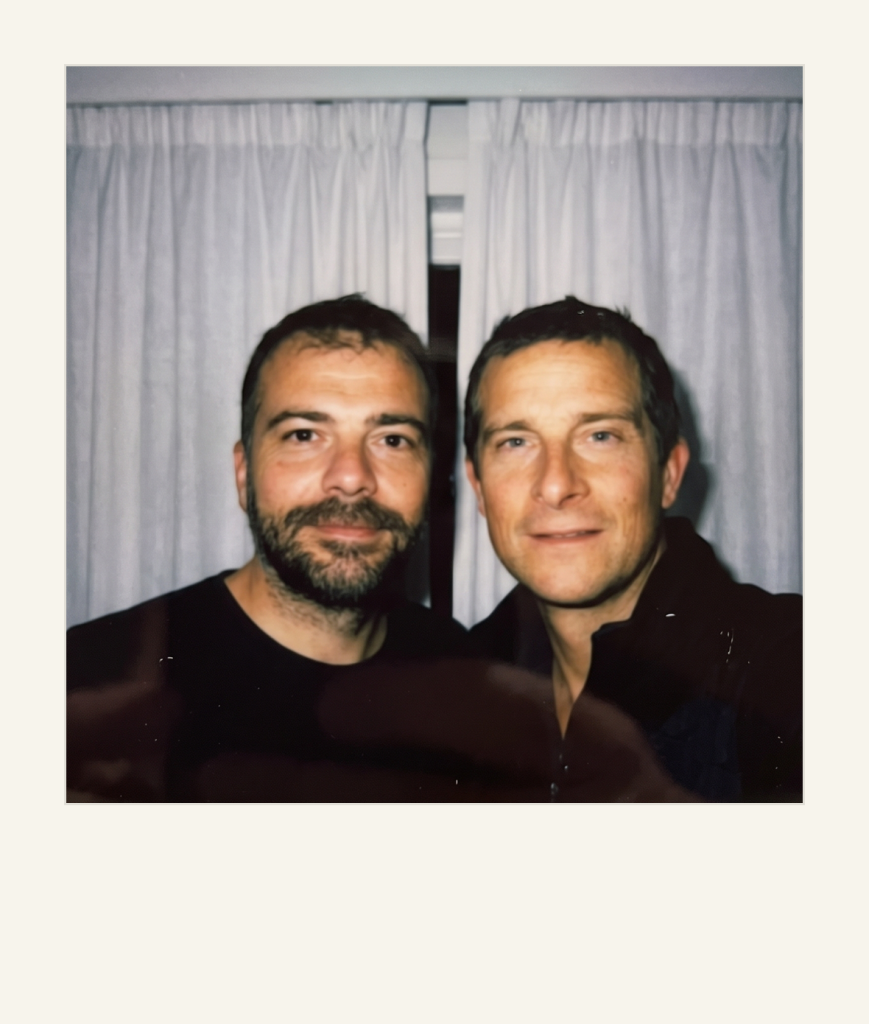
IMAGE PROMPT
Take a photo taken with a Polaroid camera.
The photo should look like an ordinary photograph, without an explicit subject or property.
The photo should have a slight blur and a consistent light source, like a flash from a dark room, scattered throughout the photo.
Don’t change the face.
Change the background behind those two people with white curtains.
Tip: Swap in any celebrity photo, and keep the white-curtain background for that classic look.
Tips for the Best AI Polaroid Photos
So, do you want your photo to look believably real? Then start with a sharp, well-lit selfie. As a result, the AI can lock your facial features and keep them consistent.
Next, always add a line like “do not change our faces.” This small instruction stops the AI from reshaping you or your idol.
Furthermore, keep the classic Polaroid cues in your prompt: a slight blur, a single flash light source, and a plain white curtain background. These details sell the vintage effect.
Finally, if the first result feels off, simply ask for tweaks. For more copy-paste ideas, explore our full how-to prompt library and keep experimenting.
Want More?
Loved the AI polaroid prompt with idol? Then keep creating. Explore our roundup of the best AI image generators to perfect your Polaroids. After that, animate them with the best AI video generators for a moving memory. Made yours? Tag us on Instagram (@aimiracle.ai) or TikTok (@aimiracleai), and we may reshare our favorites.
Prompt inspiration is a story from perfectcorp.com — source.
Frequently Asked Questions
What is the AI polaroid prompt with idol trend?
It is a viral trend where you upload your selfie and a photo of your idol, then paste a short prompt into an AI image tool. The AI blends both into a vintage, flash-lit Polaroid that looks like a real snapshot.
Which AI tool is best for the polaroid trend?
Pick an AI image tool that can blend two uploaded photos while keeping both faces accurate. Any strong AI image generator with good photo-to-photo support handles the polaroid look well. Try a couple and keep the result you like best.
Is there a free AI polaroid prompt I can copy and paste?
Yes. The prompt in this guide is free to copy and paste, and most AI image tools include some free generations with daily limits. Simply copy any prompt above, upload your photos, and generate. If you hit a limit, wait a few hours or switch tools.
How do I stop the AI from changing our faces?
Always add a line like “do not change the faces” to your prompt. As a result, the AI preserves both your features and your idol’s, instead of inventing new ones.
Can I make an AI polaroid with a couple or friend?
Absolutely. The same prompt works for couples, friends, or family. Just swap the second photo and adjust the pose line, for example “hugging from the side” or “standing close together.”
What aspect ratio works best for a polaroid photo?
A square 1:1 frame feels the most authentic, since real Polaroids are square. For Stories or Reels, a vertical 9:16 crop also looks great.
Why does my AI polaroid look fake or distorted?
Usually, this happens with low-quality or dark selfies. Therefore, use a clear, well-lit photo. Moreover, keep your prompt specific about the blur, flash, and white-curtain background.