
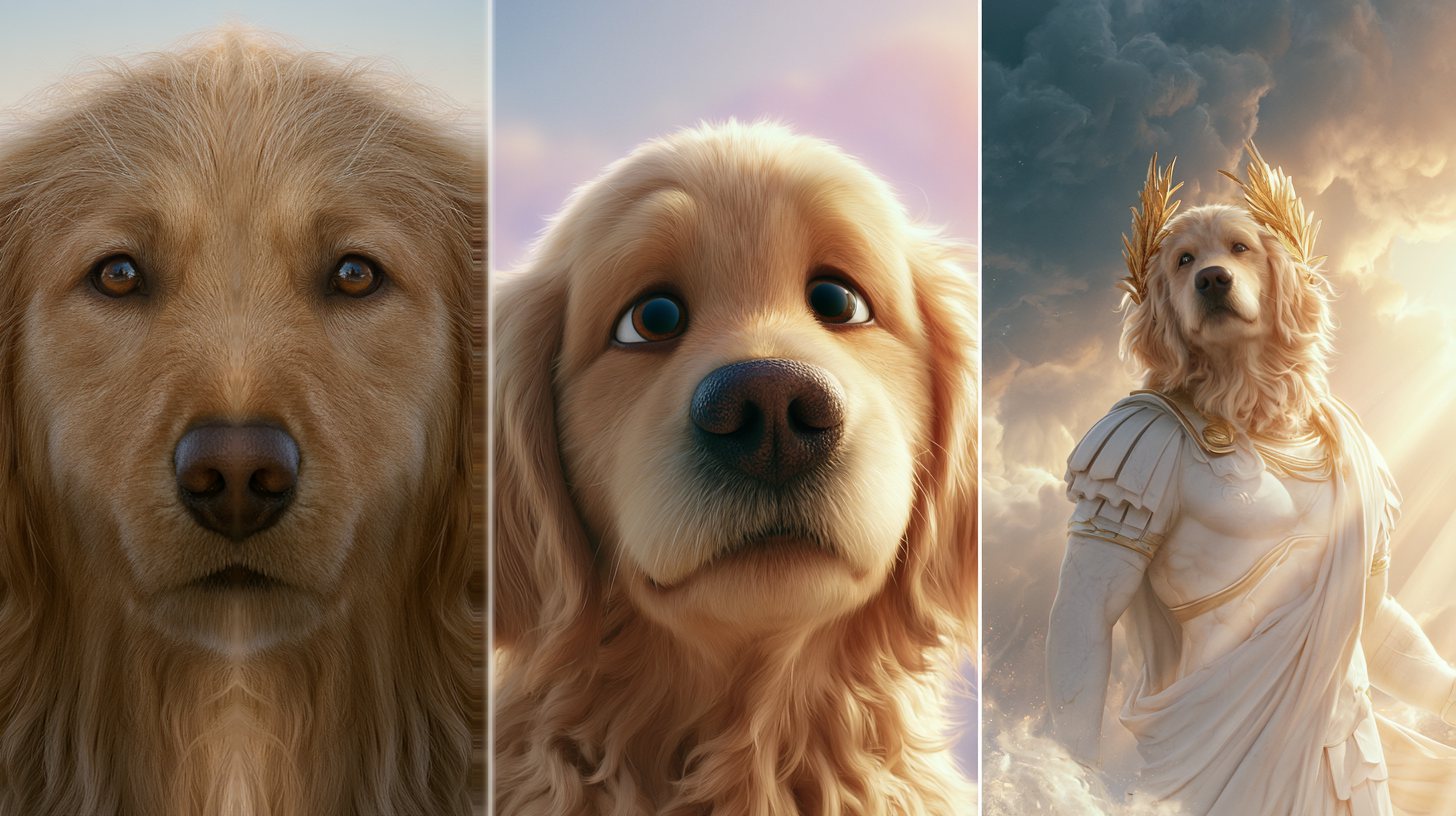
The AI Dog Photo Prompt Trend Everyone Is Trying
Have you seen those cinematic dog pictures all over your feed? Most of them start with one thing: a viral AI dog photo prompt. First, you upload a clear photo of your dog. Then you paste a ready-made prompt, and the AI does the rest.
The trend exploded in 2026. In fact, pet owners are turning ordinary snaps into Pixar characters, royal portraits, and emotional close-ups. Moreover, it runs on tools you already have.
You do not need any design skills. Google Gemini and ChatGPT both handle these prompts well. As a result, anyone can join in, often for free.
Below, you will find three of the best prompts to copy and paste. Each one targets a different vibe. So pick your favorite, grab a photo of your pup, and start creating.
The Best AI Dog Photo Prompts to Try
Ready to try the trend yourself? Here are three crowd favorites. First, the Soulmate Portrait captures the bond you share. Next, the Pixar look turns your dog into a movie star. Finally, the Greek God prompt goes full fantasy. Just copy a prompt, swap in your own dog, and generate.
The Soulmate Dog Portrait
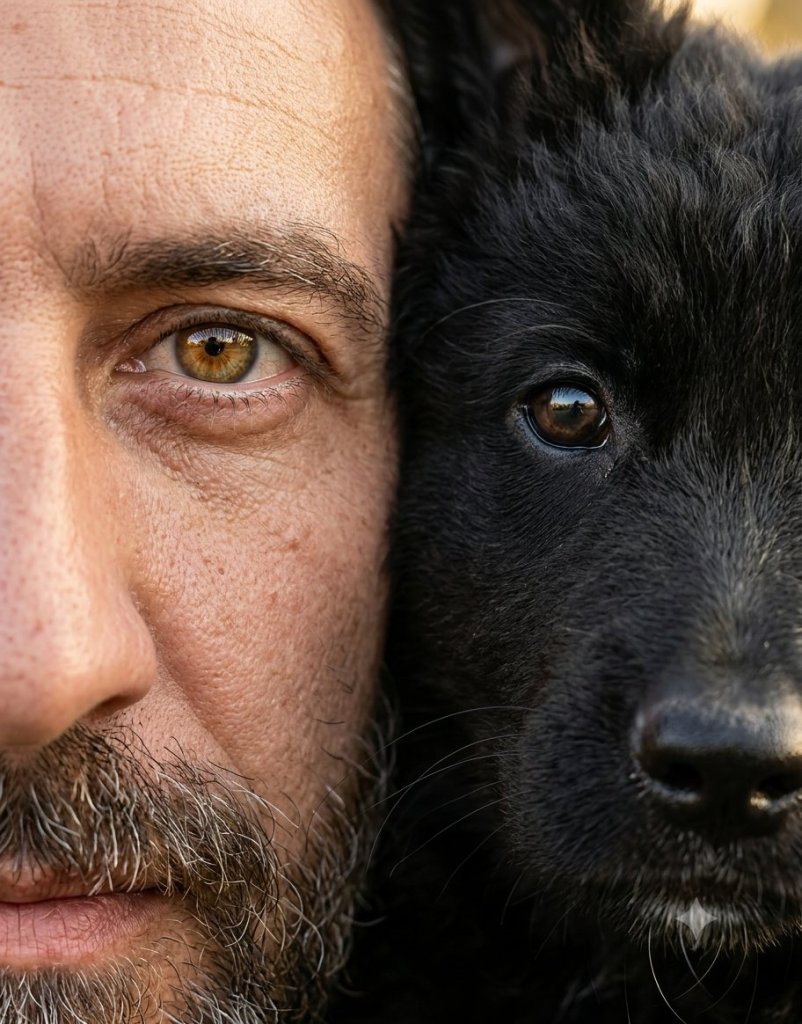
IMAGE PROMPT
Create an ultra-realistic extreme close-up portrait of half a human face and half your dog's face pressed closely together, perfectly centered and equally framed.
One human eye and one pet eye should align in sharp focus, emphasizing emotional connection, realistic skin and fur textures, and intimate detail.
Keep the composition tightly cropped with almost no visible background, warm natural colors, soft natural or studio lighting, and crisp 4K professional photography quality.



Tip: Use a clear, front-facing photo so the AI keeps your dog's features.
The Pixar-Style Dog
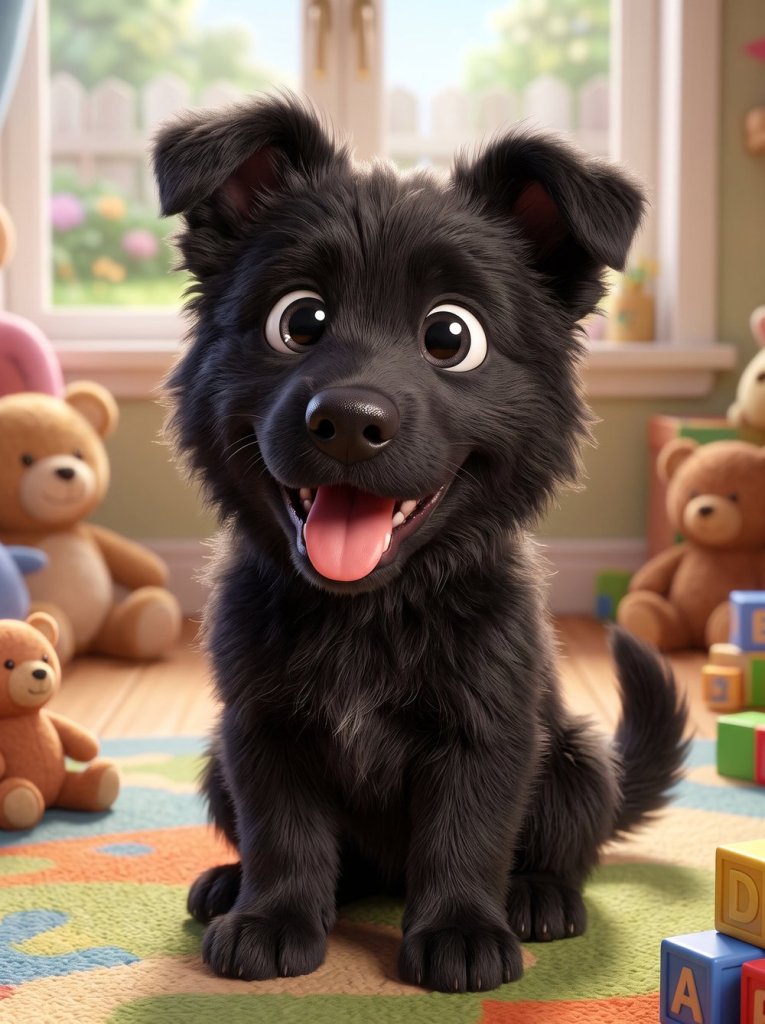
IMAGE PROMPT
Your dog designed as a Pixar animated character, expressive eyes, soft 3D rendering, colorful background, heartwarming Disney animation style.

Tip: Bright, even lighting helps the AI nail those soft Pixar textures.
The Greek God Dog
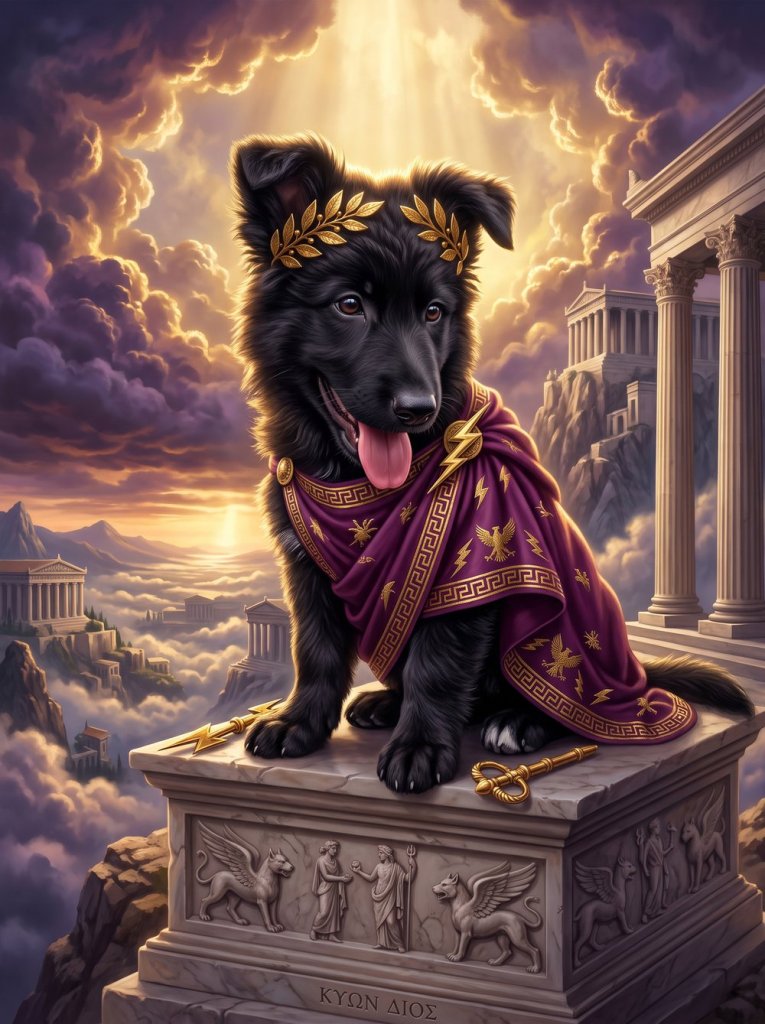
IMAGE PROMPT
Your dog portrayed as a Greek god on Mount Olympus, dramatic clouds, divine golden lighting, ultra realistic fantasy art.
Tip: Add your dog's breed to the prompt for an even closer match.
Tips for the Best AI Dog Photo Prompt Results
Want your results to look truly viral? A few small tweaks make a big difference. First, always start with a sharp, well-lit photo of your dog. Blurry pictures only confuse the AI.
Next, keep your pet’s face clearly visible. For example, a straight-on angle works better than a side profile. In addition, natural daylight beats harsh indoor light.
Then, add details the AI can use. Mention your dog’s breed, color, or mood. As a result, the final image feels far more accurate.
Finally, do not be afraid to run a prompt twice. Sometimes the second try is the real winner. For more ideas, browse our full how-to prompt guides and keep experimenting.
Want More?
Love creating with AI? Then explore our hand-picked tool collections. For stunning pet portraits, check the best AI image generators. And to turn your dog photos into clips, see the top AI video generators. Both make this trend even easier.
Prompt inspiration is a story from cyberlink.com — source.
Frequently Asked Questions
Which AI tool is best for the AI dog photo prompt trend?
For most people, Google’s Gemini app gives the best results. However, ChatGPT works well too. The real difference comes from your prompt, so keep your instructions clear and detailed.
Are these AI dog photo prompts free to use?
Yes, you can start for free in most cases. Gemini offers free image generation with daily limits. Therefore, you can create several pet photos without paying anything.
How do I keep my dog's face looking accurate?
Always upload a sharp, front-facing photo of your dog. As a result, the AI keeps the right features. In addition, good lighting helps a lot.
Can I use these prompts on a cat or other pets?
Absolutely. Simply swap your dog for your cat, rabbit, or any other pet. The same prompts work across most animals.
How do I copy and paste a Gemini AI dog photo prompt?
First, open Gemini or ChatGPT and upload your dog’s photo. Then paste the prompt text from above. Finally, hit generate and download your favorite result.
Can AI turn my dog into a human?
Yes, the dog-to-human trend is hugely popular too. Many apps add it as a one-tap filter. Still, a detailed prompt gives you far more control.
Why do my AI dog photos look distorted?
Usually it is the input photo. Blurry or dark images cause odd results. So start with a clean, well-lit shot and try again.