
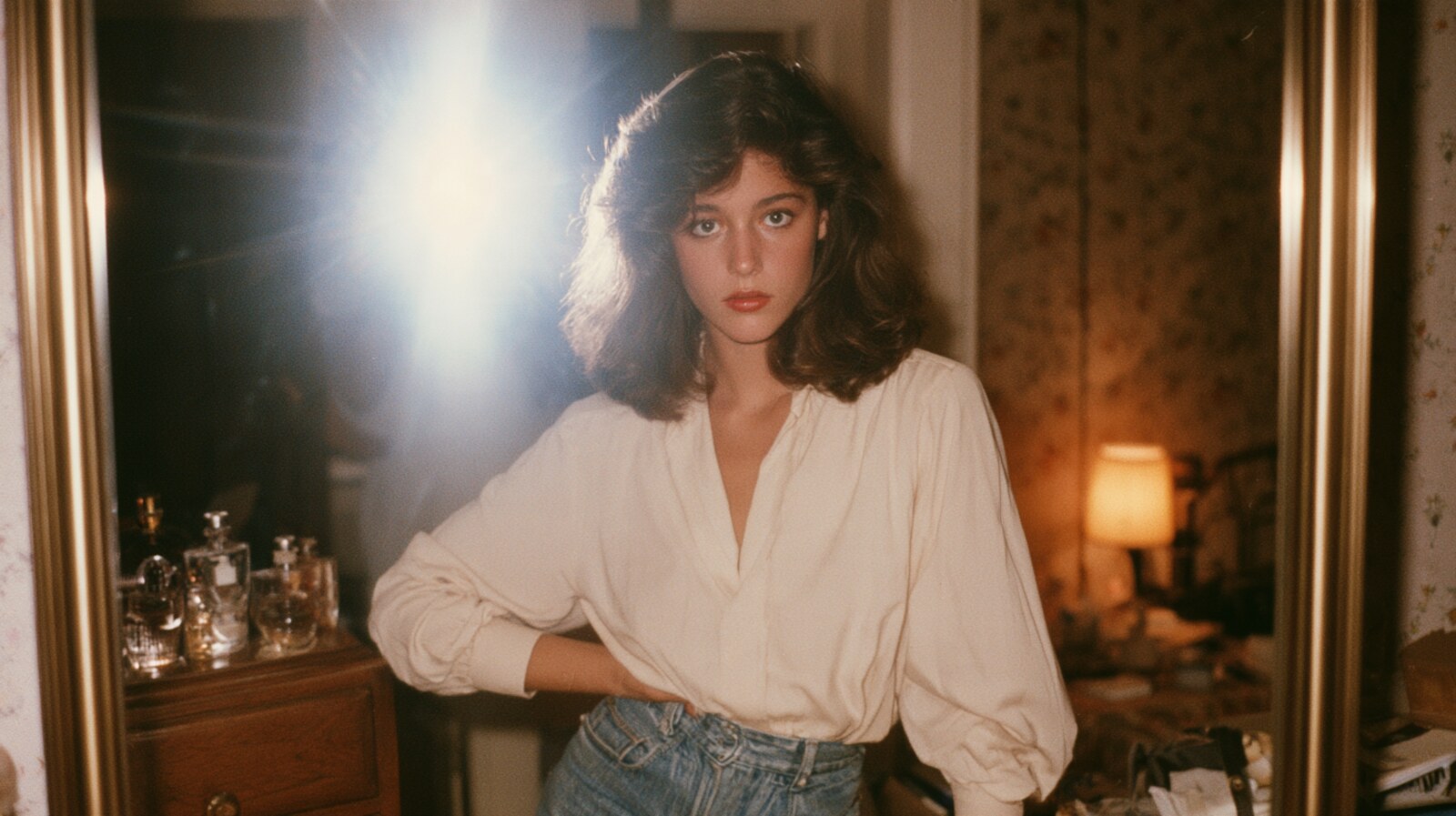
What the 1980 Photo Prompt Trend Actually Is
Scroll Instagram this week and you will meet a lot of people who look like they were photographed in 1985. Same face, different decade, and one 1980 photo prompt doing all the work.
The trend works differently from the filters you already know. You upload your own picture and ask the model to rebuild it as an old film photograph. Not a filter on top. A rebuild. Most people run it as a 1980s photo prompt ChatGPT request, though the same text works in any image model.
That difference decides everything. A vintage filter only shifts the colours, so the photo still reads as modern underneath. A good prompt changes the clothing, the hair, the light and the grain as well.
The versions people share most are the ones carrying a story: a family album snapshot, a film poster, a night out under a mirror ball. Almost everyone has an eighties photo somewhere in the house, which is exactly why the trend travels.
Below are three prompts we wrote ourselves, plus the one line that decides whether your result looks real or plastic.
The Best 1980s AI Photo Prompts to Try
People search for this as an AI 1980 photo prompt, a 1980 photo trend, or just 1980s AI photo, and they all land on the same three looks. Each prompt below locks your face and changes everything around it. Copy the text, upload your photo, and paste. However, read the tip under each card first, because that is usually where the result is won or lost.
One thing worth clearing up: the card titles describe what comes out, not what goes in. Use any recent photo as your input. A real snapshot from the eighties has nothing left to rebuild.
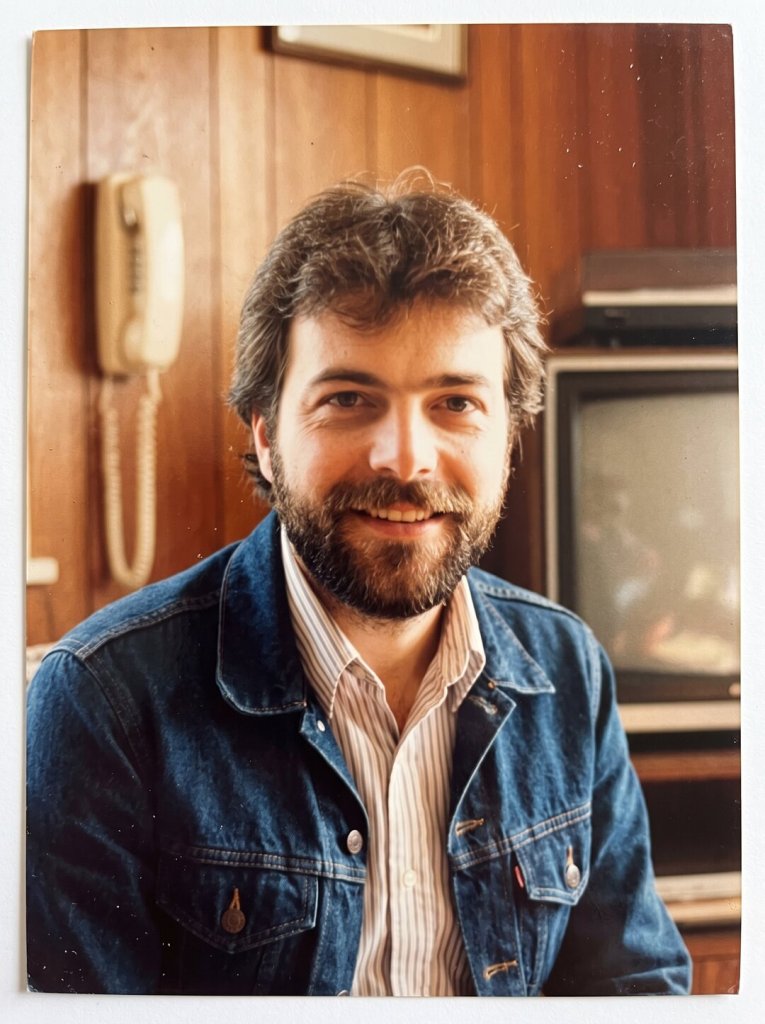
The 1985 Family Album Photo
PROMPT
Rebuild this photo as a real family photograph taken in 1985 and printed from 35mm film. Do not apply a vintage filter. Keep the face, facial structure, skin tone, body proportions and expression exactly as they are.
Change everything around the person to the period instead: the clothing, the hair, and the room or street behind them. Use warm, slightly yellow sunlight, mild overexposure, soft highlights and visible analogue grain.
Let the colours fade the way an old print fades, with the reds drifting towards orange. Add gentle lens softness, slightly imperfect focus and a few small dust marks. Frame it 3:4.
The result should look like a photograph someone found in a shoebox, not a digitally edited modern picture.





Tip: If the face starts drifting, paste the face-lock sentence again at the very end. The model weights your last instruction most heavily.
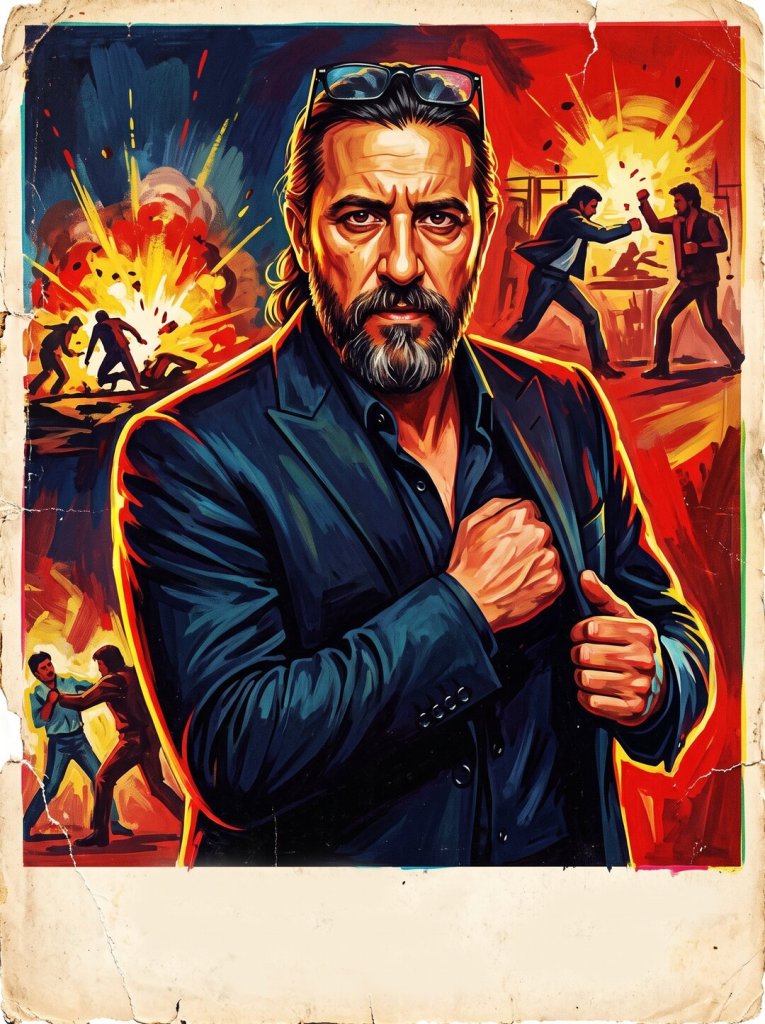
The 1980s Bollywood Poster
PROMPT
Turn this photo into a hand-painted Bollywood film poster from the early 1980s. Keep the face and identity clearly recognisable, with the same features and the same skin tone.
Paint it the way Indian poster artists worked before digital printing: visible brush texture, bold reds, yellows and deep blues, dramatic rim lighting and a larger-than-life pose.
Add the slight colour misregistration and paper grain of a poster that has hung on a wall for years. Leave empty space along the bottom where a title would have been printed, but write no text at all. Frame it 3:4.
It should look painted rather than photographed, and it should not look like a modern digital illustration.
Tip: Always ask for no text. Models still garble Devanagari and Latin lettering, and one misspelt word ruins an otherwise convincing poster.
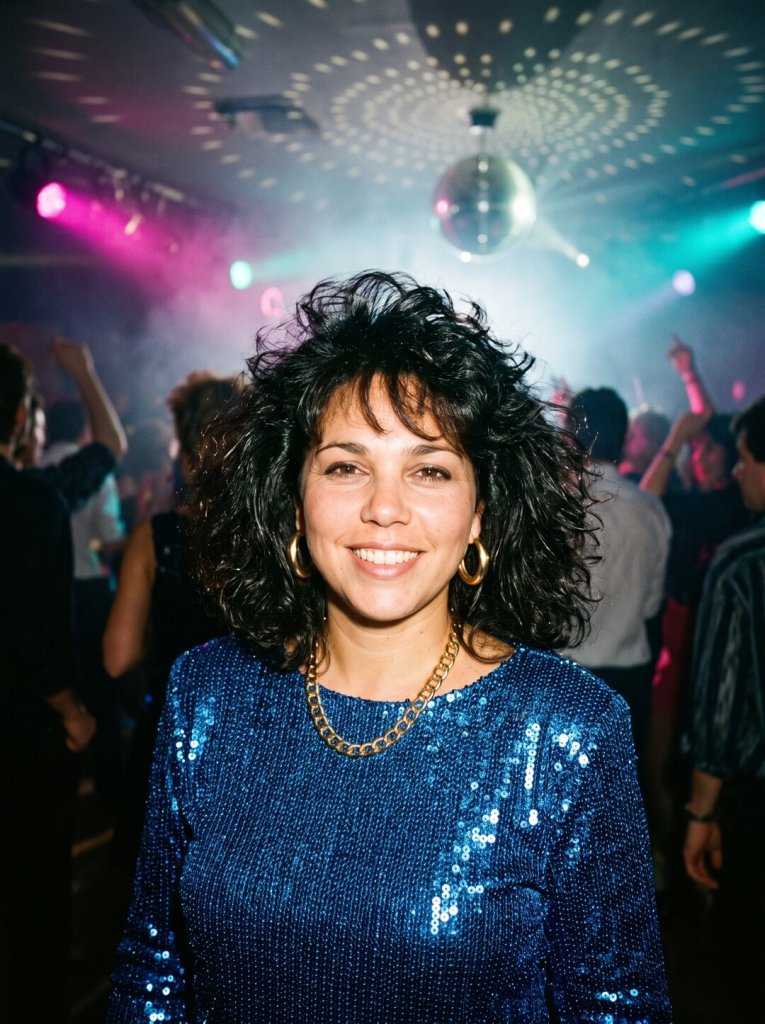
The 1984 Disco Night
PROMPT
Rebuild this photo as a candid shot taken on a crowded dance floor in 1984. Keep the face, facial structure, skin tone, proportions and expression exactly as they are.
Dress the person for the night: a satin or sequinned top that catches every light, bold gold jewellery, and big voluminous hair with plenty of body and movement.
Light it the way a club was lit then. A mirror ball throws moving specks across the room, magenta and cyan gels cut through a little haze, and a direct camera flash freezes the subject against the dark crowd behind.
Shoot it on 35mm colour film with rich saturated colour, deep blacks, visible grain and slightly blown highlights where the flash lands. Keep the face sharp and properly exposed. Frame it 3:4.
Tip: Ask for the flash and the mirror ball in the same sentence. That mix of hard flash and coloured club light is what separates 1984 from a modern night out photo.
How to Make Your 1980 Photo Prompt Look Convincing
First, protect the face. One sentence does most of the work: keep the face, facial structure, skin tone and expression exactly as they are. Without it, the model quietly hands you a stranger in period clothes.
Then ask for period detail instead of the word vintage. Name the clothing, the hair, the light source and the film stock, which for family photos of that era was almost always 35mm film. Vague prompts produce a sepia wash, while specific ones produce a decade.
Moreover, ask for imperfection on purpose. Grain, mild overexposure, soft focus, faded reds and a little dust are exactly what modern cameras remove. As a result, they are also what makes an AI photo read as genuine.
Finally, think about what you upload. Your face is personal data, and a novelty trend is still a photo of you sitting on somebody elses server. Use a picture you would not mind losing control of, and skip photos of children entirely.
Want more trends like this one, with the prompts written out? Our AI how-to guides cover a new one most weeks.
Want More?
If you would rather build the whole scene from scratch than rebuild a photo, start with our roundup of the best AI image generators. For example, several of them handle film grain far better than a chatbot does. And when you want the retro portrait to move, the best AI video generators will animate a still in seconds.
Prompt inspiration is a story from oneindia.com — source.
Frequently Asked Questions
What is the 1980s photo prompt ChatGPT trend?
It is the same thing people search for as a 1980 photo prompt: a viral Instagram trend where you upload a current photo and ask ChatGPT to rebuild it as an old film picture. The face stays the same, while the clothes, hair, lighting and grain all move back to the 1980s.
Which AI tools work with a 1980 AI photo prompt?
ChatGPT is the one most people reach for, but it is not the only option. Gemini and Meta AI handle the same kind of request, and dedicated image generators often render film grain more convincingly.
Why does my 1980 photo editing look fake?
Usually because the prompt asked for a vintage look instead of period detail. Name the clothing, the hair, the light and the film stock, then ask for grain and slight overexposure rather than a clean image.
How do I stop the AI from changing my face?
Add an explicit face-lock line: keep the face, facial structure, skin tone, proportions and expression exactly as they are. If the face still drifts, repeat that line at the end of the prompt.
Is it safe to upload my photo to ChatGPT?
Treat it as a real decision rather than a formality. Your face is personal data, so use a photo you would not mind losing control of, check the privacy settings on your account, and skip pictures of children.
What aspect ratio works best for a 1980s AI photo?
Ask for 3:4. All three prompts here use the same upright frame, which matches the shape of a printed photo and keeps the face large enough for the model to hold on to. It also makes your three results look like a set instead of three unrelated pictures.
Can I turn a 1980 photo trend image into a video?
Yes, and it is the natural next step. Generate the still first, then feed it to a video model and ask for a slow push in or a gentle camera drift, which suits the nostalgic mood.