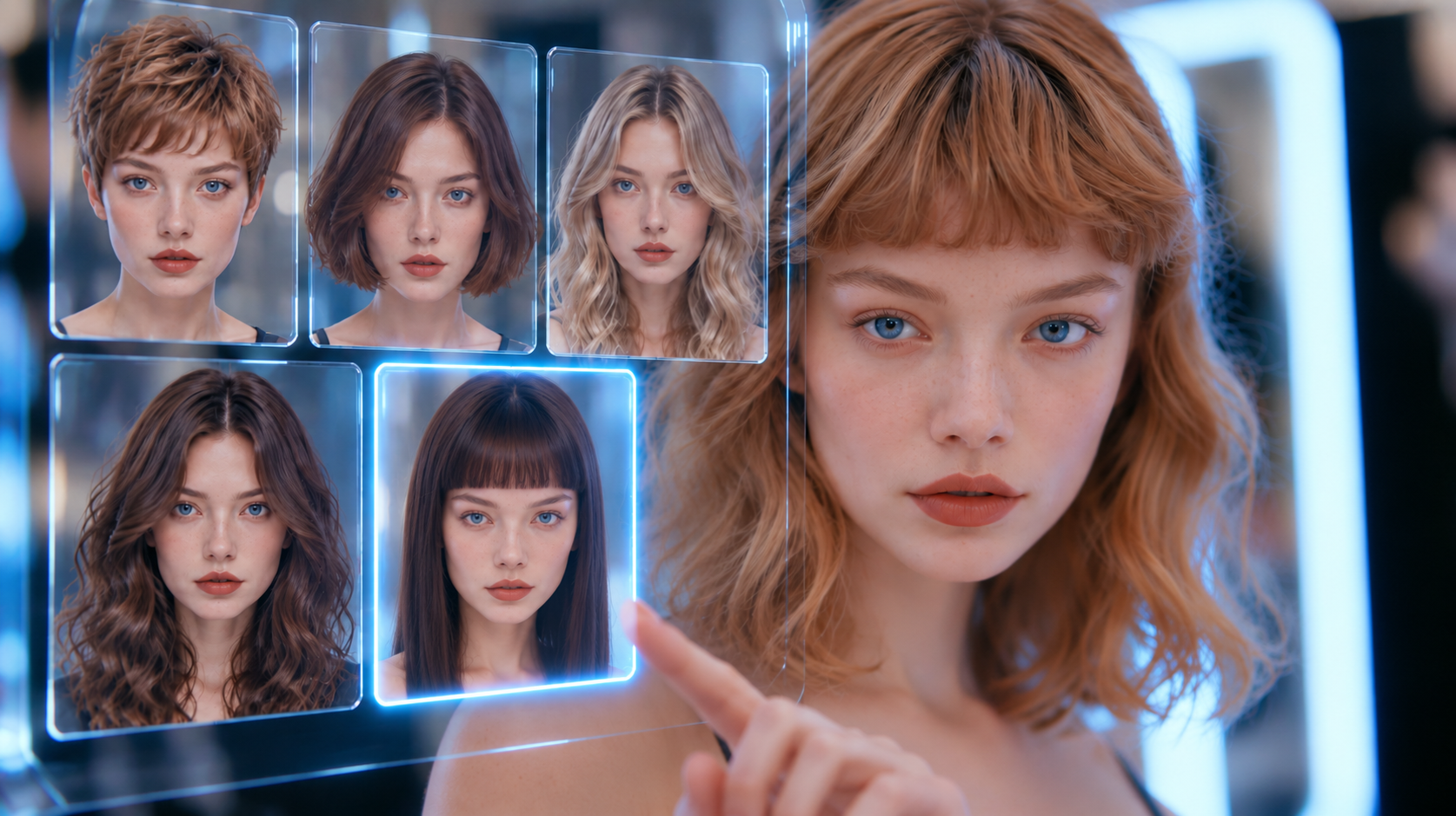
Say “up to you” and the tool in this CutMuse review stops asking questions and starts making decisions.
Most AI hair tools paste a style onto your photo and stop there. CutMuse sells something else: an opinion. Upload two photos and answer a short questionnaire. A paid report then comes back with haircuts chosen for your face, a colour direction and notes your hairdresser can follow. For this CutMuse review we ran five Elite reports on three real people, then compared what the tool proposed against what each person already wears.
However, the interesting part was not the renders. It was discovering that the quality of the advice depends almost entirely on how much freedom you give the questionnaire.
What Is CutMuse?
CutMuse is a web app built around visagism, the practice of matching a haircut to facial proportions rather than to a trend. You pay per report instead of subscribing. In return the system analyses your face, reads your hair from the photos, and produces a styling dossier.
The company has been covered by trend publications such as Trend Hunter, and the site claims more than 10,000 completed analyses. Meanwhile the product itself stays deliberately narrow: no filters, no social feed, no editor. One photo pair in, one report out.
Every claim in this CutMuse review came from a paid run, not the marketing page. Sales copy and delivered dossier are not always the same document.
Who Is the CutMuse AI Hairstyle Advisor For?
Three groups get real value here. First, anyone stuck between growing hair out and cutting it, who wants a second opinion before the chair. Second, people with a specific problem to solve, thinning at the temples or hair that has lost its shape. Third, anyone who cannot explain to a hairdresser what they want, because every style arrives with written instructions.
Instead, if you only want to see yourself with pink hair for a laugh, a free changer does that better and costs nothing. CutMuse is advice, not entertainment.
How CutMuse Picks a Cut for Your Face Shape
The flow is short and it never asks for a card when you arrive through a credit link. As a result the whole run takes under ten minutes, most of it spent answering questions.
How This CutMuse Review Started: Two Photos and 14 Questions
The upload step demands both a front and a side photo, and it will not continue with only one. We tested that deliberately: with a single frontal shot the Continue button stays greyed out. Because of this, a phone selfie plus one turned-head shot is the minimum.
Then the tool reads the photos and states what it sees: texture, length, colour, hair density, whether it is tied up. You correct anything wrong before answering fourteen questions about what bothers you, how much you want to change and how short you would go.
The Elite Dossier: What an AI Haircut Recommender Actually Sends
Around three minutes later the report lands on screen and in your inbox. The Elite version runs to eighteen sections. You get facial analysis, five hairstyles, colorimetry and skin tone. Then come an action plan, treatments, eyewear, facial hair, skincare, lifestyle and accessories. An FAQ, current trends, product guidance, a glossary and a cost estimate close it out.
Each hairstyle carries a description, a why-it-suits-you paragraph, a morning routine, a maintenance interval, a difficulty rating and a quoted instruction for your hairdresser. That last line is the most useful thing in the document.
Five Hairstyles: What the CutMuse Review Images Showed
The renders keep your face, your clothes and your lighting, and only the hair changes. Across fifteen generated images we saw no identity drift, which is where most AI hair tools fall apart.
One tester wears his hair past his waist. The tool returned a textured crop, a tapered fade, a disconnected undercut, a curly shape cut and a short shag. Every one was a genuine cut, not a filter.
Hairstyle for My Face Shape, Plus Colour and Wardrobe
Leave the colour question on “Up to you” and the report commits to a direction. In our case it proposed honey blonde highlights with a stated reason, warm undertone, and added wardrobe colours and a metal for glasses and jewellery.
In addition, that is the section that separates CutMuse from the try-on crowd. A filter shows you a colour; this tells you which colour to ask for.

How Good Is CutMuse in Practice?
Here is the finding that took three paid reports to isolate. Answer the questionnaire defensively and the tool behaves defensively. We said one earlier cut had come out shorter than wanted. After that, every suggestion preserved the current length: a fringe, a braid, a different colour, no real change.
Run the same face again with length and colour set to “Up to you”, and the same engine returns a curly pixie and a cropped cut. Nothing about the photos changed. Only the permission did.
Consistency held up well. Face, skin and clothing stayed stable across every render, and the hairlines looked plausible rather than pasted. On the other hand, a few styles drifted from their own labels, so read the description as the intent and the image as an approximation.


CutMuse Pricing: Is CutMuse Free?
No, it is not free, and there is no trial. Every price in this CutMuse review comes straight off the pricing page: you pay once per report, there is no subscription, and the company advertises a money-back guarantee.
| Plan | Price |
|---|---|
| Basic | $3 one-time |
| Advanced | $6 one-time |
| Elite | $9 one-time |
Basic returns one hairstyle and basic colorimetry. Advanced gives three styles and personalised colour. Elite, the tier we tested, adds five styles, hair and clothing colorimetry, treatments and the full action plan. At nine dollars it costs less than the tip on a haircut, which is the honest frame for the whole product. The code AIMIRACLE takes 15% off a first report, so the Elite tier we tested lands under eight.
CutMuse Review: Paid Advisor vs Free Try-On Apps
Search demand in this category is overwhelmingly for free simulators, and those tools do one thing: they show a chosen style on your face. You pick, they render.
CutMuse inverts that. You describe constraints, it picks. As a result the comparison is not about image quality at all. If you already know you want a bob, pay nothing and use a changer. If the question is which cut belongs on this face, a free filter cannot answer it.
Is CutMuse Legit? What to Expect
Yes, within limits. The company sells a one-off digital report with a money-back guarantee. It also publishes a sample dossier before you pay. Our checkout never asked for card details when a credit code was applied, and payments run through a standard processor.
Meanwhile the caveat is the obvious one. This is software reading two photographs, not a stylist with their hands in your hair. It cannot feel density, it will not know your cowlick, and the wellness sections read the same for almost anyone.
The company details behind this CutMuse review checked out as far as a buyer can verify them. There is a working support address, a published refund policy and a founder who answers email.
CutMuse Review: Alternatives Worth Comparing
CutMuse vs YouCam Makeup

YouCam Makeup is the mainstream try-on app, with a huge style and colour library and a live camera preview. Consequently it wins on playing and loses on advising: nothing in it tells you which of those hundreds of styles belongs on your face.
CutMuse vs Fotor

Fotor is a browser editor with an AI hairstyle changer bolted onto a full photo suite. Useful when you want to edit the resulting image as well, though the hair itself is a swap rather than a recommendation.
CutMuse vs Krea

Krea is a generative playground for people comfortable writing prompts. It produces the boldest images of the three, but it works from your prompt rather than your face shape, so the likeness can drift between generations.
CutMuse Review: Where It Excels and Where It Falls Short
Pros
- Actually recommends a cut and a colour instead of only previewing one
- Face, clothing and lighting stay consistent across every generated image
- Each style ships with a written instruction you can hand to a hairdresser
- One-off $3 to $9 pricing with no subscription and a money-back guarantee
- Handles thinning and receding hair as a real input, not an afterthought
Cons
- No free tier or trial, so you pay before seeing anything on your own face
- Cautious answers to the questionnaire lock the tool into tiny variations
- Skincare, lifestyle and accessory sections are generic filler in every report
- A few renders drift from the style their own description promises
- Both a front and a side photo are mandatory, which rules out a single selfie
CutMuse Review Verdict: Is It Worth $9?
Yes, with one condition attached. CutMuse earns its price when you treat it as a consultation and let it decide. Give it room on length and colour and it comes back with a real proposal, reasons, products and a line for your hairdresser. Tell it to keep everything and it politely keeps everything.
The padding is real, and so is the missing free tier. Even so, nine dollars for five plausible cuts on your own face and a colour direction you can act on is a fair trade. By the end of this CutMuse review, the tool had changed what one tester plans to ask for at the salon. In this category, that is the only benchmark that counts.
Want More After This CutMuse Review?
If you would rather play with a look than pay for advice, our roundup of the best AI hairstyle changer tools covers the free simulators side by side. For a wider view of what these models can do to a photograph, see our best AI image generator from text comparison.
Frequently Asked Questions
Is CutMuse free?
No. CutMuse has no free tier and no trial. Reports cost $3, $6 or $9 as a one-off payment, with a money-back guarantee instead of a free preview.
How much does CutMuse cost?
Three tiers: Basic at $3 for one hairstyle, Advanced at $6 for three, and Elite at $9 for five styles plus colorimetry, treatments and an action plan. There is no subscription.
Is CutMuse legit?
It behaves like a legitimate small product. CutMuse publishes a sample report before purchase, sells a single digital deliverable, and offers a refund guarantee. Treat it as software advice rather than a professional consultation.
Can CutMuse tell me what haircut suits me from a photo?
That is the whole premise. CutMuse analyses face shape and proportions from a front and side photo, then proposes cuts with a reason for each. Leave the length and colour questions open and the recommendations get noticeably bolder.
Does CutMuse work for men?
Yes. We ran two male reports. The questionnaire adapts, adds a facial hair question, and the styles arrive with beard pairing notes. Thinning and receding hair can be declared and the suggestions respond to it.
Is there an app that lets you try on different hairstyles?
Several, and most of them start free. YouCam Makeup and Fotor both do virtual hairstyle try on, where you pick a style from a library and it lands on your photo. CutMuse runs the opposite way: it never asks you to choose first. It reads the two photos, decides which cuts the face supports, and renders those. Use a try-on app when you already know what you want, and an advisor when you do not.
Do I need a side photo?
Yes, both are mandatory. The upload step will not continue with only a front photo. Turn your head fully to the side, keep the camera at eye level and use the same lighting for both shots.
How long does a report take?
Between two and five minutes in our runs. The finished dossier appears on the results page and a copy arrives by email.
Does CutMuse suggest a hair colour as well as a cut?
It does, if you let it. Answer the colour question with “Up to you” and the report names a direction with a reason, plus wardrobe colours and a metal tone for glasses and jewellery.