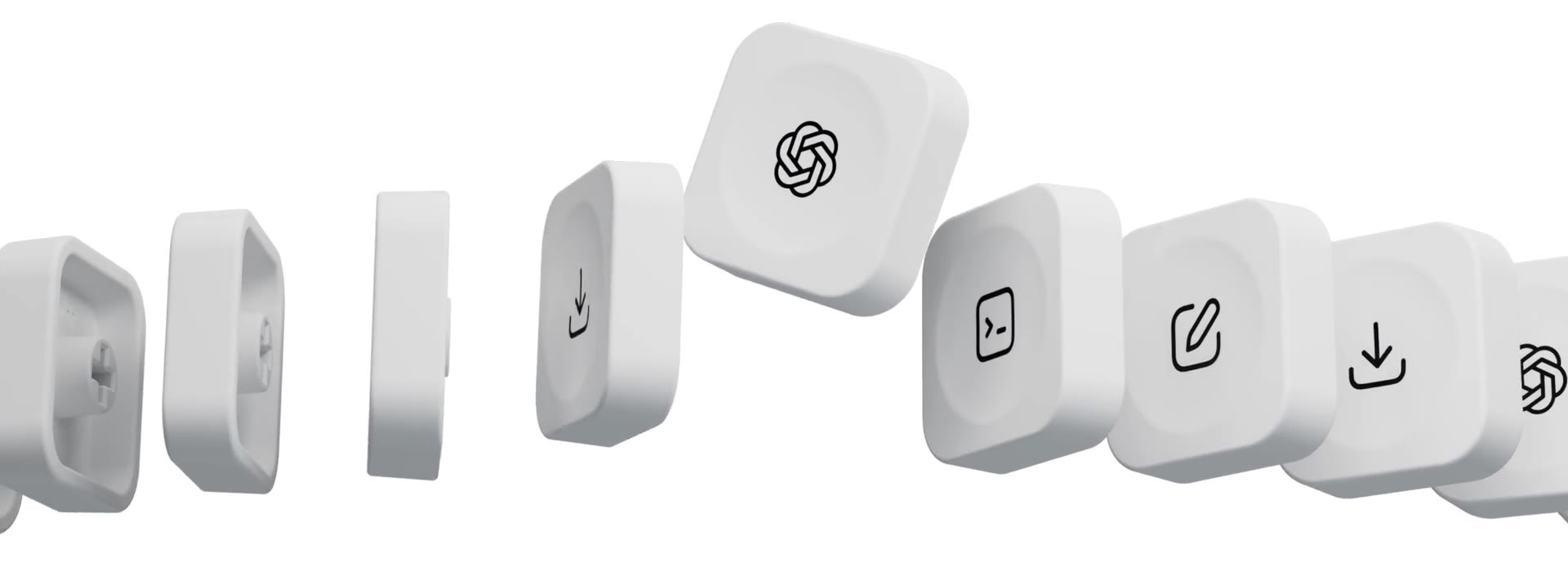
OpenAI just built its first piece of hardware, and it is not a phone or a headset. It is the Codex Micro, a tiny keypad for bossing around your coding agents.
The Codex Micro is OpenAI’s first hardware product, and it landed on July 15, 2026. It is not a laptop or a headset. Instead, it is a small $230 keypad, built with the keyboard maker Work Louder, that sits beside your keyboard and lets you run OpenAI’s Codex coding agents by touch. Think of it as a command center for AI-assisted programming, with light-up keys that show you what each agent is doing.
What Is the Codex Micro?
The Codex Micro is a compact control pad, sometimes called a macropad or a mini keyboard, that OpenAI designed for one job: driving Codex, its AI coding agent. It does not replace your keyboard. Instead, it sits next to it as a dedicated controller, so you can start, steer and check on coding tasks without digging through on-screen menus.
OpenAI built it together with Work Louder, a company known for custom mechanical keypads. The result is a premium little device with real switches, a joystick and a dial, aimed squarely at developers who already lean on AI coding tools to write and run code.
Codex Micro Price and Where to Buy
The Codex Micro costs $230, and Work Louder sells it as a limited-run collaboration. OpenAI has been clear that stock is limited, so it may only be available while supplies last.
According to TechCrunch, OpenAI framed the device modestly, calling it “more of a novelty item than a product designed for mass appeal.” In other words, this is a first hardware experiment, not a mainstream gadget. If you want one, moving early matters, because a small batch can sell out fast.
What the Keypad Actually Does
Under the hood, the layout is purpose-built. The OpenAI Codex Micro packs 13 low-profile mechanical switches, and you can pick either clicky or silent versions depending on how much noise you like. It also ships with 32 interchangeable keycaps carrying Codex icons, so you can map shortcuts to match your own workflow.
Three extra controls do the heavy lifting. A joystick launches whole workflows, such as debugging or refactoring a file. A rotary dial adjusts how hard the agent thinks, turning its reasoning level up or down. A touch sensor rounds out the set, and you configure everything through the ChatGPT desktop app.
The Agent Status Lights, Explained
The most eye-catching feature is the row of six illuminated Agent Keys. Rather than checking a window, you glance at the colors to know whether a task is running, finished or stuck. Here is how OpenAI maps the main states.
| Light color | What it means | What you do |
|---|---|---|
| White | Idle, nothing is running | Kick off a task |
| Blue | Thinking, the agent is working | Wait |
| Green | Done, or a new reply is waiting | Read the result |
| Amber | The agent has a question or wants approval | Step in and answer |
| Red | An error occurred | Check what failed |
Because the lights sit on your desk, you can keep several agents going at once and still see, at a glance, which one needs you next.
OpenAI’s First Hardware Product
The Codex Micro matters partly because of what it represents: OpenAI shipping physical hardware for the first time. For a company known for software and models, a mechanical keypad is an unexpected debut.
Still, it fits a pattern. As agents take on more of the actual coding, the human role shifts toward supervising several of them at once. A tactile controller, with a dial for effort and lights for status, is one answer to that new kind of work. Work Louder’s craftsmanship also gives it a premium feel that matches the $230 price.

Why the Codex Micro Arrived During an Apple Lawsuit
The timing is loaded. The keypad launched while OpenAI is locked in a legal fight with Apple over hardware. Apple has sued OpenAI, claiming its leadership deliberately took Apple’s confidential information and used it while building an unreleased hardware device.
That larger device, which former Apple engineers reportedly shaped, is the real prize, and it is still under wraps. OpenAI denies any wrongdoing. Against that backdrop, a small and openly playful keypad reads almost like a warm-up act before the company’s bigger hardware ambitions arrive.
Who Is the Codex Micro For?
Be honest with yourself before buying. The Codex Micro is a niche tool for developers who already run Codex heavily and juggle multiple agents. If you write code with AI every day, the tactile shortcuts and status lights could genuinely save you time and mental effort.
If you only dabble, though, a $230 keypad is hard to justify, and OpenAI more or less agrees by calling it a novelty. Either way, it is a clear signal of where programming is heading: humans steering a small fleet of agents instead of typing every line themselves.
Want More on the Codex Micro?
If a keypad for AI agents has you curious about the software side, explore the agentic AI frameworks that actually build and run these agents. And if you would rather let AI help you write the code in the first place, see our roundup of the best vibe coding tools for hands-on picks.
Frequently Asked Questions
What is the Codex Micro?
The Codex Micro is OpenAI’s first hardware product, a $230 keypad made with Work Louder. It launched on July 15, 2026, and it lets developers control OpenAI’s Codex coding agents with physical keys, a joystick and a dial.
How much does the Codex Micro cost?
The Codex Micro costs $230, and Work Louder sells it as a limited-run collaboration. OpenAI says stock is limited, so it may only be available while supplies last.
What does the Codex Micro do?
It acts as a control pad for OpenAI’s Codex agents. Light-up Agent Keys show each agent’s status, a joystick launches workflows like debugging, and a dial adjusts how much the agent reasons. You set it up in the ChatGPT desktop app.
Is the Codex Micro a full keyboard?
No. It is a small macropad with 13 low-profile switches, a joystick, a dial and a touch sensor. It sits next to your normal keyboard as a dedicated controller rather than replacing it.
What do the status lights on the Codex Micro mean?
The colors map to agent states: white for idle, blue for thinking, green for done or a new reply, amber when the agent needs your input, and red for an error.
Who should buy the Codex Micro?
It suits developers who use Codex heavily and manage several agents at once. OpenAI calls it more of a novelty than a mass-market product, so casual users may find a $230 keypad hard to justify.
*Sources: TechCrunch, Axios, Gizmodo, Tom’s Hardware, best-ai.news.*