
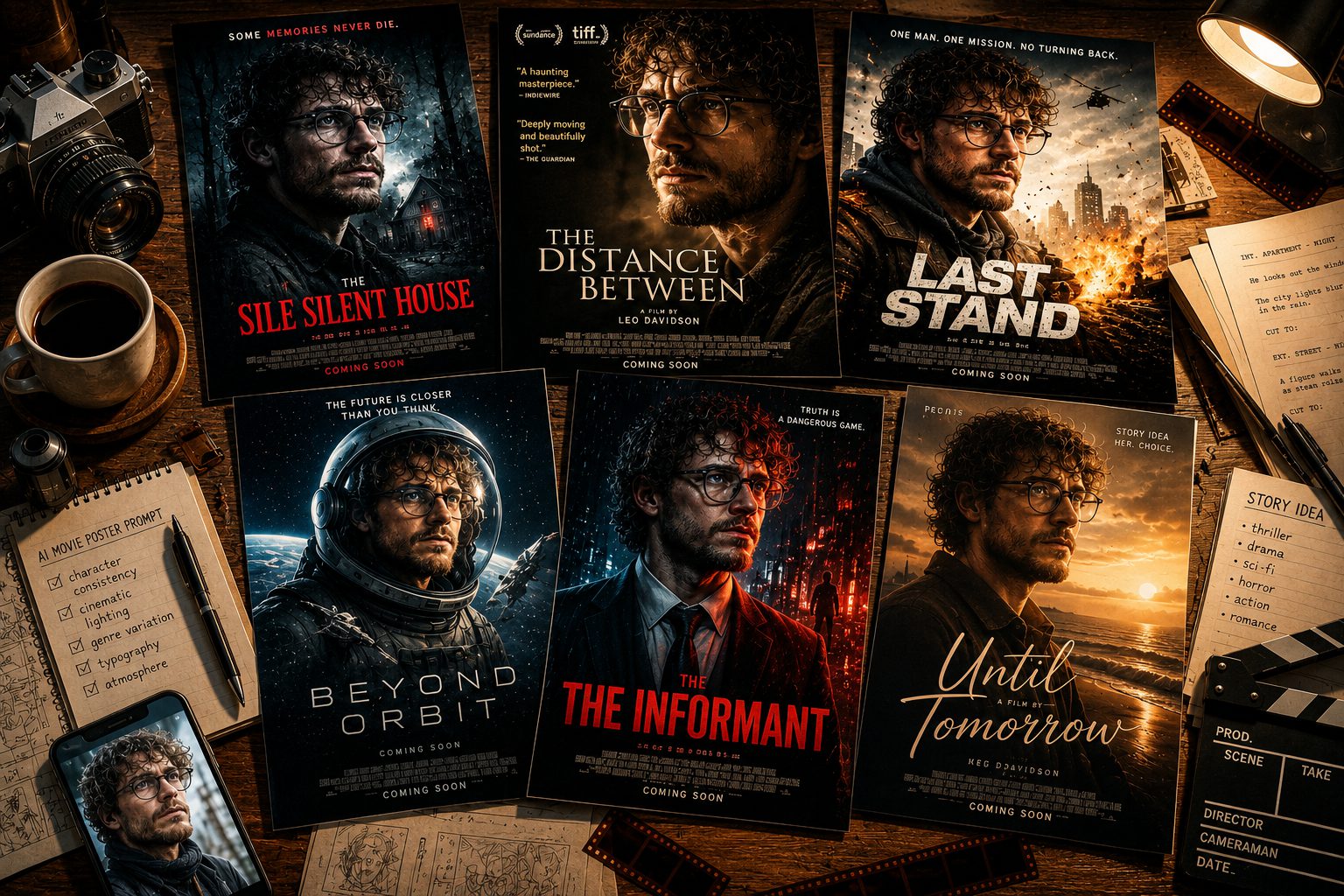
The AI Movie Poster Prompt Trend Taking Over Social Media
Right now, the AI movie poster prompt is everywhere. In fact, people are turning ordinary selfies into dramatic film posters, complete with moody lighting and bold titles. As a result, an everyday photo suddenly looks like a real cinema one-sheet. Best of all, you can make one in minutes.
Basically, this trend asks an AI image generator to reimagine your portrait as a movie poster. First, you upload a clear selfie. Then, you paste a detailed prompt. After that, the AI adds shadows, typography, and a cinematic color grade while keeping your face intact.
Any good AI Image Generator from text can run an edit like this. However, the real magic lives in the prompt. Specifically, a strong prompt sets the genre, the mood, the title, and the tagline. Therefore, small wording tweaks change everything.
Below, you’ll find three ready-to-use prompts. Moreover, each one targets a different genre, so you can pick your favorite. First, upload your photo. Then, paste a prompt, and generate. Finally, let’s make your poster.
The Best AI Movie Poster Prompts to Try
Below are three ready-made prompts you can copy and paste. First, try the moody A24 indie look. Then, go darker with a horror one-sheet. Finally, generate your blockbuster and watch it come together.
The A24 Indie Drama Poster (the original viral prompt)
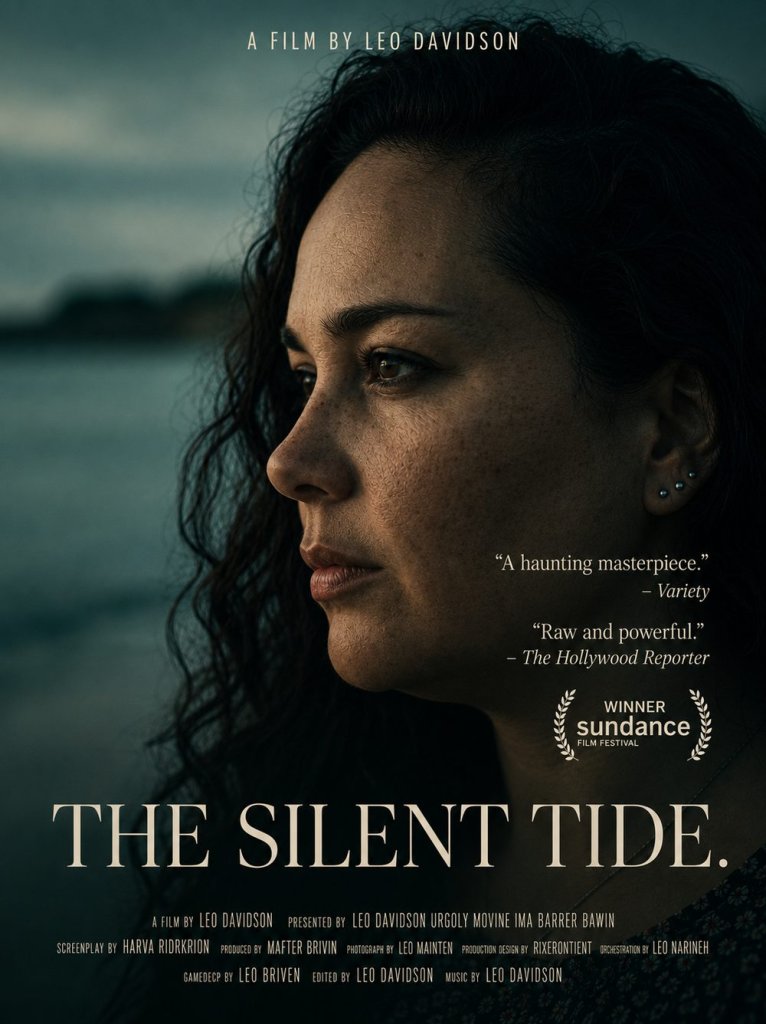
IMAGE PROMPT
Create a dramatic indie movie poster using this portrait.
Add cinematic shadows, subtle film grain, elegant title typography, critic-style quotes, and a moody color grade inspired by modern A24 films.





Tip: Add a short, moody film title and a fake release date to really sell the A24 look.
The Horror Movie Poster Variation
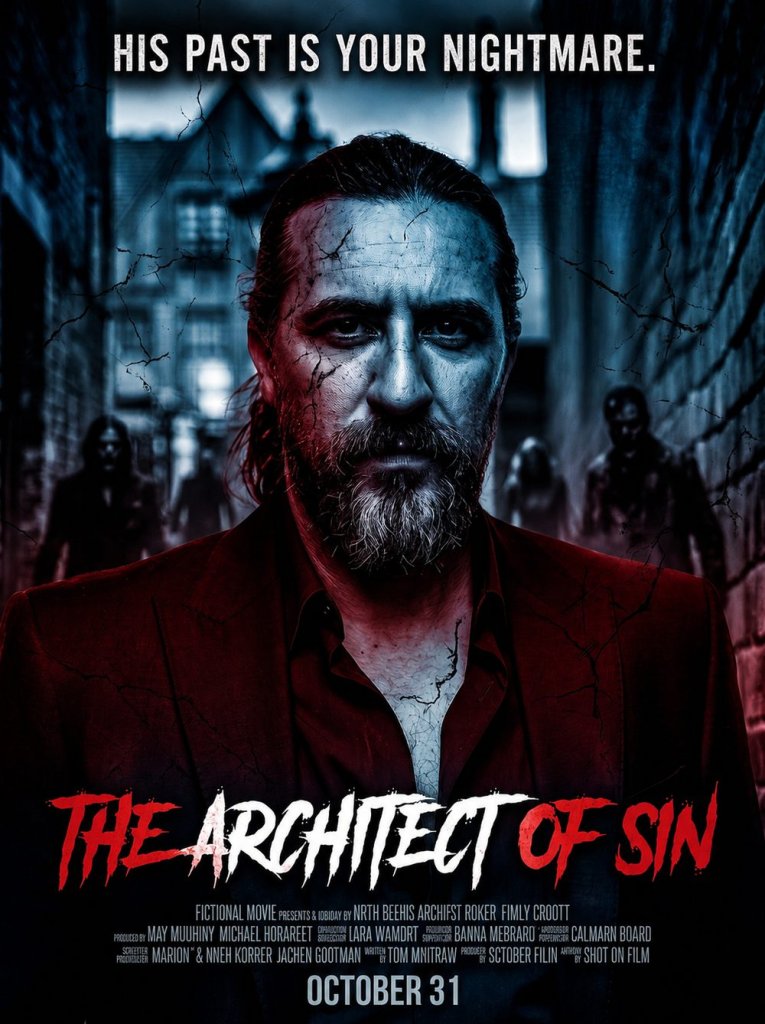
IMAGE PROMPT
Turn this portrait into a chilling horror movie poster.
Add deep shadows, a cold blue and blood-red color grade, cracked grungy textures, a dramatic tagline across the top, and bold distressed title typography near the bottom.
Keep my face clearly recognizable and make it look like a real theatrical one-sheet.
Tip: Name your fake horror film and add a creepy one-line tagline for extra impact.
The Blockbuster Action Poster Variation
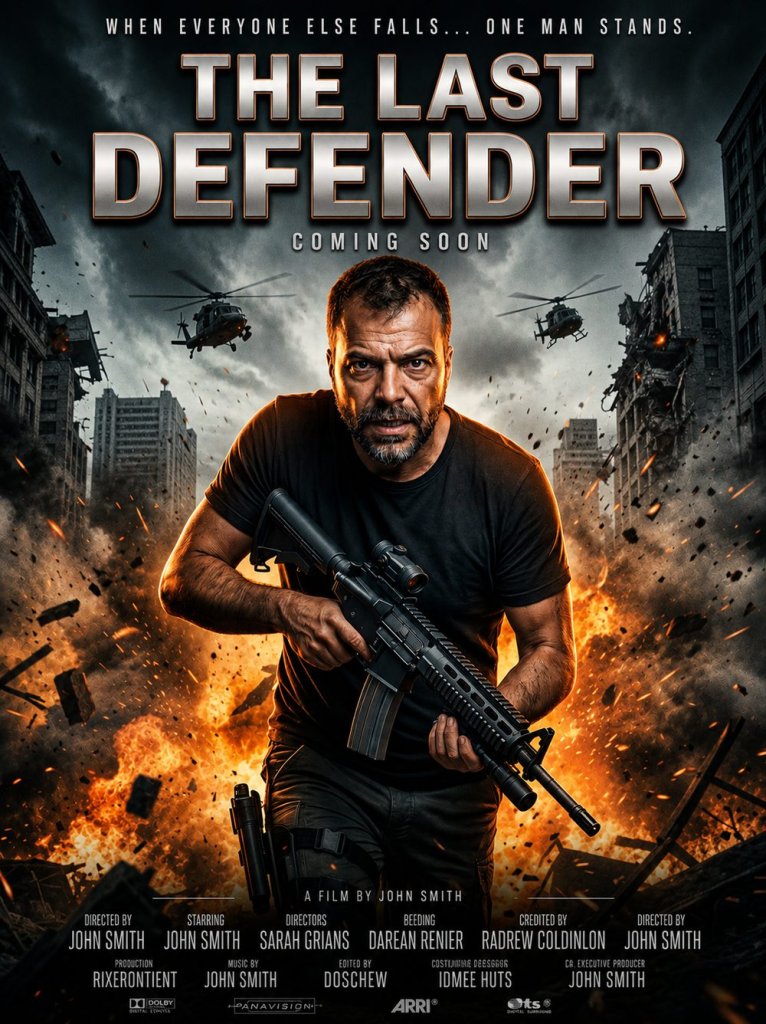
IMAGE PROMPT
Transform this photo into an epic action blockbuster movie poster.
Place me front and center with a fiery explosive background, dramatic rim lighting, a bold metallic title, a release date, and a row of cinematic credits along the bottom.
Do not change my face and keep everything photorealistic.
Tip: A big metallic title plus a release date instantly reads as a real summer blockbuster.
Tips for the Best AI Movie Poster Photos
So, do you want your poster to look truly cinematic? Then, start with a sharp, well-lit selfie. Because the AI builds on what you give it, a clean photo always wins.
Next, name your film. For example, add a short title and a punchy tagline. As a result, the poster instantly feels real. In addition, a fake release date and tiny credits sell the effect.
However, don’t overload the prompt. Instead, keep your wording clear and specific. Moreover, always add do not change my face so the AI keeps your real features.
Finally, experiment with genres and color grades. Above all, have fun with it. For more ideas, explore our other AI how-to guides on AI Miracle.
Want More?
Loved turning your selfie into a movie poster? Then keep creating. Bring your poster to life with the best AI video generators and turn it into a share-ready teaser, or reinvent your photo with the AI avatar generators.
Prompt inspiration is a story from eweek.com — source.
Frequently Asked Questions
Which AI tool is best for the AI movie poster prompt?
There is no single best tool — many AI image generators handle this prompt well. The real difference comes from your prompt, so keep it clear and detailed.
Is the AI movie poster prompt free to use?
Yes, you can start for free in most cases. Many AI image tools offer free tiers with daily limits or starter credits. Therefore, you can make several posters without paying.
How do I stop the AI from changing my face?
Always add the line do not change my face to your prompt. As a result, the AI keeps your real features. In addition, a clear, front-facing selfie helps a lot.
Can I make a horror movie poster too?
Absolutely. Simply swap the genre in your prompt for a horror one-sheet, then ask for deep shadows, a cold color grade, and a creepy tagline. The structure stays exactly the same.
Why does my AI movie poster look fake or distorted?
Usually, the prompt is too vague or the selfie is low quality. So, use a sharp photo and describe the lighting, title, and mood. Then, regenerate once or twice for a cleaner result.
What makes a good AI movie poster prompt?
A good prompt names the genre, the mood, the color grade, and the typography. Moreover, it adds a title and a tagline. Finally, it tells the AI to keep your face unchanged.
Can I do this trend on my phone?
Yes, easily. Most AI image apps run on phones. Therefore, you can upload a selfie, paste your prompt, and download your movie poster anywhere.