
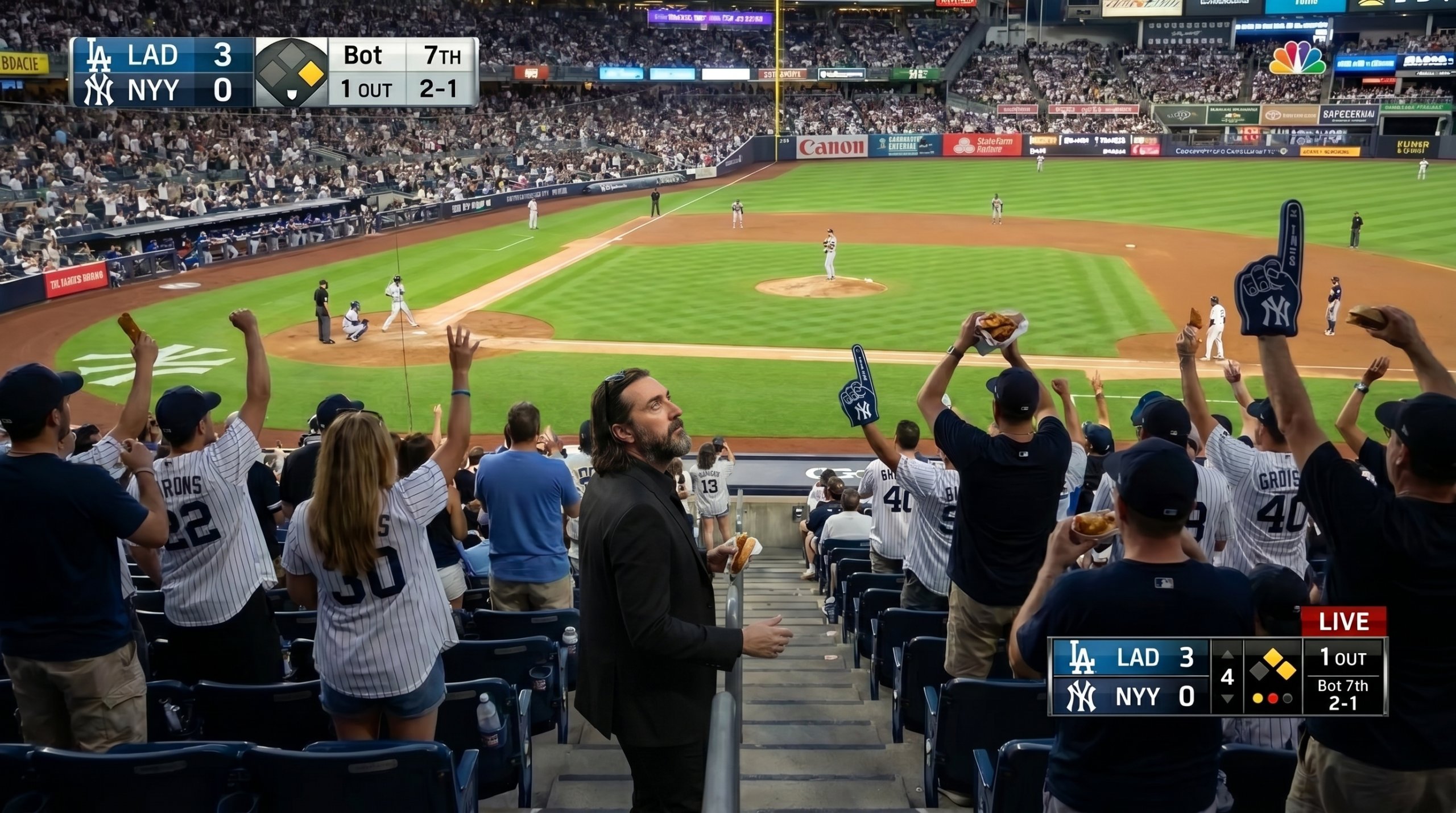
The Viral AI Baseball Crowd Trend, Explained
Scroll through your feed right now and you will probably spot it: ordinary people suddenly sitting in the stands at a packed baseball game, caught mid-cheer like a TV camera just found them. That is the AI baseball crowd prompt trend, and it has taken over TikTok, Instagram, and X almost overnight.
Here is the clever part. None of these people actually went to the game. Instead, they uploaded a single selfie, pasted one detailed prompt, and let an AI image generator drop them straight into the bleachers. As a result, the shot looks like a real broadcast still, complete with blurry fans and scoreboard lights in the background.
Most of the magic comes down to the wording. Tools like ChatGPT and Google’s Gemini do the heavy lifting, yet the prompt you give them decides whether the photo looks believable or obviously fake. Therefore, a strong AI baseball crowd prompt is the real secret behind every viral post.
So, are you ready to join in? Below, you will find the original viral prompt copied word for word, plus two ready-to-go variations for different sports. Simply pick one, add your photo, and generate.
The Best AI Baseball Crowd Prompts to Try
Below are three ready-made prompts you can copy in seconds. First, the original viral version that kicked off the trend. Then, two variations so you can switch the sport to baseball or American football. Finally, just add your own selfie and hit generate.
The original viral prompt (word for word)
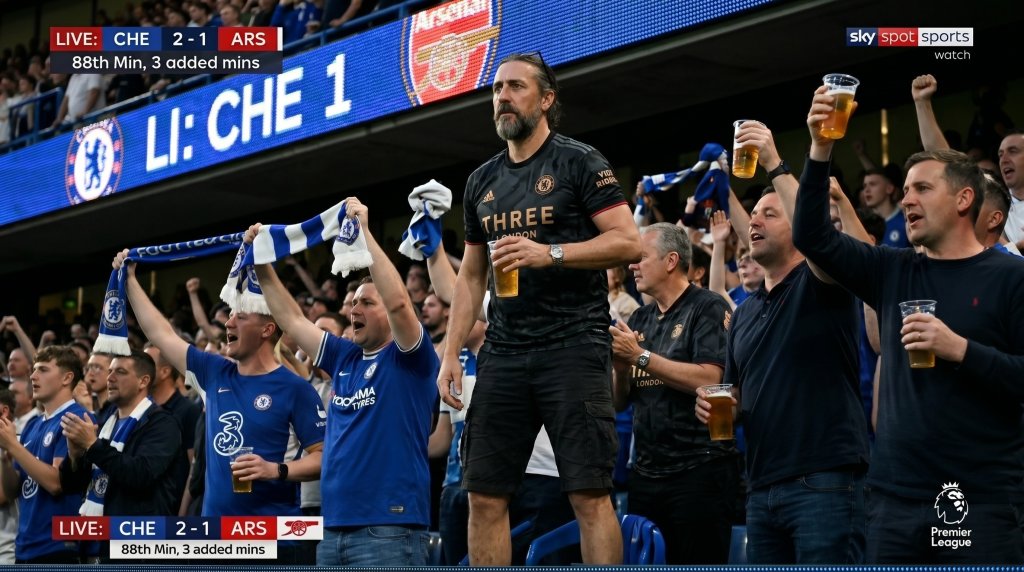
PROMPT
Create an ultra realistic 16:9 British football game broadcast crowd shot during a summer evening game. Preserve the original face and hairstyle naturally without over-editing.
Wide shot from an eye-level spectator perspective using a super telephoto broadcast zoom lens. The person is sitting comfortably with legs crossed, naturally watching the game instead of looking at the camera.
Surrounding fans slightly blurred with realistic stadium depth compression and soft bokeh. Include authentic stadium details such as cheering towels, beer cups, LED scoreboard lights, fan signs, and subtle live broadcast graphics with score bug, inning, and ball count.
Slight handheld shake, compression artifacts, low-light broadcast noise, Sports live broadcast aesthetic, candid sports camera realism.





Tip: Upload a sharp, well-lit selfie so the AI keeps your face and hairstyle accurate.
The baseball stadium version
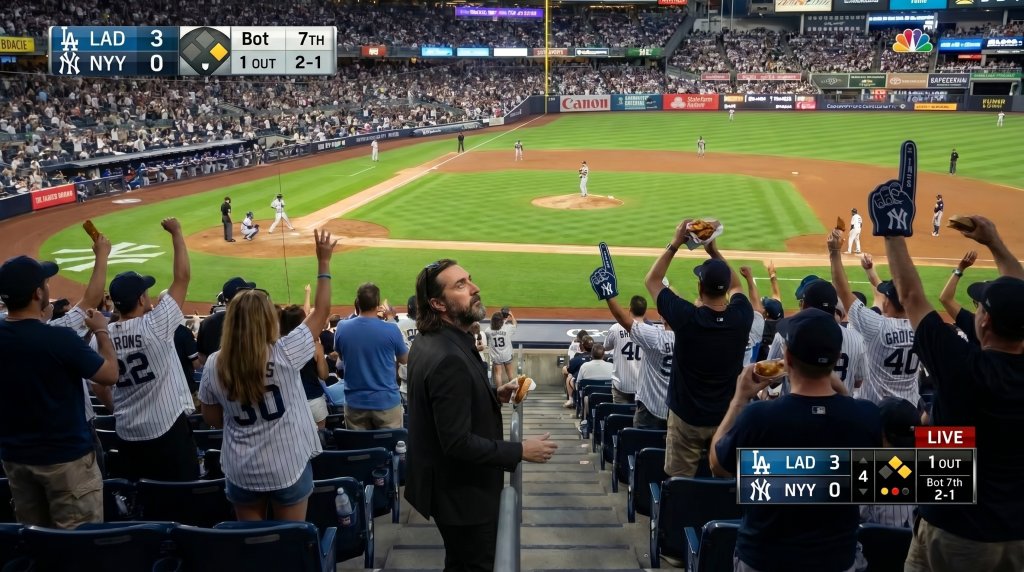
PROMPT
Create an ultra realistic 16:9 baseball game broadcast crowd shot during a warm summer evening at a packed ballpark. Preserve the original face and hairstyle naturally without over-editing.
Wide shot from an eye-level spectator perspective using a super telephoto broadcast zoom lens. The person is sitting comfortably with legs crossed, naturally watching the game instead of looking at the camera.
Surrounding fans slightly blurred with realistic stadium depth compression and soft bokeh. Include authentic ballpark details such as foam fingers, hot dogs, soda cups, the green diamond and pitcher's mound in the distance, LED scoreboard lights, and subtle live broadcast graphics with score bug, inning, and ball count.
Slight handheld shake, compression artifacts, low-light broadcast noise, sports live broadcast aesthetic, candid sports camera realism. Do not change my face.
Tip: Mention your team's colors and the AI will dress you to match the crowd.
The American football (NFL) version
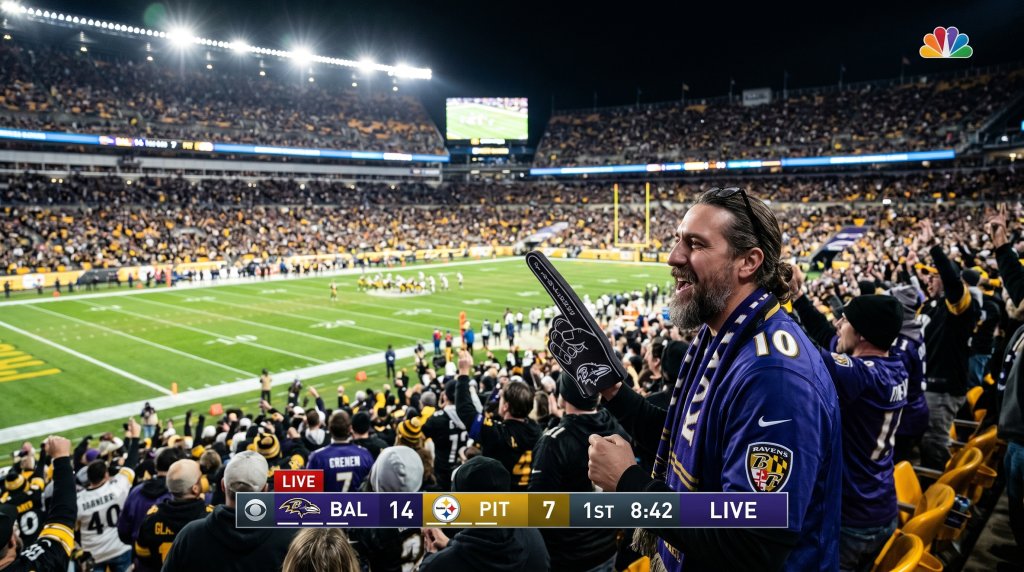
PROMPT
Create an ultra realistic 16:9 American football game broadcast crowd shot during a floodlit evening game in a packed NFL stadium. Preserve the original face and hairstyle naturally without over-editing.
Wide shot from an eye-level spectator perspective using a super telephoto broadcast zoom lens. The person is sitting in the stands wearing a team jersey, naturally watching the game instead of looking at the camera.
Surrounding fans slightly blurred with realistic stadium depth compression and soft bokeh. Include authentic details such as foam fingers, team scarves, popcorn, bright stadium floodlights, the green field and yard lines below, LED ribbon boards, and subtle live broadcast graphics with score bug, quarter, and game clock.
Slight handheld shake, compression artifacts, low-light broadcast noise, sports live broadcast aesthetic, candid sports camera realism. Do not change my face.
Tip: A front-facing photo works best, since it gives the AI the most detail to keep your likeness.
Now Bring Your Crowd Shot to Life
Got your AI crowd photo? Then take it one step further. Drop that still into an AI video tool, add the short prompt below, and watch the scene start to move — cheering fans, a flickering scoreboard, the whole stadium alive. Here is the exact video prompt.
The video prompt (turn the photo into a clip)
VIDEO PROMPT
Make realistic movie with great atmosphere
Tip: Feed the AI your generated crowd image as the first frame, then apply this prompt.
Tips for the Most Realistic AI Crowd Photos
Do you want your shot to look like a genuine broadcast still rather than an obvious edit? Then a few small tweaks make all the difference. First, always keep the line “do not change my face” in your prompt, because it stops the AI from reshaping your features.
Next, lighting sells the whole illusion. For example, a warm evening or floodlit night scene feels far more cinematic than flat daylight. Moreover, asking for slight camera shake, soft bokeh, and broadcast noise adds that candid, caught-on-TV feel.
Your selfie matters just as much as your words. Therefore, upload a clear, front-facing photo with good light. As a result, the AI has more detail to work with and your likeness stays accurate.
Finally, it is your turn. Pick a prompt, drop in your favorite selfie, and let the AI seat you in the crowd. After that, share it, tag your friends, and explore our other AI how-to guides on AI Miracle.
Want More?
Want to drop yourself into any scene — the stands, the front row, the big screen? Explore our best AI image generators to create the shot, then animate it with the best AI video generators. It is the fastest way to go from a selfie to a viral clip.
Prompt inspiration is a story from cosmopolitan.com — source.
Frequently Asked Questions
Which AI tool is best for the baseball crowd trend?
For most people, Google’s Gemini app gives the most realistic results. However, ChatGPT works well too. Ultimately, the prompt matters more than the tool, so keep your instructions clear and detailed.
Is the AI baseball crowd trend free to use?
Yes, you can start for free in most cases. Gemini offers free image generation with daily limits. Therefore, you can create several crowd shots without paying anything.
How do I stop the AI from changing my face?
Always add the line “do not change my face” to your prompt. As a result, the AI keeps your real features. In addition, a sharp, front-facing selfie helps a lot.
Why does the original prompt say football and not baseball?
The trend actually started with American baseball, yet the viral UK version swapped in a British football stadium. Either way, you can name any sport you like. Simply change the stadium and details to match.
Why does my AI photo look fake or distorted?
Usually, this comes from a low-quality selfie or a vague prompt. First, upload a clear, well-lit photo. Then, add specific details about the lighting, the camera, and the stadium around you.
Can I turn my crowd photo into a video?
Yes, and it looks great. Once you have your image, run it through an AI video tool to add subtle motion. As a result, your crowd shot becomes a short, shareable clip.
Can I do this trend on my phone?
Absolutely. The Gemini and ChatGPT apps both work on iPhone and Android. So you can upload, prompt, and post your baseball crowd photo without ever touching a computer.