
Disclosure: this article contains affiliate links. If you buy through them, we may earn a commission at no extra cost to you. It never decides our picks. Affiliate Disclosure · How we use AI
The Raindance AI Trend, Now Starring Your Pets
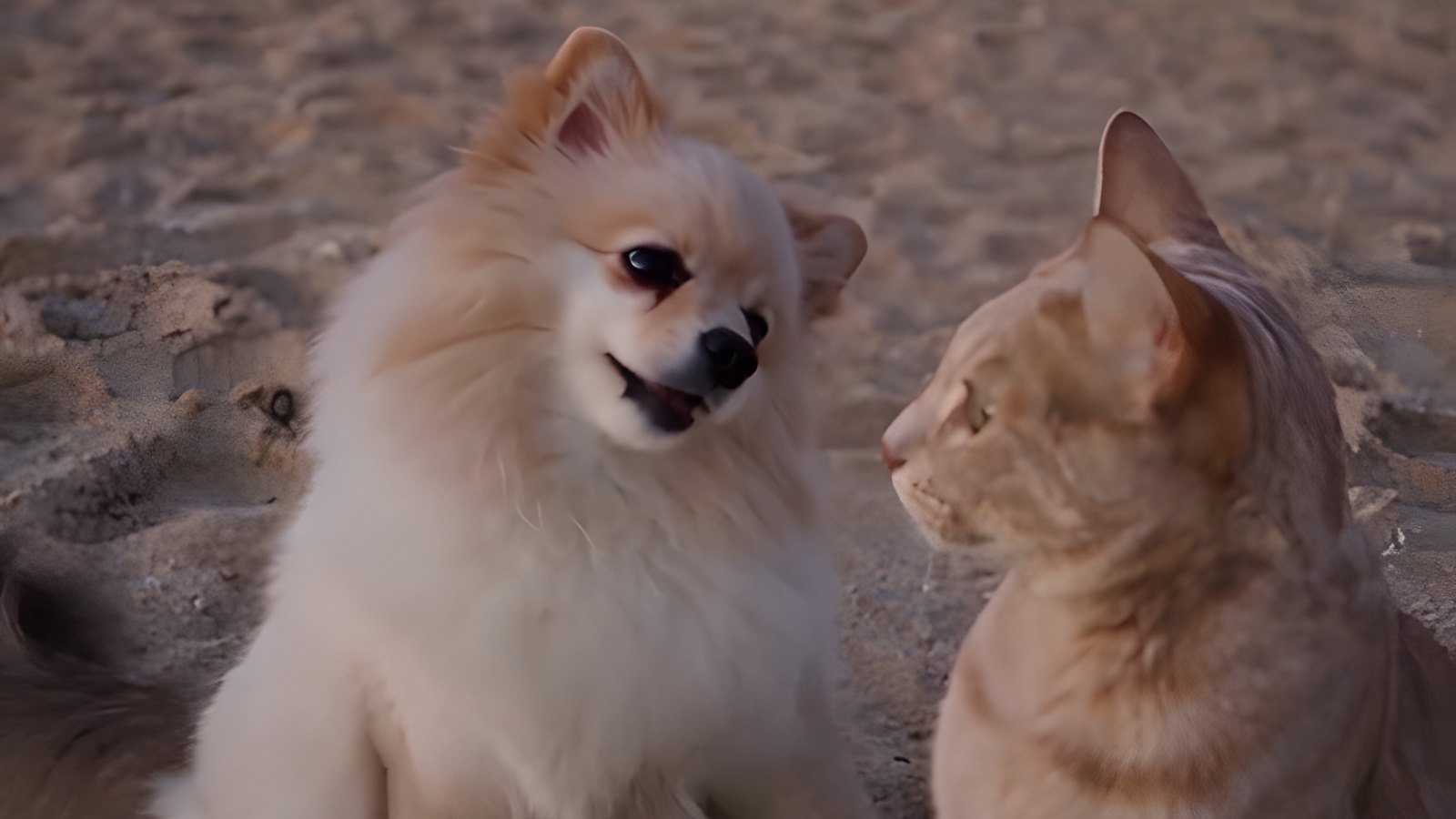
The Raindance AI trend recasts a golden hour pier scene with anyone you like. It runs on the Dave and Tems song. Most people use couples, footballers or Shrek. We used a Pomeranian named Puffi and a cream tabby cat instead, and that may be the funniest cast yet.
First, the song. Raindance by Dave and Tems came out on October 23, 2025, and hit No. 1 on the UK Singles Chart in January 2026. The AI remix wave came months later. Kapwing published its own guide to the trend on October 8, 2026, built around two human photos.
Pets are a different job, though. Animal faces drift, models swap species, and one wrong setting can replace the song with something else. So we spent a night on PixVerse running the same clip through three models.
Below you will find the exact prompt that worked, the reference images we fed it and what each run cost. We also show the mistakes, because two of them are easy to repeat.
The Raindance AI Trend Prompts We Used
The recipe needs one photo per animal and one short reference clip. The first two cards create clean reference images, framed 9:16. Attach two or three real photos of your pet and swap our fur description for your own. If you already have a sharp, well lit photo, skip ahead.
The dog card needs one honest note. Our pier image of Puffi came from a frame of an earlier Wan 3.0 test. So we wrote this prompt afterwards as a shortcut, and we have not run it ourselves. The other two cards are word for word what we used. Finally, the third card holds the video prompt that made the clip on this page.
Clean cat reference image
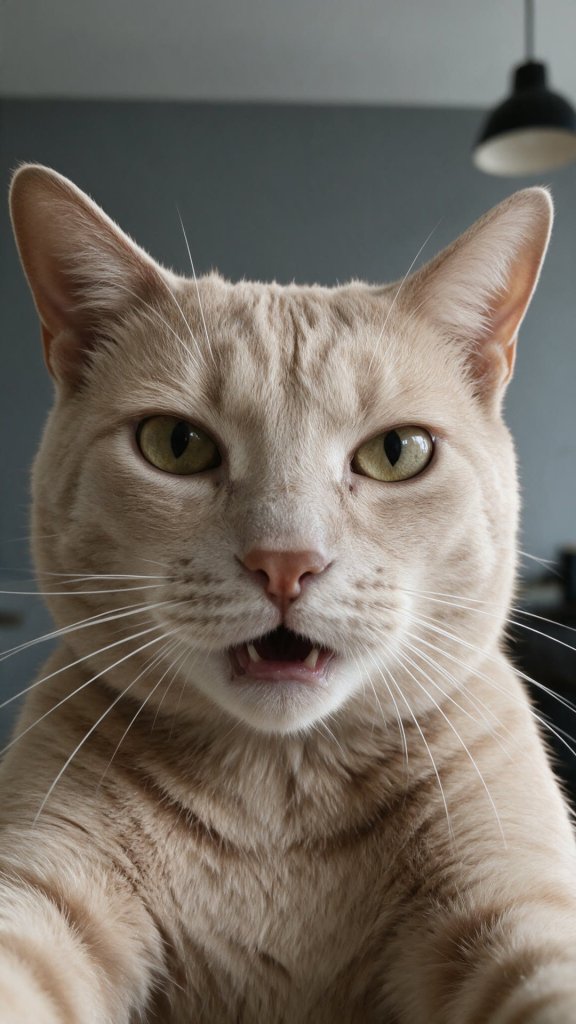
PROMPT
Photorealistic vertical smartphone selfie video frame, extreme close-up. The exact same cream-ginger short-haired tabby cat from the reference photos (pale peach-beige fur with faint darker stripes on the forehead, yellow-green eyes, pink nose, long white whiskers), head and upper chest filling the frame like a person recording a selfie video, looking straight into the camera with a serious expression, mouth slightly open as if speaking. Natural cat face and anatomy, no clothes.
Background: plain grey wall of the same modern kitchen, black pendant lamp slightly out of focus at the top right. Soft daylight on the face, sharp focus on the eyes, realistic front phone camera look.




Tip: This is the image we used as @image1. Keep the face large and sharp, so the model can hold on to it.
Dog on the pier reference image
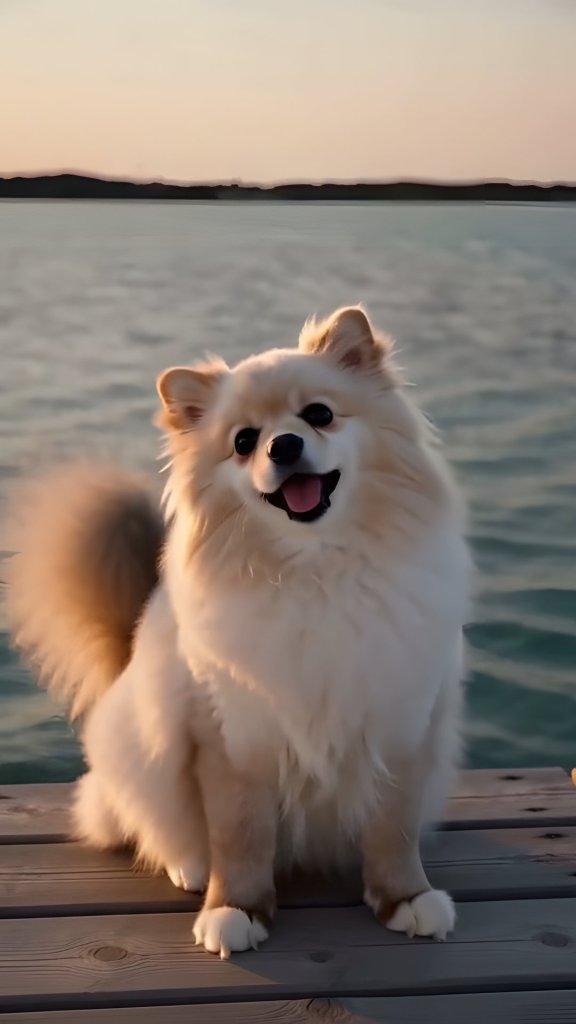
PROMPT
Photorealistic vertical smartphone photo, frame it 9:16. The exact same small cream Pomeranian dog from the reference photos (very fluffy pale cream and white coat, big fluffy mane around the face, small rounded fluffy ears, round dark shiny eyes, small black nose, curled fluffy tail) sitting on a weathered wooden pier and looking at the camera, mouth open with the pink tongue just visible. Natural dog face and anatomy, no clothes, no collar.
Background: calm blue-green water and a dark distant shoreline at golden hour, soft warm sunset light. Sharp focus on the eyes, realistic phone camera look.
Tip: An outdoor pier photo stops the model from pulling a room into the scene.
The exact Seedance 2.5 prompt we ran
VIDEO PROMPT
Recast this video: @video1 It has exactly two animals, a golden retriever dog and a black cat. The golden retriever is played by the dog in @image2 and the black cat is played by the cat in @image1 in every shot, wide or close.
Shots, cuts, timing, camera moves, poses, singing mouth movements, paw gestures and locations stay the same as the reference video. The two animals keep the fur color and face of their images for the whole clip.
Keep the original soundtrack of the reference video unchanged and in sync from the start.
Tip: Keep the two animals from the source clip in the prompt, even if yours are different. They tell the model which role is which.
How to Make the Raindance AI Trend With Your Pet
A finished clip took us about 15 minutes, not counting failed tests. Here is the short version.
Step 1: Open the Pet Duo clip
Sign in to PixVerse and open the Raindance: Pet Duo clip. It stars a golden retriever and a black cat on the pier. Then click Go Create. That fills in the Reference form with the clip and its audio, and nothing is charged yet.
Step 2: Swap in your animals
Upload your images. In our run, @image1 was the cat and @image2 was the dog. Removing images can also strip the tags from the prompt, so type @ and pick them from the menu again.
Step 3: Pick Seedance 2.5
Choose Seedance 2.5 at 480p and Auto. That gives you the full 15 seconds for 630 credits.
Step 4: Paste the prompt and render
Paste the prompt from the card above. Ours took about 10 minutes. If the page shows an error, refresh it first, because refused renders return their credits only after a reload.
Step 5: Check the sound, then crop
Listen first. If the song is wrong, lay the original audio back on top in any editor. Finally, crop to 9:16 shot by shot for Reels, TikTok and Shorts.
Which AI Model Works Best for the Raindance AI Trend?
Seedance 2.5, and it was not close. It kept both animals in every shot and added no strangers. Here is the same beach moment from each model we ran.

The middle panel shows why reference images matter. Wan 3.0 drew a beautiful cat, then gave us a second cat instead of the dog. Meanwhile, MiniMax H3 Max ignored both of our photos and invented a ragdoll and a Bengal.
| Model | What happened in our test | Credits per run |
|---|---|---|
| Seedance 2.5 | Only our two animals in every shot, no refusal | 630 (480p, 15 s) |
| Wan 3.0 | Faithful cat, but the dog became a second cat | 450 (720p, 15 s) |
| MiniMax H3 Max | Ignored our images, invented two new animals | 525 (480p) |
| Kling 4.0 | Not run: it drops the audio reference | 900 (720p, 15 s) |
Prices are what PixVerse showed us on a Pro plan on November 1, 2026. Seedance at 720p would have cost 1,350 credits, so we stayed at 480p and upscaled at home instead.
The Raindance AI Trend Prompt Mistake We Made First
Our early prompts were long and full of negatives. However, that only made things worse. The prompt that worked is short, names the animals in the source clip and tells the model who plays whom.
There is one funny side effect. Seedance swapped the roles, so Puffi sings while the cat waits on the pier. We kept it, because Puffi is the better singer.
The Audio Trap
We briefly switched the form to Kling 4.0 to check a price. As a result, the audio reference vanished from the form and never came back when we returned to Seedance.
The render looked perfect, but the model had invented a different song. So watch the audio slot before you click generate. Our fix was simple: we laid the original soundtrack back over the clip and matched it by waveform.
Use a Photo That Matches the Scene
Wan 3.0 borrows backgrounds from photos. Our first run dropped Puffi into a room for the last few seconds of a pier scene. Using an image of him outdoors on a pier fixed that right away.
Crop It, Do Not Blur It
Auto gave us 748 by 562 pixels and no aspect ratio choice. For Reels, we upscaled every frame to 4K for free with Real-ESRGAN. It took about 10 minutes on a home graphics card.
Next, we cropped to a full height 9:16 window and moved it for each shot. It follows the cat, pans to Puffi on the pier and keeps both faces on the beach. That looks far better than a small clip on a blurred background. Here is the wide original for comparison.
Is It Worth Paying For?
You will need paid credits. Our whole test night came to 3,000 credits, and the winning clip alone cost 630. PixVerse Pro was $30 a month with 6,000 credits when we ran this, which is plenty for a few pets. Read our PixVerse review for the full credit math.
Also, the song and the original video belong to Dave and Tems. Keep your clip a fan remix, credit them and mark it as AI on every platform.
Now it is your turn to join the Raindance AI trend. Pick your two animals and let them sing it out on the pier. For the same trick with a lip-sync, try our Bad Times AI trend guide. You can also browse more recipes in our How To section.
Try Seedance 2.5 on PixVerseWant More?
Got the bug for pet remixes? Then keep creating. Compare the best AI video generators for your next clip. Or start from a still with the best AI image generators.
Trend background is a story from kapwing.com, source.
Frequently Asked Questions
What is the Raindance AI trend?
It is a remix of the pier scene linked to Raindance by Dave and Tems. Creators use AI video models to recast the two roles with couples, celebrities, cartoon characters or pets. The song stays the same, while the cast changes.
What song is used in the Raindance AI trend?
The track is Raindance by Dave featuring Tems, released on October 23, 2025. It is a real song, not an AI one. Only the video is generated.
Can I make the Raindance AI trend with my cat or dog?
Yes. Start from a pet reference clip, such as Raindance: Pet Duo on PixVerse, then upload one photo per animal. In our test, Seedance 2.5 kept a Pomeranian and a cat in every shot.
Which AI model is best for the Raindance AI trend with pets?
Seedance 2.5 gave us the cleanest result for 630 credits at 480p. Wan 3.0 was cheaper at 450 credits, but it turned the dog into a second cat. MiniMax H3 Max ignored our images completely.
Can I make the Raindance AI trend for free?
Not with the method we used. PixVerse hands out 60 daily credits, while one Seedance run costs 630. Therefore, plan on a paid plan. One-click Raindance templates exist elsewhere, but we did not test them.
Why did my Raindance AI video lose the original song?
Most likely the audio reference fell off the form. In our case, switching to Kling 4.0 removed it, and Seedance then invented a new track. So check the audio slot before you render, or add the song back in an editor.
Do I need to credit Dave and Tems?
Yes, you should. The song and the music video belong to the artists and their labels. So name them in your caption and present the clip as a fan remix. Also use the AI label each platform offers.